

Choosing the right audio interface is a pivotal decision for any voiceover artist aiming to elevate their craft and produce professional-grade audio. This comprehensive guide delves into the critical factors that influence this selection, offering insights into various popular models and their suitability for voiceover applications. The landscape of audio interfaces can appear complex, with numerous brands, technical specifications, and price points, making an informed decision essential. This article aims to demystify the process, providing voiceover professionals with the knowledge to invest wisely in equipment that will enhance their recording workflow and final audio output.
Understanding the Core Function of an Audio Interface
At its heart, an audio interface serves as the crucial bridge between the analog world of microphones and instruments and the digital realm of your computer. It performs two primary functions: analog-to-digital conversion (ADC) for recording and digital-to-analog conversion (DAC) for playback. For a voiceover artist, this means translating the nuanced sound waves captured by a microphone into a digital signal that can be processed by Digital Audio Workstation (DAW) software, and conversely, rendering digital audio from your DAW back into an analog signal for monitoring through speakers or headphones.
The quality of these conversion processes directly impacts the fidelity and clarity of your recordings. A superior audio interface will boast high-quality preamplifiers to boost the microphone signal without introducing excessive noise, precise analog-to-digital converters for accurate sound capture, and robust digital-to-analog converters for faithful audio playback during monitoring and mixing.
Navigating the Purchase Decision: Beyond Peer Recommendations
A common piece of advice for acquiring new studio equipment is to poll fellow voiceover artists and producers about their preferred gear. While this can offer valuable anecdotal evidence, it’s important to approach such recommendations with a discerning eye. Enthusiasm for a particular brand or model can sometimes overshadow objective performance metrics, leading to choices that may not align with individual needs or technical comfort levels. The danger lies in acquiring equipment that, while popular, might be overly complex, unsuitable for specific recording scenarios, or simply not the best fit for a user’s technical proficiency. Audio interfaces, in particular, are a prime example where understanding their function and capabilities is paramount. This guide seeks to provide a balanced perspective, moving beyond subjective endorsements to offer data-driven insights.
Key Considerations When Selecting Your Voiceover Audio Interface
The selection process for an audio interface should be rooted in a clear understanding of your current and future recording requirements. This involves a multi-faceted approach:
- Input and Output Needs: Determine the number of microphones you anticipate using simultaneously. For most solo voiceover artists, one or two microphone inputs are sufficient. Consider the need for additional inputs for instruments if your work extends beyond voiceover. Similarly, assess your output needs – how many pairs of studio monitors or headphone outputs do you require?
- Connectivity Type: Audio interfaces connect to computers via various protocols, each with its own characteristics:
- USB: The most common and widely supported connection type, offering a good balance of speed and accessibility. USB 2.0 is adequate for basic needs, while USB 3.0 and above offer higher bandwidth for more demanding applications.
- Thunderbolt: Known for its exceptionally high bandwidth and low latency, making it ideal for complex projects with many tracks and demanding processing. However, it requires a Thunderbolt port on your computer, which is not universally available on all machines.
- FireWire: Once a popular choice for its low latency, FireWire has largely been superseded by USB and Thunderbolt, though some older interfaces may still utilize it.
- Ethernet (AoIP – Audio over IP): Increasingly used in professional broadcast and studio environments, offering network-based audio distribution with high channel counts. This is typically found in higher-end, dedicated systems.
- Preamplifier Quality: The preamplifiers are responsible for boosting your microphone’s signal. High-quality preamps are characterized by low noise floor, high headroom, and a transparent sound reproduction. This is where subtle differences in audio quality can become apparent, especially with sensitive microphones used in voiceover.
- Converter Quality (ADC/DAC): The Analog-to-Digital and Digital-to-Analog converters are critical for the fidelity of your recordings and playback. Look for interfaces with high sample rates (e.g., 44.1kHz, 48kHz, 96kHz) and bit depths (e.g., 24-bit) to ensure detailed and accurate audio capture.
- Latency: Latency refers to the delay between when you perform an action (like speaking into a microphone) and when you hear the result through your monitoring system. Lower latency is crucial for a natural and responsive recording experience, preventing disorientation and allowing for accurate timing. Thunderbolt interfaces generally offer the lowest latency.
- Build Quality and User Interface: A robust build ensures longevity, especially for equipment that might be transported or subjected to frequent use. The user interface of the software and hardware controls should be intuitive and easy to navigate, especially for those who are less technically inclined.
- Bundled Software and Features: Many interfaces come bundled with DAW software, plugins, or virtual instruments. While these can be a good starting point, it’s important to assess their quality and compatibility with your existing workflow. Features like onboard DSP (Digital Signal Processing) for running plugins with near-zero latency or advanced routing capabilities can be significant advantages.
An In-Depth Look at Popular Audio Interfaces for Voiceover
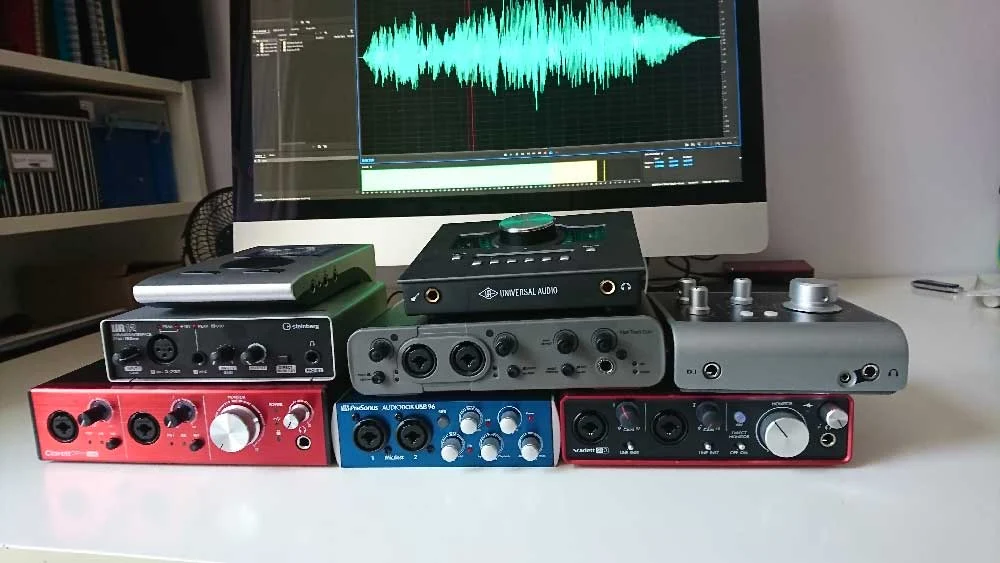
To illustrate these points, let’s examine several audio interfaces that are frequently considered by voiceover professionals, assessing their strengths and weaknesses based on technical specifications and real-world application. Audio samples were recorded using a Sennheiser MK4 microphone directly into each interface to provide a tangible basis for comparison.
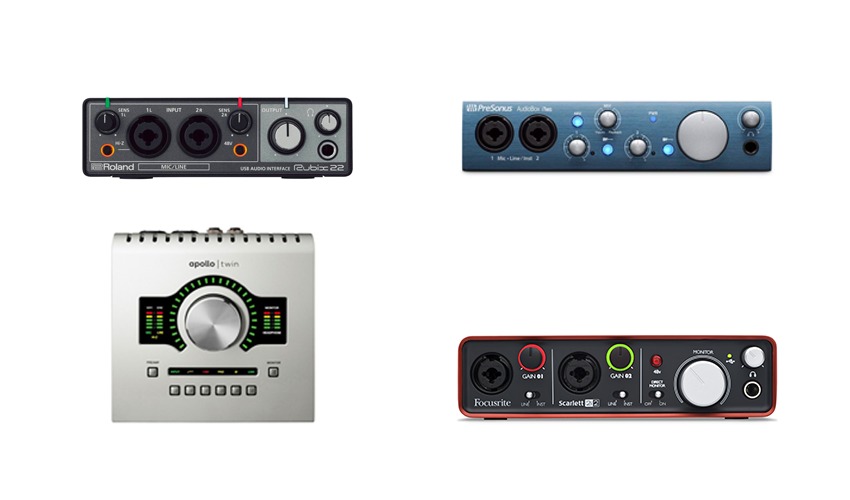
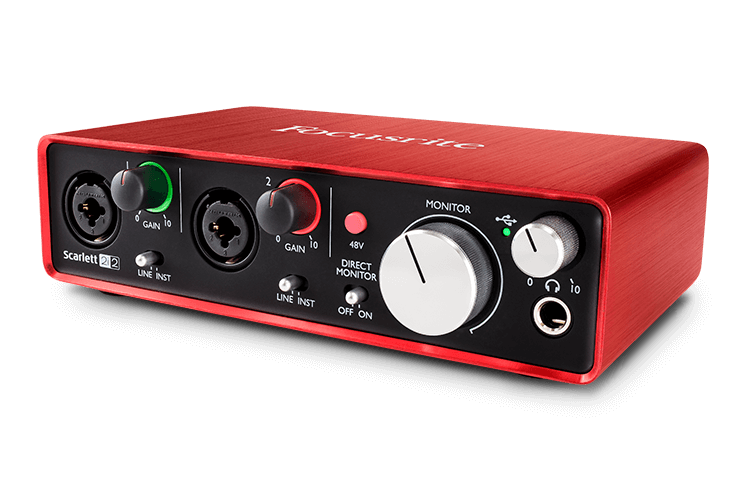
1. Focusrite Scarlett 2i2
- Price: Approximately £115 – $146 USD
- Key Features: 2 inputs, 2 outputs, USB connectivity. The Scarlett series is renowned for its accessibility and widespread adoption. The 2i2 offers a straightforward setup, making it an excellent entry-level option. Higher-tier Scarlett models (6i6 and above) incorporate MixControl software for more flexible audio routing.
- Analysis: The 2i2 provides clean preamplification and reliable conversion for its price point. Its simplicity is a major advantage for those prioritizing ease of use. The included software bundle often features entry-level versions of popular DAWs and plugins.
- Audio Sample: (Refer to original article for audio link)
2. Universal Audio Apollo Twin
- Price: Approximately £699 – $899 USD
- Key Features: 2 inputs, 4 outputs, Thunderbolt connectivity (with a USB version available for Windows). Features digitally controlled preamps, advanced routing via Console software, and UAD plugin emulations of renowned analog gear.
- Analysis: The Apollo Twin is a professional-grade interface favored by many high-profile voiceover artists, including Joe Cipriano and Peter Dickson. Its standout feature is the onboard DSP, which allows for near-zero latency monitoring and processing using UAD plugins. The ability to save and recall session configurations is invaluable for maintaining consistency across multiple takes or projects. The premium price reflects its superior build quality, advanced features, and exceptional audio performance.
- Audio Sample: (Refer to original article for audio link)
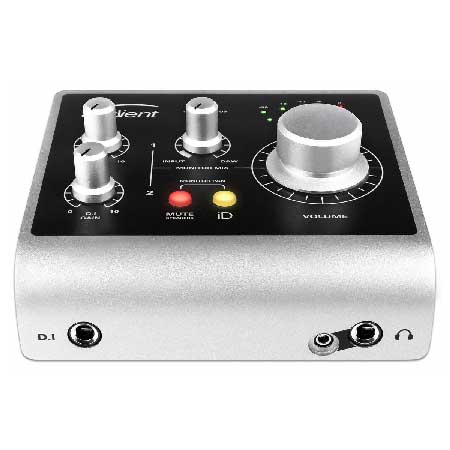
3. Audient iD4
- Price: Approximately £105 – $199 USD
- Key Features: 2 inputs (1 XLR, 1 Jack), 2 outputs, USB connectivity. Part of Audient’s iD range, which scales up in features and connectivity. The iD4 is praised for its robust build and high-quality microphone preamplifiers, often considered superior to those found in similarly priced competitors.
- Analysis: The iD4 offers impressive audio quality for its cost. While it has fewer input options compared to some competitors (not offering two combi-sockets), its primary XLR input delivers a clean and professional sound. The larger iD series units offer more extensive routing and expandability.
- Audio Sample: (Refer to original article for audio link)
4. Avid Fast Track Duo
- Price: Approximately £145 – $220 USD (Discontinued)
- Key Features: 2 combi-sockets (XLR/Jack) inputs, 2 outputs, USB connectivity. Originally bundled with Pro Tools Express.
- Analysis: Although discontinued, the Fast Track Duo was a capable interface that performed well for general audio tasks. Its integration with Pro Tools was a significant selling point for users of Avid’s software. The primary drawback noted was the legibility of its labeling, a minor but potentially frustrating ergonomic issue. Its discontinuation means availability is limited to the used market.
- Audio Sample: (Refer to original article for audio link)
5. Focusrite Clarett 2Pre
- Price: Approximately £345 – $439 USD
- Key Features: 2 inputs, 2 outputs, USB connectivity. The Clarett range represents a step up from the Scarlett series, offering improved preamplifiers and higher specifications. The 2Pre, like other Clarett models, supports expansion via optical connections.
- Analysis: The Clarett 2Pre delivers a noticeable improvement in audio fidelity over the Scarlett series, with more pristine preamplification and converters. The control software offers more advanced routing options. While it requires software for certain functions, its overall performance makes it a strong contender for those seeking higher-quality audio without venturing into the premium price bracket of interfaces like the Apollo Twin.
- Audio Sample: (Refer to original article for audio link)
6. PreSonus AudioBox
- Price: Approximately £99 – $129 USD
- Key Features: 2 inputs (combi-sockets), 2 outputs, USB connectivity. Bundled with Studio One Artist DAW.
- Analysis: The AudioBox offers a cost-effective solution for voiceover work, especially when bundled with PreSonus’s capable Studio One Artist DAW. It provides basic, functional inputs and outputs suitable for solo recording. While not as feature-rich as higher-end units, it serves as a solid entry point for budget-conscious professionals.
- Audio Sample: (Refer to original article for audio link)
7. RME Babyface Pro
- Price: Approximately £649 – $759 USD
- Key Features: 4 inputs (2 XLR, 2 Jack), 4 outputs, USB connectivity. Known for its robust build, comprehensive features, and exceptional driver stability.
- Analysis: The RME Babyface Pro is a powerhouse in a compact form factor. Despite its unassuming appearance, it boasts exceptional preamplifiers, converters, and a highly intuitive software mixer. Its multi-function buttons and digital routing capabilities, while initially requiring a learning curve, provide immense flexibility once mastered. RME’s reputation for driver stability and pristine audio quality makes it a favorite among discerning professionals. The unit’s expandability via optical connections further enhances its long-term value.
- Audio Sample: (Refer to original article for audio link)
8. Steinberg UR12
- Price: Approximately £79 – $99 USD
- Key Features: 1 XLR input, 1 Jack input, 2 outputs, USB connectivity. Bundled with Cubase AI and Cubase LE.
- Analysis: The UR12 is an extremely budget-friendly option that still delivers a respectable audio signal. The inclusion of a Yamaha D-PRE microphone preamp is a notable advantage at this price point. Its ability to loopback audio from a DAW to a client is a practical feature for remote recording sessions. While basic, it offers a functional entry into professional audio capture.
- Audio Sample: (Refer to original article for audio link)
The Crucial Distinction: Price vs. Performance and Features
As highlighted, there is a clear correlation between price and the features and performance offered by audio interfaces. Lower-priced interfaces often share a common drawback: the use of rotary encoders that are not "notched." This means that when you adjust a setting, there’s no tactile feedback or defined click for each increment. This makes it incredibly difficult to precisely recall settings months or even weeks later when needing to record pickups for the same session. Consistency is paramount in voiceover work, and the inability to accurately replicate previous settings can lead to audible discrepancies in the final audio.
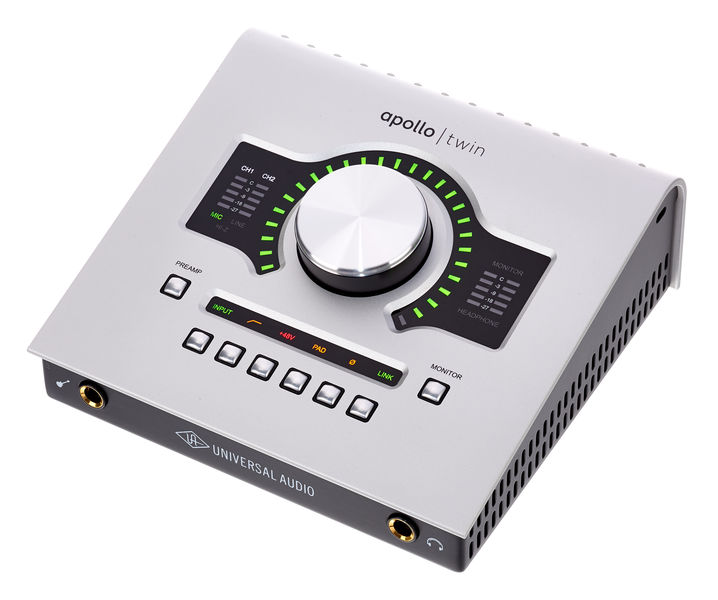
Conversely, higher-priced interfaces, particularly models like the Universal Audio Apollo Twin, excel in this regard. They feature notched encoders, allowing for precise and repeatable adjustments. Furthermore, these premium interfaces often incorporate more accurate preamplifiers, superior converters, and more sophisticated software control panels that offer advanced routing and signal management. This level of control is not just about convenience; it directly impacts the ability to achieve and maintain a consistent sonic signature across all your projects.
The End Client’s Perspective: Do They Notice?
The question remains: does the significant difference in price and features translate to a perceivable improvement for the end client? For many commercial voiceover projects, particularly those destined for broadcast or online platforms where compression and other mastering processes are applied, the subtle nuances between high-end and mid-range interfaces might not be immediately apparent to the casual listener. However, for projects demanding absolute pristine quality, such as high-fidelity narration for documentaries, audiobooks requiring meticulous detail, or critical broadcast applications, the superior performance and features of a premium interface can indeed make a difference.
Ultimately, the "best" audio interface is subjective and dependent on individual needs, budget, and technical comfort. For a voiceover artist, investing in an interface that provides a reliable, clean signal, intuitive operation, and the flexibility to grow with their career is the most prudent approach. The interfaces discussed represent a spectrum of options, each offering distinct advantages for the discerning voiceover professional.
[Updated January 2026, by Hugh Edwards]
