

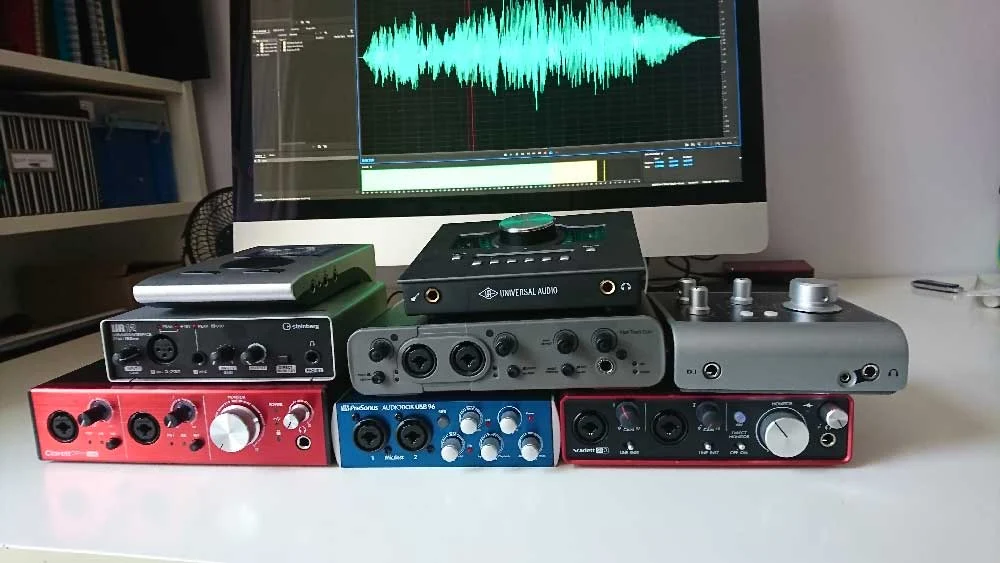
The pursuit of pristine audio quality is paramount for voiceover artists, and at the heart of any professional home studio lies the audio interface. This crucial piece of hardware acts as the bridge between the analog world of microphones and the digital realm of recording software, transforming vocal performances into high-fidelity digital signals. However, navigating the diverse and often technically dense landscape of audio interfaces can be a daunting task for even seasoned professionals. This comprehensive guide aims to demystify the selection process, offering insights into key considerations, an analysis of popular models, and expert recommendations to help voiceover artists make an informed decision that aligns with their specific needs and budget.
Understanding the Core Functionality of an Audio Interface
At its most fundamental level, an audio interface converts analog audio signals—captured by your microphone—into digital data that your computer can process and record. Conversely, it also converts digital audio from your computer back into an analog signal, allowing you to monitor your recordings through studio monitors or headphones. Key components of an audio interface include:
- Preamplifiers (Preamps): These amplify the weak signal from your microphone to a usable level for conversion. The quality of the preamps significantly impacts the clarity and richness of your recordings.
- Analog-to-Digital (A/D) and Digital-to-Analog (D/A) Converters: These chips are responsible for the conversion process. Higher-quality converters result in more accurate and detailed audio reproduction.
- Inputs and Outputs: These are the physical ports where you connect microphones, instruments, and monitoring equipment. The number and type of inputs (XLR for microphones, TRS for line-level instruments) and outputs (for speakers and headphones) are critical for workflow.
- Connectivity: This refers to how the interface connects to your computer, typically via USB, Thunderbolt, or older FireWire protocols. Each has its own implications for speed, latency, and compatibility.
- Software Control: Many interfaces come with dedicated control panel software that allows for routing, gain staging, and management of various features.
Navigating the Selection Maze: Key Considerations for Voiceover Artists
The decision of which audio interface to choose should not be taken lightly, nor should it be based solely on the recommendations of others without critical evaluation. While peer advice can offer valuable starting points, a thorough understanding of individual requirements is essential.
1. Input and Output Needs:
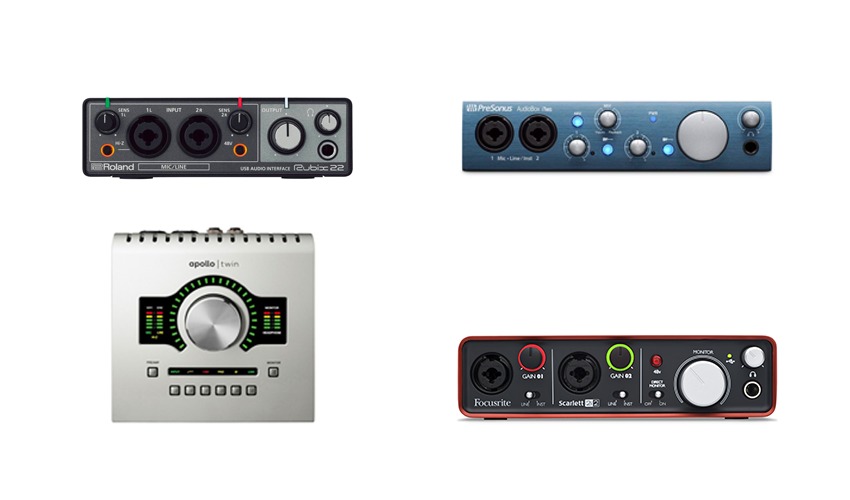
The most immediate consideration is the number of simultaneous audio sources you anticipate recording. For a solo voiceover artist, one or two microphone inputs are typically sufficient. However, if you plan to record co-hosts, sound effects live, or integrate external hardware, you may require more inputs. Similarly, consider the number of outputs needed for your monitoring setup (e.g., main studio monitors, a secondary pair, or headphone mixes for multiple performers).
2. Connectivity and Computer Compatibility:
Ensure the interface’s connectivity type (USB, Thunderbolt) is compatible with your computer’s available ports. Thunderbolt offers lower latency and higher bandwidth, which can be beneficial for complex projects, but USB is more universally available. Older interfaces may use FireWire, which is largely obsolete on modern computers.
3. Microphone Preamplifier Quality:
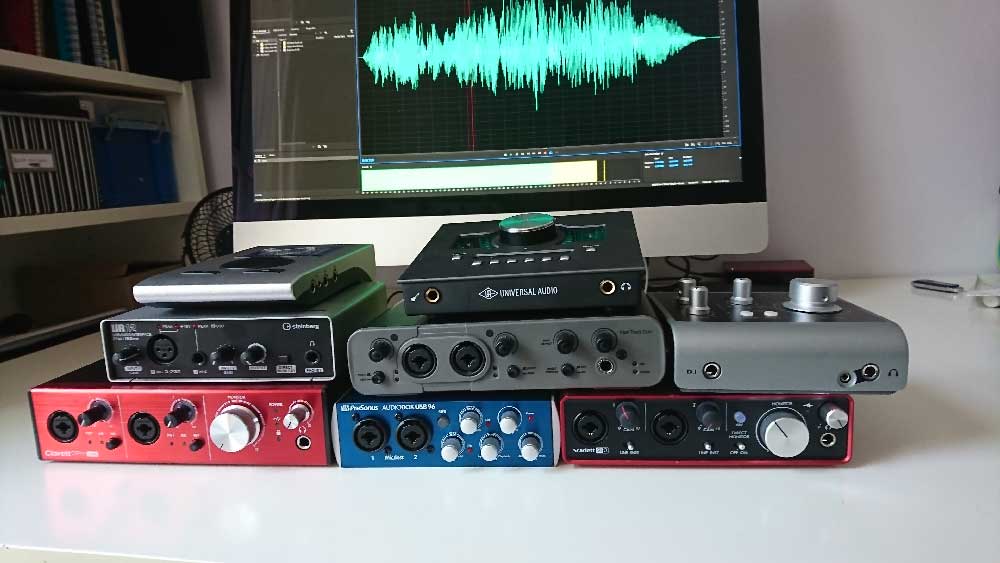
The quality of the preamps is a crucial determinant of the final audio sound. High-end interfaces often feature superior preamps that provide clean gain without introducing unwanted noise or coloration. For voiceover, a clear, transparent sound is usually preferred.
4. Digital Conversion Quality:
The A/D and D/A converters play a vital role in capturing the nuances of your voice accurately. While many modern interfaces offer excellent conversion, higher-priced models often provide a discernible improvement in detail and fidelity.
5. Budget:
Audio interfaces span a wide price range, from entry-level models to professional-grade units costing thousands of dollars. It’s important to establish a realistic budget and seek the best possible quality within that range. It’s often a case of "you get what you pay for," but not all expensive interfaces are necessary for every user.
6. Ease of Use and Technical Aptitude:
The user interface and accompanying software should be intuitive and easy to navigate, especially for those who are less technically inclined. Overly complex control panels can hinder workflow and introduce frustration. Some interfaces offer "plug-and-play" simplicity, while others require a deeper understanding of audio routing and signal flow.
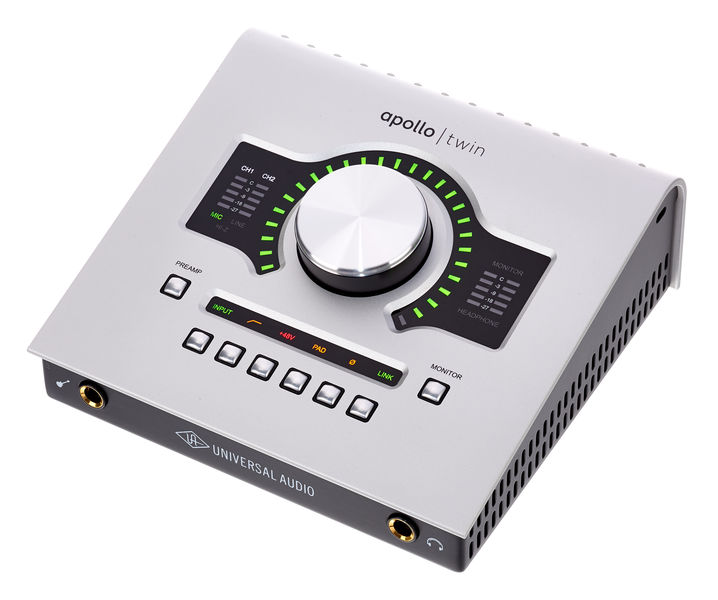
7. Bundled Software and Features:
Many interfaces come bundled with Digital Audio Workstation (DAW) software, virtual instruments, and effects plugins. While these can be valuable additions, especially for beginners, ensure the core functionality of the interface meets your needs. Features like direct monitoring (allowing you to hear yourself with zero latency) and loopback functionality (for streaming or podcasting) can also be important.
An In-Depth Look at Popular Audio Interfaces for Voiceover
To illustrate these considerations, let’s examine several popular audio interfaces frequently used by voiceover professionals, considering their strengths, weaknesses, and typical use cases. The following audio samples were recorded using a Sennheiser MK4 microphone directly into each interface to showcase their inherent sonic characteristics.
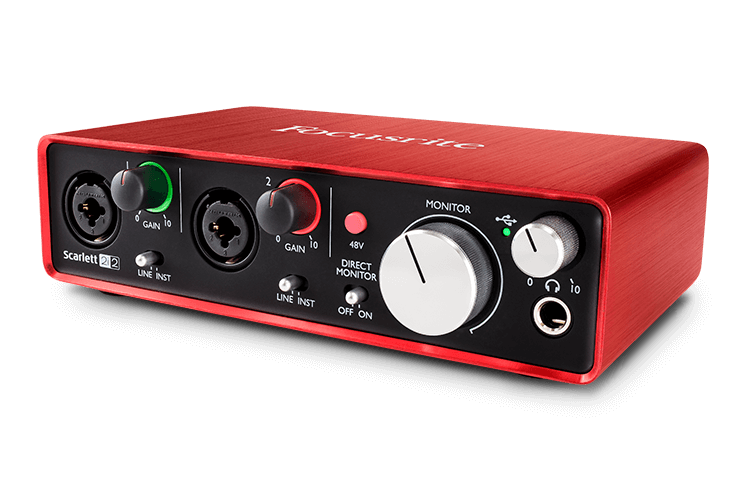
1. Focusrite Scarlett 2i2 (3rd Gen)
- Price Point: Approximately £115 – $146 USD
- Connectivity: USB Type-C
- Inputs/Outputs: 2 combo XLR/TRS inputs, 2 TRS line outputs, 1 stereo headphone output.
- Key Features: Renowned for its user-friendliness and robust build quality, the Scarlett 2i2 is a perennial favorite for home studios and beginners. Its "Air" mode, designed to emulate the sound of a classic console preamp, can add a subtle brightness to vocals. The included software bundle often features entry-level versions of popular DAWs and plugins.
- Analysis: The 2i2 offers excellent value for its price, providing clean preamps and reliable performance. It’s an ideal starting point for aspiring voiceover artists who need a straightforward, dependable interface. The latest generation boasts improved converters and enhanced connectivity.
(Audio Sample: Focusrite Scarlett 2i2 – Demonstrates clear, present audio with a hint of warmth. The "Air" mode, if engaged, would typically add a touch more high-end sparkle.)
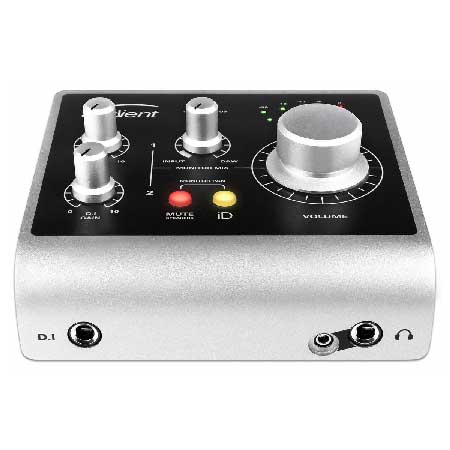
2. Universal Audio Apollo Twin X DUO
- Price Point: Approximately £699 – $899 USD
- Connectivity: Thunderbolt 3
- Inputs/Outputs: 2 Unison™ mic/line inputs, 2 line outputs, 1 stereo headphone output. Expandable via ADAT.
- Key Features: The Apollo Twin X is a professional-grade interface celebrated for its exceptional sound quality, UAD plugin ecosystem, and Unison™ technology, which emulates classic hardware preamps and guitar amps. It offers superior digital conversion and low-latency performance, making it a top choice for demanding professionals. The included Console software provides a sophisticated mixing and routing environment.
- Analysis: This interface represents a significant investment but delivers professional-grade audio and powerful processing capabilities. Its ability to run UAD plugins in near real-time is a major draw, allowing for high-quality processing during recording. For voiceover artists seeking the utmost in sonic fidelity and advanced features, the Apollo Twin X is a compelling option, favored by many industry veterans.
(Audio Sample: UA Apollo Twin X DUO – Exhibits pristine clarity, a wide dynamic range, and a refined tonal character. The UAD processing, if applied, would further enhance its sonic polish.)
3. Audient iD4 (MkII)
- Price Point: Approximately £105 – $199 USD
- Connectivity: USB Type-C
- Inputs/Outputs: 1 XLR mic input, 1 instrument/line input (TRS/TS), 2 line outputs, 1 stereo headphone output.
- Key Features: The iD4, and its larger siblings in the iD range, are lauded for their professional-grade Audient Console preamps, which are derived from their larger studio consoles. It offers a simple yet effective feature set, including a unique "Scroll Control" that allows users to control DAW parameters with the iD4’s large encoder. The MkII version offers improved performance and a more robust build.
- Analysis: The Audient iD4 provides remarkably high-quality preamps and conversion for its price point. It’s an excellent choice for voiceover artists who prioritize sound quality and intuitive operation without the complexity of higher-end units. Its compact size and durable construction make it suitable for mobile setups as well.
(Audio Sample: Audient iD4 – Demonstrates a clean, natural sound with good detail and a balanced frequency response. The Audient preamps are known for their transparency.)
4. RME Babyface Pro FS
- Price Point: Approximately £649 – $759 USD
- Connectivity: USB
- Inputs/Outputs: 2 XLR/TRS combo inputs, 2 TRS line outputs, 1 stereo headphone output, 1 AES/EBU input/output, 1 ADAT input/output.
- Key Features: RME is renowned for its rock-solid drivers, pristine digital conversion, and high-quality components. The Babyface Pro FS is a compact yet incredibly powerful interface, offering exceptional sonic clarity, low latency, and a comprehensive feature set including advanced routing capabilities through its TotalMix FX software.
- Analysis: The RME Babyface Pro FS is a workhorse for many audio professionals who demand unwavering reliability and superior sound. Its transparent sound signature ensures that your voice is captured as accurately as possible. While the TotalMix FX software can have a learning curve, it offers unparalleled control over your audio routing.
(Audio Sample: RME Babyface Pro FS – Presents an exceptionally clean and detailed sound with a neutral tonal balance. The RME converters are highly regarded for their accuracy.)
5. Steinberg UR12
- Price Point: Approximately £79 – $99 USD
- Connectivity: USB
- Inputs/Outputs: 1 XLR mic input (with D-PRE preamp), 1 1/4" instrument input, 2 RCA line outputs, 1 stereo headphone output.
- Key Features: The UR12 is a budget-friendly option that offers a surprisingly good audio experience for its price. It features Yamaha’s D-PRE microphone preamp, known for its natural tone. It also includes Cubase AI software. A notable feature is its ability to run on USB power alone, making it highly portable.
- Analysis: For voiceover artists on a tight budget, the Steinberg UR12 offers a solid entry point into professional audio recording. While it may not match the sonic depth of higher-end units, its clean preamps and reliable performance make it a capable tool for basic voiceover work.
(Audio Sample: Steinberg UR12 – Shows a competent and clean audio capture, with a pleasant natural tone. The D-PRE preamp provides a good foundation for voiceovers.)
The Evolution of Audio Interface Technology and its Implications
The audio interface market has seen significant technological advancements over the past decade. The increasing speed and efficiency of USB and Thunderbolt connections have dramatically reduced latency, a critical factor for real-time recording and monitoring. This has made it possible for even portable, bus-powered interfaces to deliver professional results.
Furthermore, the quality of digital converters has improved across the board, meaning that even entry-level interfaces can now produce audio that was once only achievable with much more expensive equipment. This democratization of high-quality audio has empowered a new generation of voiceover artists to establish professional studios without exorbitant initial investment.
The integration of sophisticated software control panels has also become standard. These offer advanced routing options, virtual mixing consoles, and often include DSP (Digital Signal Processing) capabilities for near-zero latency monitoring with effects. This allows for more complex studio setups and greater flexibility in managing audio signals.
Recommendations for Voiceover Professionals
When it comes to selecting an audio interface, the "best" option is inherently subjective and depends on individual circumstances. However, based on common voiceover workflows and the balance of features, quality, and price, several recommendations emerge:
-
For Beginners and Budget-Conscious Artists: The Focusrite Scarlett 2i2 and Audient iD4 (MkII) stand out as excellent choices. They offer a fantastic balance of sound quality, ease of use, and affordability, providing a professional foundation for voiceover work. The Steinberg UR12 is a strong contender for those with the absolute tightest budget.
-
For Intermediate to Advanced Users Seeking Superior Quality: The Universal Audio Apollo Twin X DUO is an industry benchmark for those who can justify the investment. Its pristine sound, powerful UAD plugins, and robust feature set make it a long-term solution for serious professionals. The RME Babyface Pro FS is another top-tier option for those who prioritize unparalleled reliability, transparency, and advanced control.
-
Considerations for Expandability: If future expansion is a concern, interfaces like the Apollo Twin X and RME Babyface Pro FS offer digital expansion options (ADAT, AES/EBU) that allow you to add more inputs and outputs as your needs grow.
It is crucial to listen to audio samples recorded with different interfaces, ideally with a microphone similar to your own, to discern the subtle sonic differences. Many manufacturers provide demo tracks, and online reviews often include direct comparisons. Ultimately, the goal is to find an interface that complements your voice and workflow, enabling you to produce consistently high-quality audio for your clients. The journey to the perfect audio interface is one of informed decision-making, balancing technical specifications with practical application and personal preference.
