

The quest for pristine audio quality is paramount for voiceover artists, and at the heart of this pursuit lies the audio interface. This crucial piece of hardware acts as the bridge between the analog world of microphones and the digital realm of recording software, fundamentally shaping the clarity, richness, and overall fidelity of every spoken word. As the voiceover industry continues to flourish, driven by demand from an expanding media landscape encompassing advertising, e-learning, audiobook narration, and digital content creation, the importance of understanding and selecting the right audio interface cannot be overstated. This in-depth analysis explores the critical factors voiceover professionals must consider when choosing an audio interface, examining popular models and providing a framework for informed decision-making in a rapidly evolving technological environment.
The initial step in acquiring any new studio equipment, whether for a nascent home studio or an established professional setup, often involves seeking recommendations from peers. While this collaborative approach can offer invaluable insights, it also presents a potential pitfall. The passion for one’s chosen gear can sometimes lead to an entrenched perspective, where individual preferences are presented as universal truths. For newcomers to the intricacies of audio technology, distinguishing objective advice from fervent advocacy can be challenging. This is particularly true for audio interfaces, a component that, while essential, may not be fully understood by all users. This article aims to demystify the selection process, offering a balanced overview of current market offerings and guiding voiceover artists toward an interface that aligns with their specific needs and technical comfort level.
Understanding the Core Functionality of an Audio Interface
At its most basic, an audio interface converts analog audio signals from a microphone into a digital format that a computer can process and record. Conversely, it also converts digital audio from a computer back into an analog signal for playback through studio monitors or headphones. Key components within an interface include preamplifiers (preamps) that boost the microphone’s signal to a usable level, analog-to-digital (ADC) and digital-to-analog (DAC) converters that handle the signal transformation, and various input/output (I/O) connections. The quality of these components directly impacts the sound captured. High-quality preamps offer clean gain with minimal noise, while superior converters ensure accurate and detailed conversion of the audio signal, preserving the nuances of the voice.
Key Considerations for Voiceover Artists
When embarking on the journey to select an audio interface, voiceover professionals should meticulously assess their present and future recording requirements. This involves a thorough evaluation of the types of projects undertaken, the number of simultaneous vocal tracks needed, and any potential for expansion into multi-instrumental recording or podcasting collaborations.
1. Input and Output Needs: The number of inputs and outputs (often denoted as "X in, Y out") is a primary consideration. For solo voiceover work, two inputs are generally sufficient, accommodating a primary microphone and potentially a secondary source like a click track or an instrument. Two outputs are typically needed for connecting to studio monitors. However, for podcasting with multiple hosts or recording voiceovers with live musical accompaniment, a greater number of inputs and outputs may become necessary.
2. Connectivity Type: Audio interfaces connect to computers via various protocols, each with its own characteristics:
- USB: The most common and widely compatible interface, offering a balance of speed and accessibility. USB 2.0 is adequate for basic voiceover work, while USB 3.0 and higher provide increased bandwidth for more demanding applications.
- Thunderbolt: Offers significantly higher bandwidth and lower latency than USB, making it ideal for complex projects with numerous tracks and real-time processing. However, Thunderbolt ports are not present on all computers, particularly older models.
- FireWire: Once a popular high-speed option, FireWire has largely been superseded by Thunderbolt and USB 3.0, and is less commonly found on modern computers.
- Ethernet (AoIP – Audio over IP): Emerging as a powerful solution for network-based audio, offering scalability and flexibility, though it often requires a more complex setup and dedicated network infrastructure.
The choice of connectivity should align with the user’s computer hardware. Purchasing a Thunderbolt interface for a computer lacking Thunderbolt ports would render it unusable.
3. Preamplifier Quality: The quality of the microphone preamplifiers is paramount for voiceover. Clean, low-noise preamps are essential for capturing subtle vocal nuances without introducing hiss or hum. Higher-end interfaces often feature more sophisticated preamps with greater headroom, allowing for a wider dynamic range and a more natural vocal rendition.
4. Sample Rate and Bit Depth: These technical specifications determine the resolution and accuracy of the digital audio conversion.
- Sample Rate: Refers to the number of times per second the audio signal is sampled. Common rates include 44.1 kHz (CD quality), 48 kHz (common for video and broadcast), 96 kHz, and 192 kHz. For voiceover, 48 kHz is generally sufficient, though higher rates can offer greater fidelity for specific mastering processes.
- Bit Depth: Determines the dynamic range of the audio. 16-bit audio offers a dynamic range of approximately 96 dB, while 24-bit audio provides around 144 dB. For professional voiceover recording, 24-bit is the standard, offering ample dynamic range and detail.
5. Latency: Latency refers to the delay between the audio signal entering the interface and being processed by the computer. Low latency is critical for voiceover artists who may be monitoring their performance through headphones while recording. High latency can be disorienting and hinder performance. Interfaces with efficient drivers and faster connectivity protocols generally offer lower latency.
6. Software and Bundled Extras: Many audio interfaces come bundled with Digital Audio Workstation (DAW) software, plugins, or virtual instruments. While these can be beneficial, especially for beginners, it’s important to assess whether the bundled software meets your specific needs or if you already possess a preferred DAW. The "free" plugins should be evaluated for their actual utility.
7. Build Quality and Portability: For professionals who travel or work in different locations, the build quality and portability of an interface are significant factors. Robust construction ensures durability, while compact designs facilitate easy transport.
A Comparative Analysis of Popular Audio Interfaces
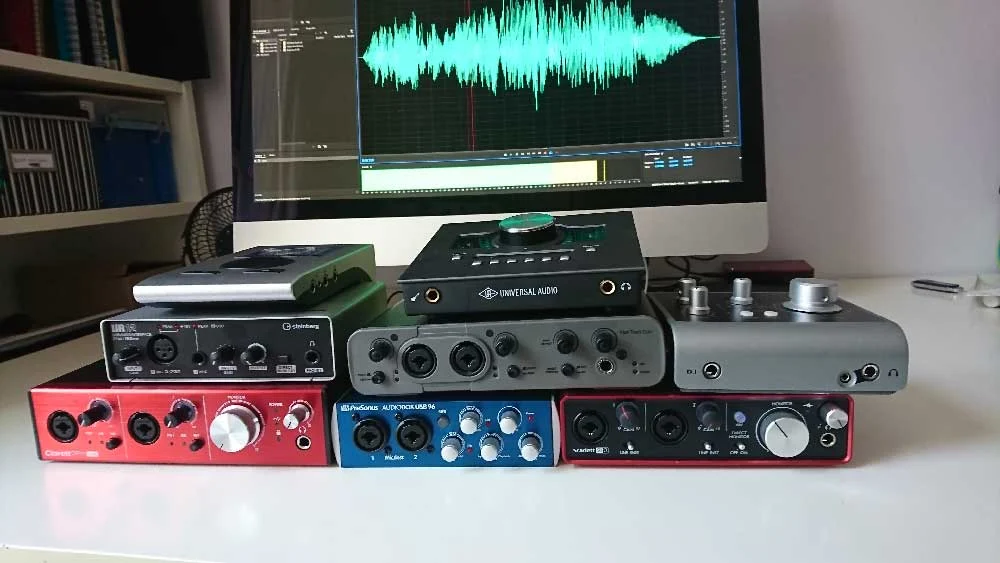
To illustrate these considerations in practice, let’s examine a selection of audio interfaces commonly found in professional voiceover studios, noting their features, price points, and audio characteristics as demonstrated through sample recordings. All audio samples were recorded using a Sennheiser MK4 microphone directly into the interface, providing a consistent baseline for comparison.
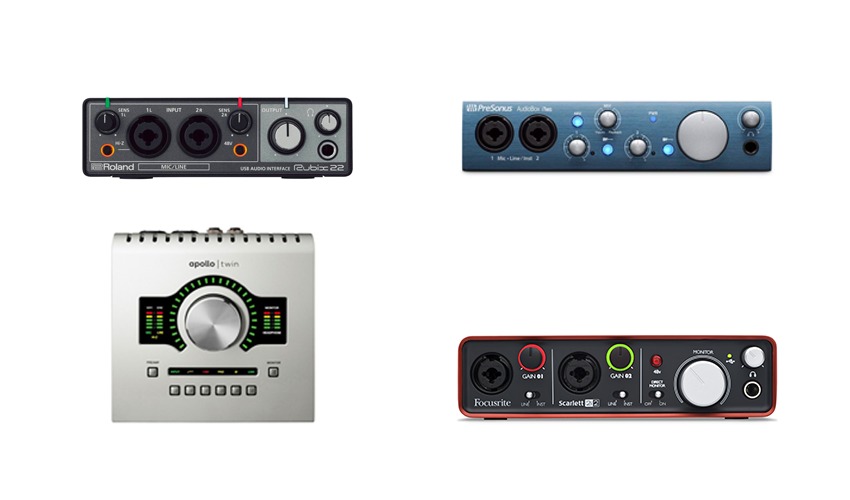
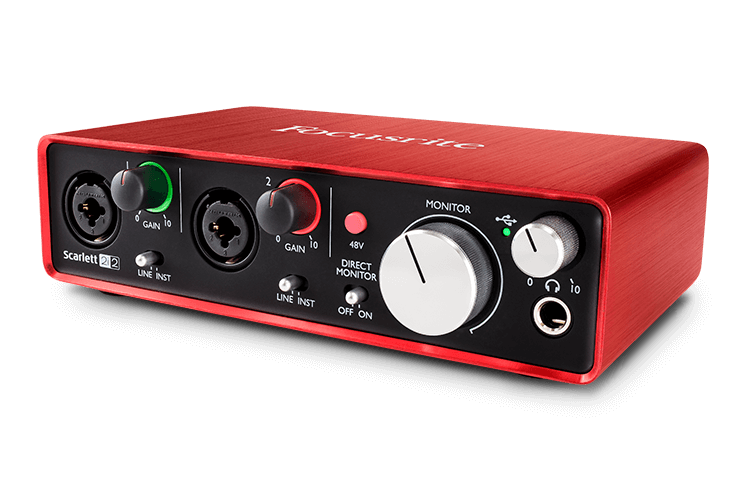
1. Focusrite Scarlett 2i2
- Price: Approximately £115 – $146 USD
- Features: 2 inputs, 2 outputs, USB connectivity. Known for its user-friendly design and reliable performance, making it a popular choice for beginners and intermediate users. Offers a range of Scarlett models with varying I/O configurations. Higher-end Scarlett models (6i6 and above) utilize dedicated MixControl software for flexible audio routing.
- Analysis: The Scarlett 2i2 provides a solid entry point into professional audio recording. Its simplicity makes it accessible, and the preamps offer a clean signal suitable for most voiceover applications. The included software, while sometimes basic, can be a useful starting point.
- Sample Audio: [Link to Scarlett-2i2.wav]
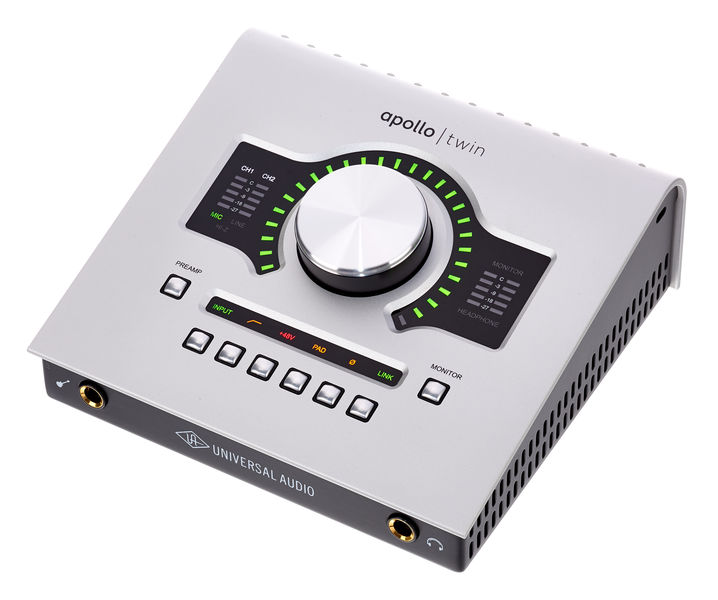
2. Universal Audio Apollo Twin
- Price: Approximately £699 – $899 USD
- Features: 2 inputs, 4 outputs, Thunderbolt connectivity (USB version available for Windows). Features high-quality preamps, extensive routing capabilities via Console software, and a powerful suite of UAD plug-in emulations of classic analog gear. Offers session saving and recall functionality.
- Analysis: The Apollo Twin represents a significant step up in professional audio quality and functionality. Its superior preamps and converters contribute to a remarkably clear and detailed sound. The Console software, while initially complex, offers immense control and the ability to process audio in real-time with incredibly low latency. The plug-in ecosystem, particularly for vocal processing, is highly regarded. Its adoption by prominent voiceover artists like Joe Cipriano and Peter Dickson underscores its professional appeal. The ability to store and recall session settings is invaluable for maintaining consistency across different recording sessions.
- Sample Audio: [Link to UA-Twin.wav]
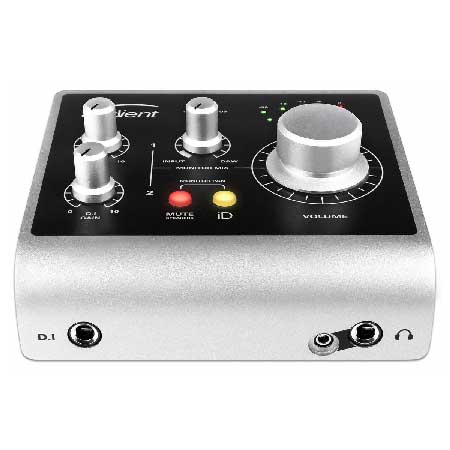
3. Audient iD4
- Price: Approximately £105 – $199 USD
- Features: 2 inputs (1 XLR, 1 Jack), 2 outputs, USB connectivity. The iD4 is part of Audient’s iD range, offering a streamlined experience. While input 2 is a jack, not a combi-socket, it remains a versatile option. Higher models in the iD range (iD14 and above) offer expanded I/O and controller software.
- Analysis: The Audient iD4 is a compact and capable interface that punches above its weight in terms of audio quality for its price point. It delivers a clean and transparent sound, making it a strong contender for budget-conscious voiceover artists seeking professional results. Its straightforward design ensures ease of use.
- Sample Audio: [Link to Audient-iD4.wav]
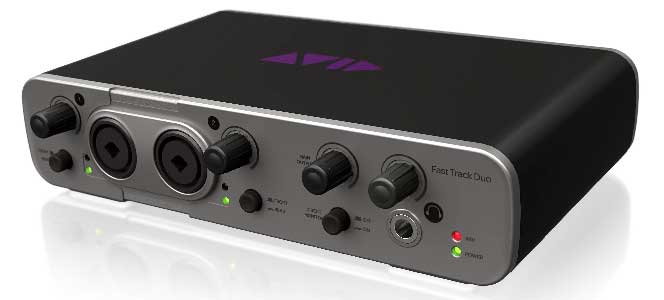
4. Avid Fast Track Duo (Discontinued)
- Price: Approximately £145 – $220 USD (when available)
- Features: 2 combi-sockets, 2 outputs, USB connectivity. Originally bundled with Pro Tools Express.
- Analysis: While now discontinued, the Avid Fast Track Duo served as a capable interface for many users, particularly those within the Pro Tools ecosystem. It offered decent audio performance for its time. However, the legibility of its labeling could be an issue for some users, and its discontinuation means it’s no longer a viable option for new purchases.
- Sample Audio: [Link to Avid-fast-track-duo.wav]
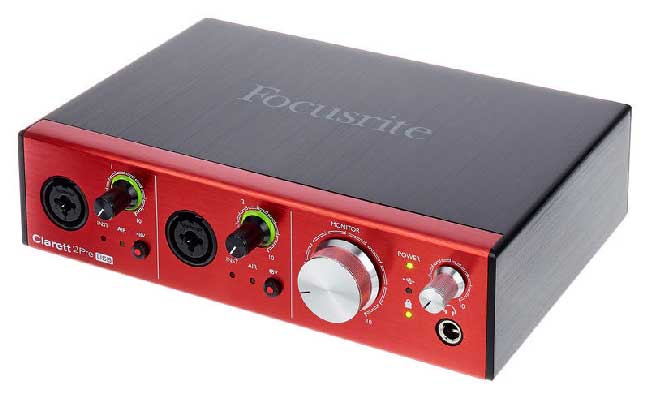
5. Focusrite Clarett 2Pre
- Price: Approximately £345 – $439 USD
- Features: 2 inputs, 2 outputs, USB 3.0 connectivity. The Clarett series is positioned above the Scarlett line, offering enhanced features and audio quality. The 2Pre model includes combi-sockets and requires control software for routing. Expandable via optical leads.
- Analysis: The Clarett 2Pre offers a significant upgrade in sonic performance compared to the Scarlett series. Its improved preamps and converters provide a richer, more detailed sound profile. While it requires software for routing, this offers greater flexibility for more complex setups. The USB 3.0 connectivity ensures ample bandwidth for high-resolution audio.
- Sample Audio: [Link to Focusrite-Clarett.wav]
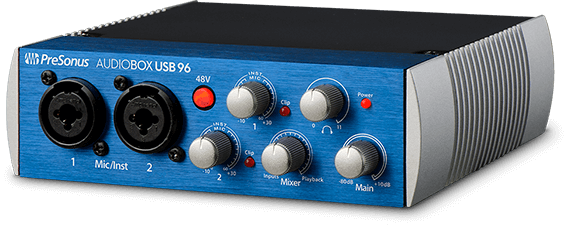
6. PreSonus AudioBox
- Price: Approximately £99 – $129 USD
- Features: 2 inputs, 2 outputs, USB connectivity. Bundled with a version of PreSonus Studio One DAW. Features combi-sockets.
- Analysis: The PreSonus AudioBox is an attractively priced option that includes a capable DAW, making it a compelling package for aspiring voiceover artists. It delivers a competent audio performance suitable for general voiceover tasks. Its inclusion of Studio One provides a robust platform for editing and mixing.
- Sample Audio: [Link to Presonus-Audiobox.wav]
7. RME Babyface Pro
- Price: Approximately £649 – $759 USD
- Features: 4 inputs (2 XLR, 2 Jack), 4 outputs, USB connectivity. A compact yet powerful interface with a sophisticated digital mixer. Offers excellent expandability via optical connections.
- Analysis: The RME Babyface Pro is a high-performance interface that belies its compact size. Its pristine sound quality, robust build, and advanced features make it a favorite among discerning professionals. While the digital mixer can initially seem complex, once configured, it provides powerful control over routing and monitoring. The ability to save and recall detailed configurations is a significant advantage for managing diverse projects. Its four inputs offer greater flexibility for multi-source recording.
- Sample Audio: [Link to Babyface-pro.wav]
8. Steinberg UR12
- Price: Approximately £79 – $99 USD
- Features: 2 inputs (1 XLR, 1 Jack), 2 outputs, USB connectivity. Bundled with Cubase AI and LE. Features a useful feature for monitoring audio from a DAW to a remote client.
- Analysis: The Steinberg UR12 is an exceptionally budget-friendly interface that offers surprisingly good audio quality for its price. The inclusion of Cubase AI and LE provides a functional DAW to get started. The remote monitoring feature is a practical addition for collaborative voiceover work. It represents excellent value for those with very limited budgets.
- Sample Audio: [Link to Steinberg-UR12.wav]
Analysis of Key Differentiating Factors
A critical distinction emerges when comparing interfaces across different price tiers. Lower-priced interfaces often employ rotary encoders that lack "notches." This absence of tactile feedback makes it challenging to precisely recall settings from previous recording sessions, a significant inconvenience when needing to re-record a few lines for an ongoing project. Furthermore, these budget-friendly units may have less sophisticated preamps and fewer software-based control options.
In contrast, higher-priced interfaces, exemplified by the Universal Audio Apollo Twin, consistently offer superior features. These include notched encoders for precise recall, more accurate and lower-noise preamps, and significantly more advanced software control. The Apollo Twin, in particular, stands out for its comprehensive software suite, enabling sophisticated routing, real-time processing with minimal latency, and seamless integration with a vast array of high-quality plug-ins. While the adage "you get what you pay for" generally holds true in audio equipment, the ultimate decision for a voiceover artist often hinges on whether the subtle sonic improvements offered by premium interfaces are discernible to their clients. The jury remains out on whether a typical client would notice the minute differences, but for the professional artist, the enhanced workflow, reliability, and creative possibilities offered by higher-end units can be substantial.
Broader Impact and Implications
The selection of an audio interface has direct implications for a voiceover artist’s workflow efficiency, the quality of their delivered product, and ultimately, their professional reputation. In an industry where clarity and professionalism are paramount, investing in the right audio interface is not merely a hardware purchase; it is an investment in the integrity and marketability of one’s voice. As technology continues to advance, offering increasingly sophisticated and accessible solutions, voiceover professionals must remain informed and discerning, ensuring their tools empower their creative endeavors and meet the evolving demands of the global media landscape. The continued growth of the voiceover market, fueled by advancements in digital media and the increasing demand for high-quality audio content across diverse platforms, ensures that the role of the audio interface will remain central to professional voice production for the foreseeable future.
[Updated January 2026, by Hugh Edwards]
