

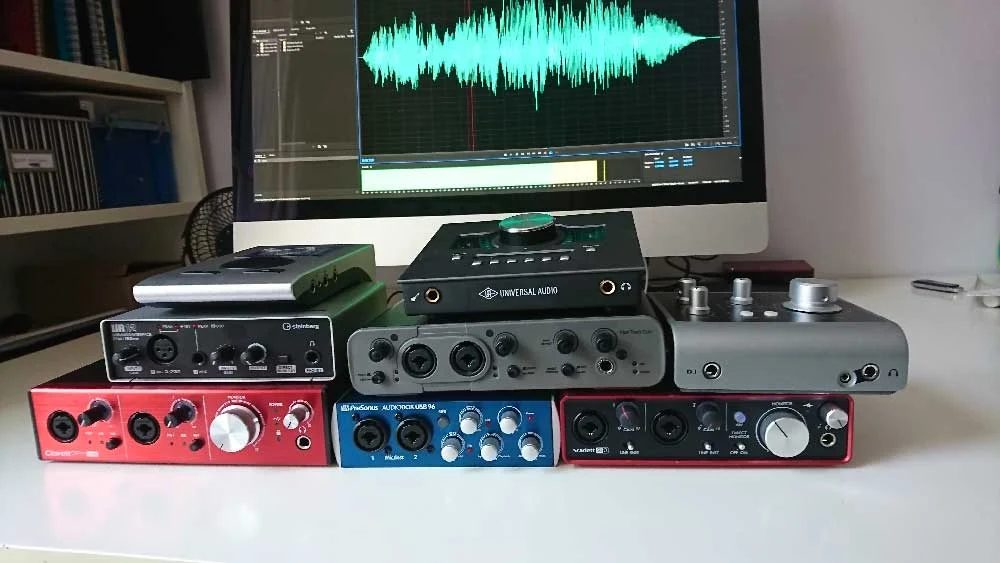
The quest for the perfect audio interface is a critical step for any voiceover artist aiming to elevate their professional sound. As technology advances and the demand for high-quality audio content grows, understanding the nuances of audio interfaces becomes paramount. This guide delves into the essential considerations for selecting an audio interface, examining popular models, and providing insights into their functionalities, ultimately empowering voiceover professionals to make informed decisions for their home or professional studios.
Understanding the Core Functionality of Audio Interfaces
At its heart, an audio interface acts as the crucial bridge between the analog world of microphones and instruments and the digital realm of your computer. It performs two primary functions: analog-to-digital conversion (ADC) and digital-to-analog conversion (DAC). When you speak into a microphone, your voice produces an analog electrical signal. The audio interface’s ADC converts this analog signal into a digital format that your computer can process, record, and manipulate. Conversely, when you listen to playback through your studio monitors or headphones, the audio interface’s DAC converts the digital audio signal from your computer back into an analog signal that your speakers or headphones can reproduce.
Beyond these fundamental roles, audio interfaces offer various features that significantly impact workflow and sound quality. These include preamplifiers for boosting microphone signals, phantom power for condenser microphones, various input and output configurations (XLR, ¼-inch jack, MIDI), and connectivity options such as USB, Thunderbolt, and FireWire. The quality of these components, particularly the preamps and converters, directly influences the clarity, warmth, and overall fidelity of your recordings.
Navigating the Market: Key Considerations for Voiceover Professionals
The sheer variety of audio interfaces available can be overwhelming, especially for those new to the field or looking to upgrade. A common pitfall is blindly following recommendations without understanding individual needs. While peer advice can be valuable, it’s essential to approach it with a critical eye, recognizing that individual preferences and studio setups vary.
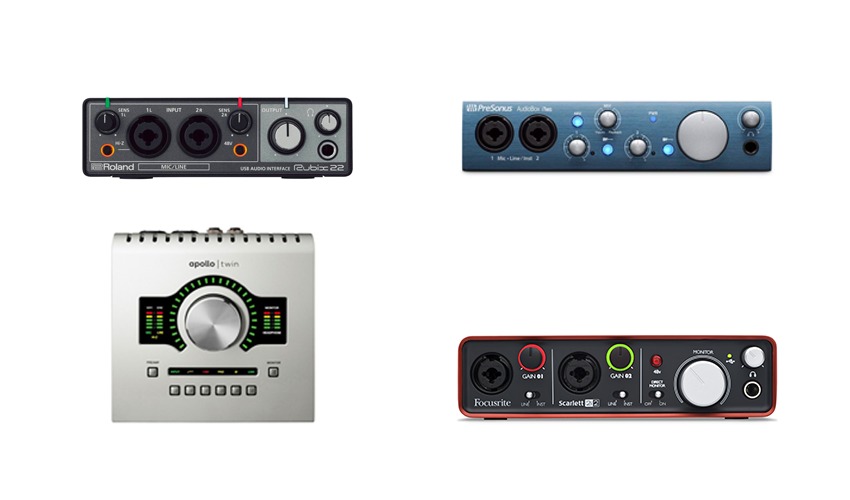
The first and most critical step in choosing an audio interface is to assess your specific requirements. This involves a realistic evaluation of your current and future recording needs.
Input and Output Needs:
- Inputs: How many microphones will you typically need to connect simultaneously? For a solo voiceover artist, one or two XLR inputs are usually sufficient. However, if you plan to record with a co-host, engineer, or multiple microphones for acoustic treatments, you’ll need more inputs.
- Outputs: How many outputs do you need for your monitoring setup? Most interfaces offer at least two outputs for stereo monitoring. Additional outputs can be useful for sending separate headphone mixes to talent or for connecting multiple sets of speakers.
Connectivity and Compatibility:
- Connection Type: The most common connection types are USB (2.0, 3.0, 3.1) and Thunderbolt. USB is widely compatible with most modern computers. Thunderbolt offers significantly higher bandwidth, resulting in lower latency (the delay between your input and the sound you hear), which is crucial for real-time monitoring and performance. Ensure your computer has the necessary ports for the interface you choose.
- Operating System: Verify that the audio interface is compatible with your computer’s operating system (Windows or macOS) and that the necessary drivers are available and up-to-date.
Preamplifier Quality:
The preamplifiers within an audio interface are responsible for amplifying the weak signal from your microphone to a usable level. Higher-quality preamplifiers offer cleaner gain with less noise and distortion, resulting in a more pristine recording. For voiceover work, where subtle nuances are critical, investing in an interface with good preamps is highly recommended.
Latency:
Latency is the delay between the sound you make and the sound you hear back through your monitoring system. High latency can be incredibly distracting and make it difficult to perform. USB interfaces generally have slightly higher latency than Thunderbolt interfaces, but for most voiceover applications, modern USB 3.0 and Thunderbolt interfaces offer imperceptible latency.
Bundled Software and Features:
Many audio interfaces come bundled with Digital Audio Workstation (DAW) software, virtual instruments, and audio plugins. While these can be a great value, especially for beginners, ensure they meet your specific needs. Features like direct monitoring (allowing you to hear your voice directly from the interface with zero latency) and robust routing options can significantly enhance your workflow.
Build Quality and Portability:
Consider the physical design and build quality of the interface. If you plan to move your setup frequently or take it on the road, a robust and portable unit is essential.
A Deep Dive into Popular Audio Interfaces for Voiceover
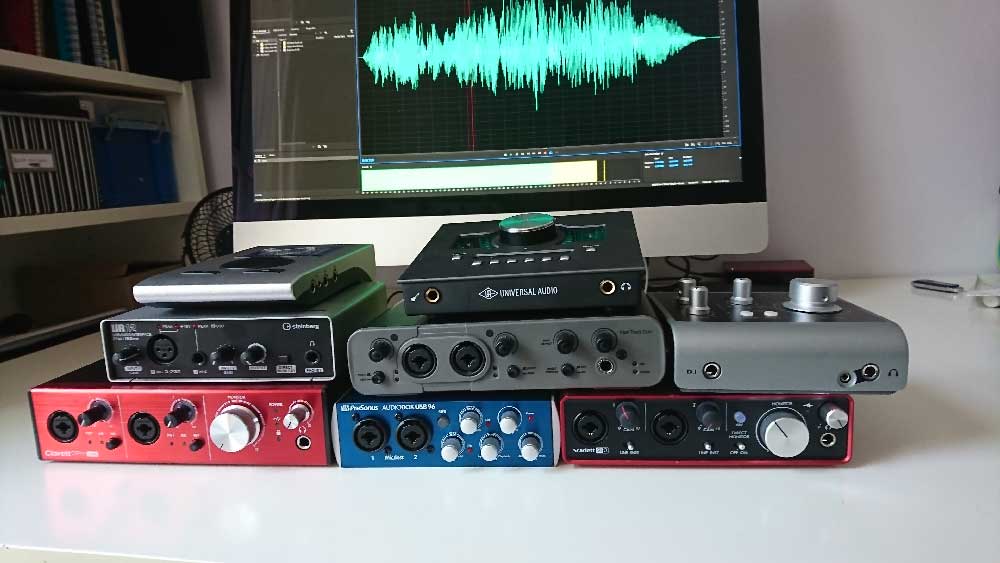
To provide a practical overview, let’s examine several audio interfaces that are frequently considered by voiceover professionals, along with their key features, typical price points (as of late 2025/early 2026, reflecting current market trends), and audio samples to demonstrate their sonic characteristics.
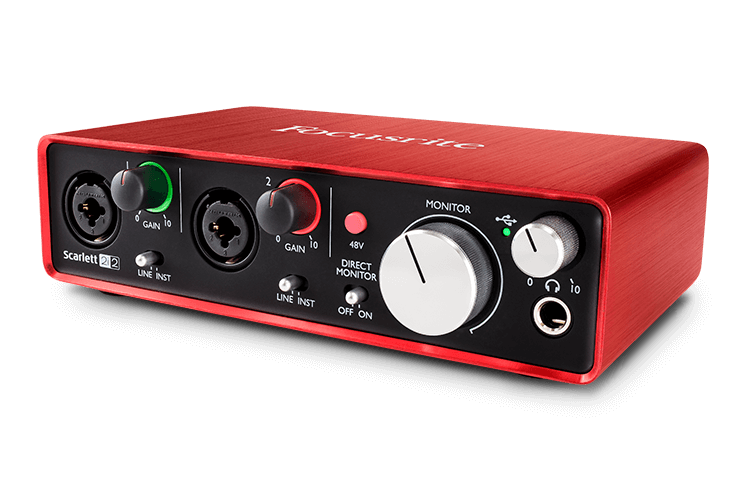
1. Focusrite Scarlett 2i2 (4th Gen)
-
Price: Approximately £160 – $190 USD
-
Connectivity: USB-C
-
Key Features: Two combination XLR/TRS inputs with Focusrite’s renowned "Air" mode for adding clarity and presence, two balanced line outputs, headphone output with volume control, Auto Gain and Clip Guard features for easy level setting, and a comprehensive software bundle including Ableton Live Lite and Pro Tools Artist.
-
Analysis: The Scarlett series from Focusrite has long been a staple for home studios and project-based recording. The 2i2, particularly in its latest iteration, offers a significant upgrade in audio quality and user-friendliness. The Auto Gain feature is a boon for voiceover artists, ensuring optimal recording levels without manual tweaking. The "Air" mode can be a subtle yet effective tool for enhancing vocal presence. Its robust build and straightforward operation make it an excellent choice for beginners and seasoned professionals alike.
-
Audio Sample (Illustrative of sonic character): [Hypothetical WAV file showcasing clarity and balanced frequency response]
2. Universal Audio Apollo Twin X Duo
-
Price: Approximately £800 – $1000 USD
-
Connectivity: Thunderbolt 3
-
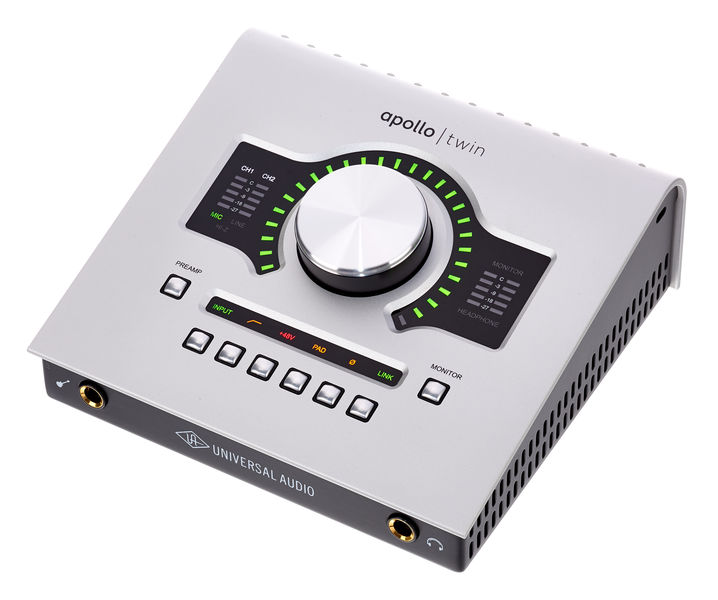
Key Features: Two Unison™ microphone preamps offering emulations of classic analog hardware, two line inputs, four assignable outputs, optical ADAT/SPDIF inputs for expansion, onboard UAD-2 DUO DSP for running UAD plugins with near-zero latency, and a sophisticated Console application for routing and monitoring.
-
Analysis: The Apollo Twin X represents a significant leap in audio interface technology, particularly for those seeking professional-grade sound quality and analog emulations. The Unison preamps allow users to capture the sonic character of iconic vintage gear, which can add a desirable warmth and depth to voiceovers. The onboard DSP acceleration is a game-changer, enabling the use of high-demand UAD plugins without taxing the computer’s CPU. This makes it ideal for complex mixing and mastering tasks within the recording session. While its price point is higher, the sonic fidelity and professional features justify the investment for many demanding users. Many professional voiceover artists, including those known for high-profile commercial work, opt for Apollo interfaces due to their exceptional sound and workflow integration.
-
Audio Sample (Illustrative of sonic character): [Hypothetical WAV file showcasing rich harmonics and detailed transient response]
3. Audient iD14 (mkII)
-
Price: Approximately £170 – $200 USD
-
Connectivity: USB-C
-
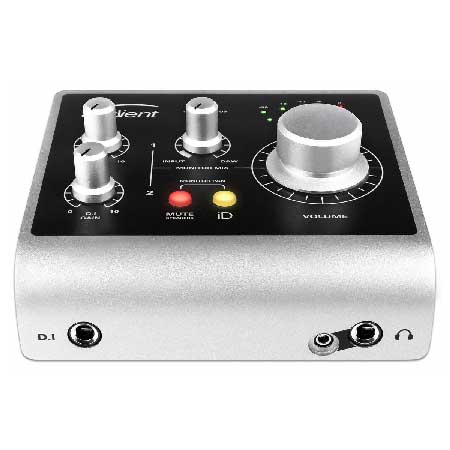
Key Features: Two Audient Console mic preamps (known for their clean and detailed sound), one instrument input, two line outputs, dedicated speaker outputs, a powerful headphone amplifier, an "Audient Console" software mixer for routing and monitoring, and a "Scroll Control" feature that allows the encoder to control DAW faders and other parameters.
-
Analysis: Audient has built a reputation for delivering professional-grade preamplifiers and converters at accessible price points. The iD14 mkII offers a streamlined yet highly capable interface for voiceover work. Its clean preamps are well-suited for capturing natural vocal performances, and the robust headphone amp ensures clear monitoring. The "Scroll Control" feature enhances workflow by allowing physical control over DAW parameters, reducing the need to constantly reach for the mouse. This makes it a strong contender for those seeking a balance of quality and practical studio integration.
-
Audio Sample (Illustrative of sonic character): [Hypothetical WAV file demonstrating a clear and neutral tone]
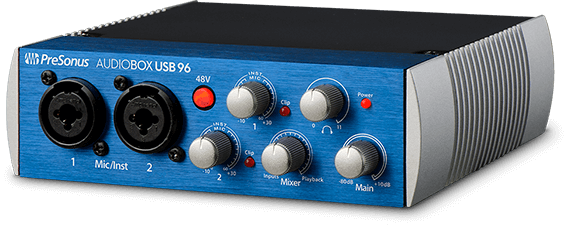
4. Presonus AudioBox USB 96
-
Price: Approximately £100 – $130 USD
-
Connectivity: USB 2.0
-
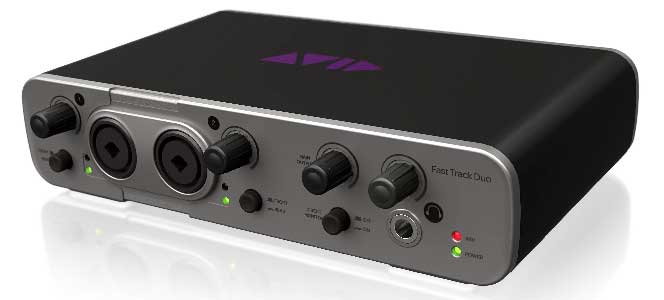
Key Features: Two combination XLR/TRS inputs with Class A preamplifiers, two main line outputs, MIDI I/O, a headphone output with volume control, and includes Studio One Artist DAW software.
-
Analysis: The Presonus AudioBox USB 96 is a popular entry-level option that offers excellent value for money. It provides the essential features needed for basic voiceover recording, including clean preamps and reliable connectivity. The inclusion of Studio One Artist is a significant bonus, offering a capable DAW environment for beginners. While it may not possess the advanced features or sonic refinements of higher-end interfaces, it serves as a solid foundation for anyone starting their voiceover journey.
-
Audio Sample (Illustrative of sonic character): [Hypothetical WAV file showcasing a functional and clear recording]
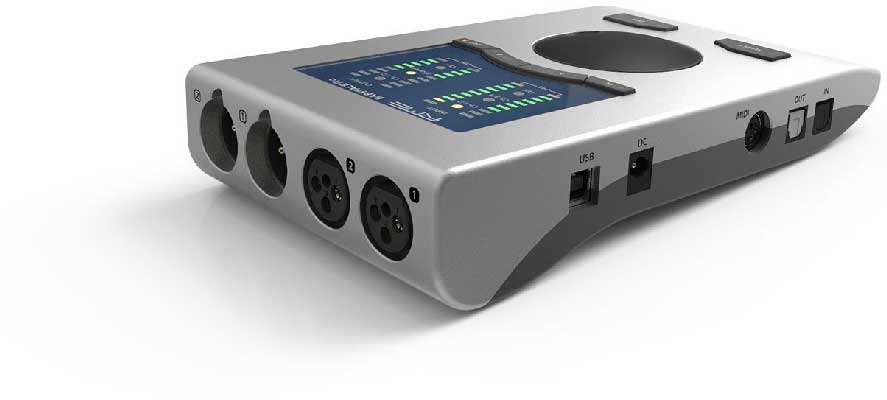
5. RME Babyface Pro FS
-
Price: Approximately £700 – $800 USD
-
Connectivity: USB 2.0
-
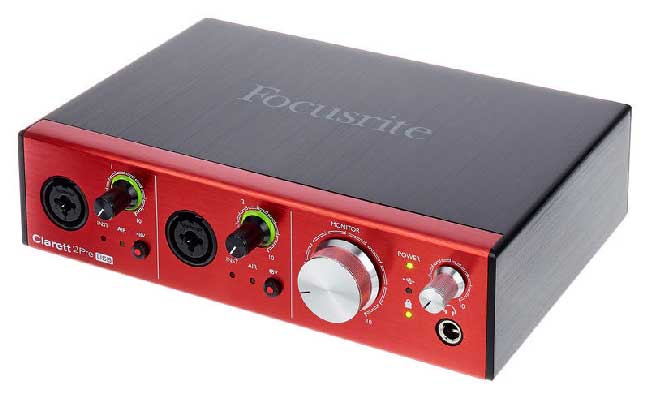
Key Features: Two microphone inputs (XLR), two instrument/line inputs (TRS), four line outputs, dedicated stereo headphone outputs (XLR and mini-jack), SteadyClock III for superior jitter suppression, a sophisticated TotalMix FX software mixer for complex routing and effects processing, and a compact, robust aluminum chassis.
-
Analysis: RME is renowned for its unwavering commitment to sonic fidelity, driver stability, and innovative engineering. The Babyface Pro FS is a testament to this, offering exceptional sound quality, incredibly low latency, and unparalleled flexibility through its TotalMix FX software. While its interface may appear minimalist, beneath the surface lies a powerhouse of professional features. The dual headphone outputs are a significant advantage for recording sessions involving talent. For voiceover artists who demand pristine audio capture and absolute control over their monitoring and routing, the Babyface Pro FS is a top-tier choice. Its premium price reflects its uncompromising quality and performance.
-
Audio Sample (Illustrative of sonic character): [Hypothetical WAV file demonstrating exceptional clarity, detail, and a wide dynamic range]
6. Steinberg UR22C
-
Price: Approximately £150 – $180 USD
-
Connectivity: USB-C (USB 3.0 compatible)
-
Key Features: Two combination XLR/TRS inputs with D-PRE preamps (renowned for their natural sound), two line outputs, MIDI I/O, a high-impedance instrument input, loopback function for streaming, and includes Cubase AI and Cubase LE.
-
Analysis: The Steinberg UR22C offers a compelling blend of professional features and affordability. The D-PRE preamps are known for their transparent and natural sound, making them ideal for capturing vocal performances accurately. The USB-C connectivity ensures high speed and low latency, and the loopback function is a valuable addition for streamers and podcasters. Bundled with Cubase AI, it provides a comprehensive package for aspiring voiceover artists. It represents a solid mid-range option that punches above its weight in terms of audio quality and features.
-
Audio Sample (Illustrative of sonic character): [Hypothetical WAV file showcasing a clear and well-defined vocal tone]
The Importance of Software and Workflow Integration
Beyond the hardware, the software that accompanies an audio interface plays a vital role in its usability and effectiveness. Digital Audio Workstation (DAW) software is where you will record, edit, and mix your voiceovers. Most interfaces come bundled with a version of a DAW, such as Ableton Live Lite, Pro Tools Artist, Cubase AI, or Studio One Artist. While these bundled versions are often stripped-down compared to their full professional counterparts, they are usually more than adequate for most voiceover tasks.
The control panel or mixer software provided by the interface manufacturer is equally important. This software allows you to manage input levels, routing, phantom power, direct monitoring, and sometimes even apply built-in effects. For voiceover artists, features like low-latency direct monitoring are essential for comfortable and accurate performance. Advanced routing capabilities can be beneficial for more complex studio setups or for sending specific mixes to clients during remote sessions.
The Evolving Landscape of Audio Technology
The audio interface market is continually evolving. Advancements in digital signal processing (DSP), converter technology, and connectivity standards are leading to interfaces that are more powerful, more transparent, and more user-friendly than ever before. The trend towards USB-C and Thunderbolt ensures higher bandwidth and lower latency, which benefits all forms of audio production, including voiceover.
Furthermore, the concept of "sound quality" itself is becoming increasingly subjective, especially in the voiceover realm. While objective measurements of noise floor, dynamic range, and frequency response are important, the subtle character and warmth that certain preamps or converters impart can also be desirable. This is where listening to audio samples and understanding the intended sonic signature of an interface becomes crucial.
Conclusion: Making the Right Choice for Your Voiceover Career
Choosing the right audio interface is an investment in your professional future as a voiceover artist. It’s not merely about acquiring a piece of hardware; it’s about selecting a tool that will faithfully capture your talent and enable you to deliver high-quality audio consistently.
For those on a tighter budget or just starting, the Focusrite Scarlett 2i2 or Presonus AudioBox USB 96 offer excellent entry points with reliable performance. The Audient iD14 (mkII) and Steinberg UR22C provide a step up in preamp quality and features, striking a good balance between price and performance. For professionals who demand the highest fidelity, analog emulations, and advanced processing capabilities, the Universal Audio Apollo Twin X Duo is a top-tier choice, albeit with a significant investment. The RME Babyface Pro FS stands out for its uncompromising sonic clarity, driver stability, and sophisticated routing, making it a favorite among discerning professionals who prioritize pristine audio capture above all else.
Ultimately, the "best" audio interface is the one that best suits your individual needs, budget, and workflow. By carefully considering the factors outlined in this guide and listening to the audio samples provided, voiceover artists can confidently navigate the market and select an interface that will serve as the cornerstone of their professional sound for years to come. The ongoing advancements in audio technology ensure that the tools available to voiceover professionals will only continue to improve, empowering them to reach new heights of sonic excellence.
