

The pursuit of pristine audio quality is paramount for voiceover artists, and at the heart of any professional home studio lies the audio interface. This crucial piece of equipment acts as the bridge between your microphone’s analog signal and your digital recording environment, directly impacting the clarity, depth, and overall fidelity of your vocal performances. However, the sheer volume of options available can be overwhelming, leading to potential confusion and costly missteps. This in-depth analysis aims to demystify the selection process, providing voiceover professionals with the knowledge and insights needed to make an informed decision that aligns with their specific needs and budget.
Understanding the Core Function of an Audio Interface
At its most fundamental level, an audio interface performs two primary functions: analog-to-digital conversion (ADC) and digital-to-analog conversion (DAC). When you speak into a microphone, your voice produces an analog electrical signal. The ADC within the audio interface converts this analog signal into digital data that your computer can understand and process. Conversely, when you listen to playback or monitor audio through headphones or speakers, the DAC converts the digital audio data back into an analog signal.
Beyond these core conversions, audio interfaces also provide essential features such as microphone preamplifiers, which boost the low-level signal from your microphone to a usable level, and input/output (I/O) connectivity. The quality of these components, particularly the preamplifiers and converters, directly influences the sonic character of your recordings. High-quality preamplifiers offer clean gain with minimal noise and distortion, while superior converters ensure accurate and transparent capture of your vocal nuances.
The Perils of Peer Influence: Beyond the Buzzwords
While seeking advice from fellow voiceover artists and producers is a valuable initial step, it’s crucial to approach such recommendations with a discerning ear. The audio industry, much like many others, is prone to fervent advocacy for specific brands and models. Passionate users, having invested in their chosen equipment, may genuinely believe it to be the definitive solution, sometimes leading to an echo chamber of opinions that can obscure objective evaluation.
"There’s an inherent danger in simply following the crowd," states industry veteran and audio engineer, Dr. Evelyn Reed. "What works perfectly for one artist’s workflow, acoustic environment, and vocal style might be entirely unsuitable for another. A deep understanding of your own requirements is the most critical factor, rather than succumbing to the ‘flavor of the month’ recommendations."
This article aims to provide a structured framework for evaluating audio interfaces, moving beyond subjective endorsements to offer a more evidence-based approach. We will explore popular models, analyze their key features, and offer insights into how they perform in real-world voiceover scenarios.
Key Considerations for Voiceover Professionals
When embarking on the quest for the ideal audio interface, several critical factors must be carefully weighed:
-
Input and Output (I/O) Requirements: How many microphones will you need to connect simultaneously? Most voiceover artists primarily require one microphone input. However, if you anticipate collaborating with co-hosts, recording multiple performers at once, or integrating additional instruments, you’ll need an interface with multiple inputs. Similarly, consider the number of outputs needed for your monitoring setup (speakers, headphones).
-
Connectivity Type: Audio interfaces connect to computers via various protocols, each with its own advantages and potential limitations.
- USB: The most common and widely compatible connection type. USB 2.0 offers sufficient bandwidth for most single-microphone setups, while USB 3.0 and higher provide increased speed and lower latency, beneficial for more complex setups.
- Thunderbolt: Offers significantly higher bandwidth and lower latency than USB, making it ideal for demanding professional workflows involving multiple high-resolution audio streams. However, it requires a Thunderbolt port on your computer, which is not universally present.
- FireWire (Legacy): Once a popular choice for its speed, FireWire has largely been superseded by USB and Thunderbolt due to declining hardware support.
- Ethernet (AoIP): While less common for individual voiceover studios, Audio over IP (AoIP) protocols offer advanced networking capabilities for larger studios.
-
Preamplifier Quality: The microphone preamplifiers are arguably the most critical component influencing the sound of your voice. High-quality preamps deliver clean, transparent gain, accurately capturing the subtle nuances of your vocal performance without introducing hiss or coloration. Look for interfaces with reputable preamplifiers known for their clarity and low noise floor.
-
Converter Quality (ADC/DAC): The Analog-to-Digital and Digital-to-Analog converters determine how accurately your audio is translated between the analog and digital domains. Higher bit-depth (e.g., 24-bit) and sample rates (e.g., 44.1kHz, 48kHz, 96kHz) generally result in more detailed and lifelike recordings. For voiceover work, 44.1kHz or 48kHz at 24-bit is typically more than sufficient.
-
Latency: Latency refers to the delay between when you produce a sound and when you hear it back through your monitoring system. For voiceover, low latency is crucial to avoid disrupting your performance and to ensure accurate synchronization with any on-screen prompts or existing audio tracks. USB 3.0, Thunderbolt, and well-designed USB 2.0 interfaces generally offer very low latency.
-
Software and Bundles: Many audio interfaces come bundled with Digital Audio Workstation (DAW) software, plugins, or other useful applications. While these can be a cost-effective addition, ensure they align with your existing software preferences or that you are comfortable learning new tools. Features like integrated console software for advanced routing or built-in effects can also enhance workflow.
-
Build Quality and User Interface: A robust build ensures longevity, especially for an interface that will be a daily workhorse. The user interface should be intuitive and easy to navigate, allowing you to adjust settings quickly without disrupting your recording flow. For those less technically inclined, simpler, more straightforward interfaces are often preferable.
A Comparative Look at Popular Audio Interfaces for Voiceover
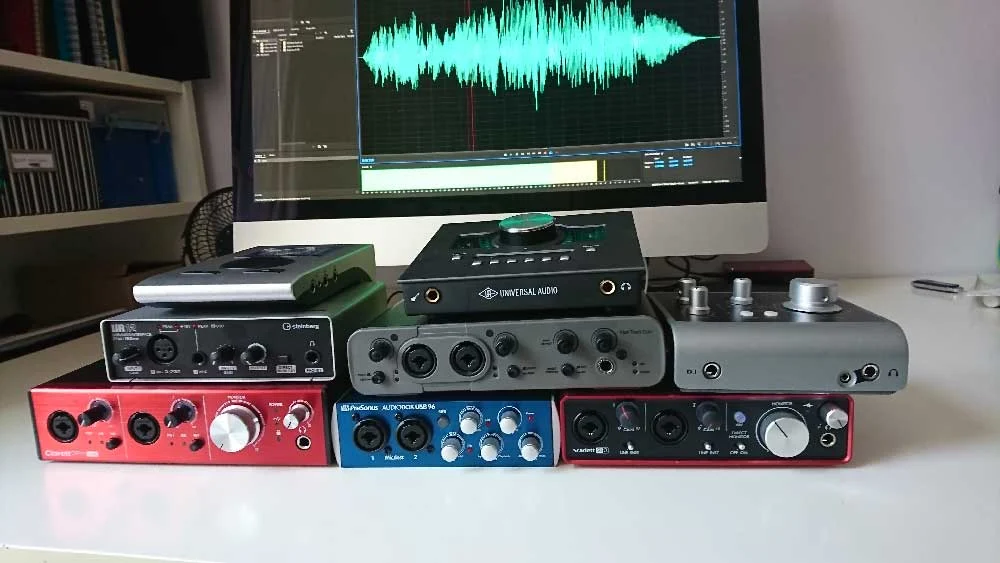
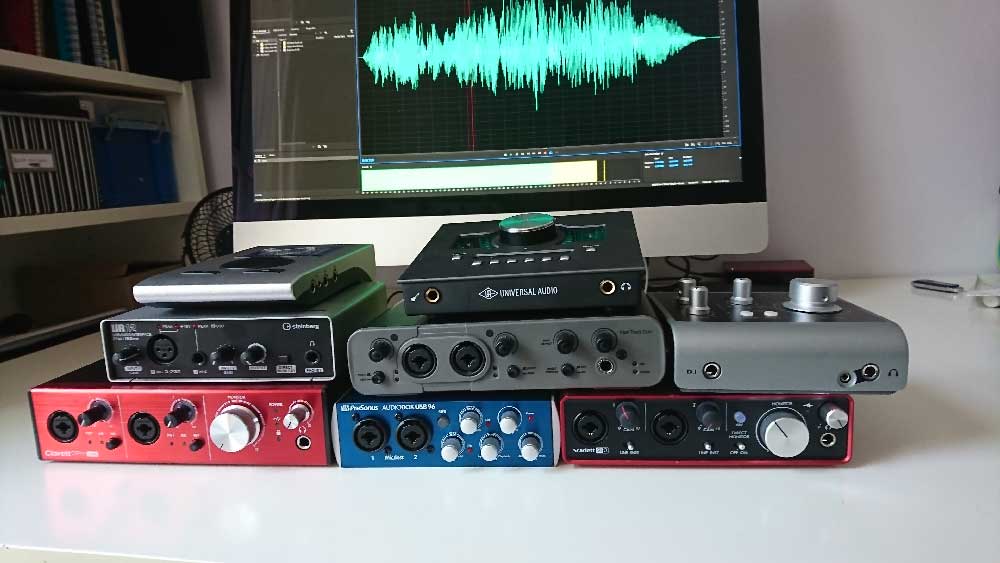
To illustrate these principles in practice, we will examine a selection of widely recognized audio interfaces, analyzing their strengths and suitability for voiceover professionals. Audio samples, recorded with a Sennheiser MK4 microphone and a consistent signal chain, are provided for direct comparison.
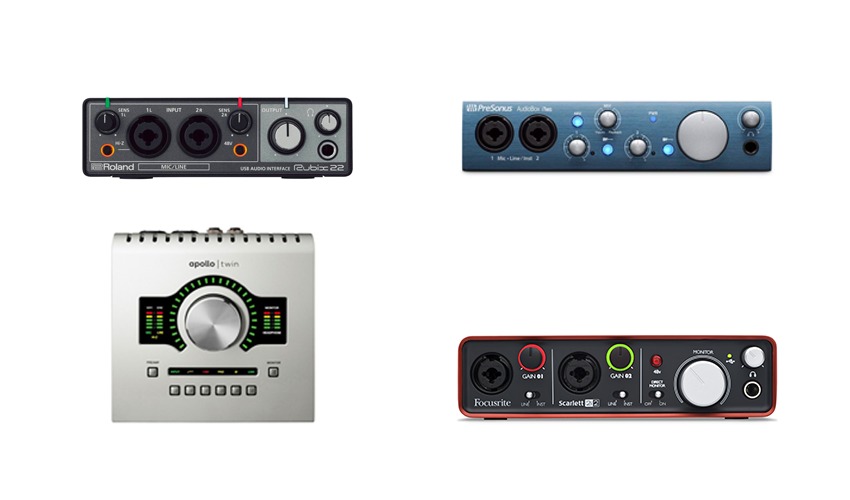
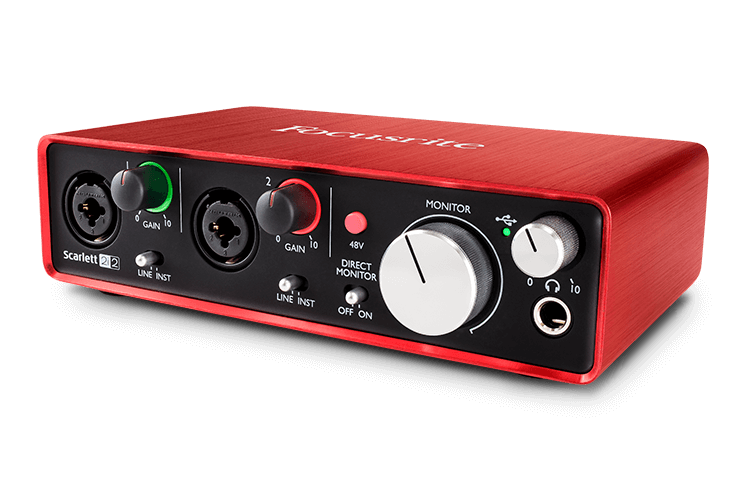
1. Focusrite Scarlett 2i2 (3rd Gen)
- Price: Approximately £115 – $146 USD
- Connectivity: USB 2.0
- I/O: 2 Inputs (2 combo XLR/TRS), 2 Outputs
- Key Features: Renowned for its user-friendly design and excellent value, the Scarlett 2i2 is a popular choice for beginners and experienced users alike. Its high-quality microphone preamplifiers, often lauded for their clean sound, make it a strong contender for vocal recording. The "Air" mode can add a subtle brightness, which can be beneficial for certain vocal textures. While the 2i2 is a plug-and-play device, higher-tier Scarlett models (6i6 and above) offer more advanced routing capabilities via the MixControl software. The inclusion of free software bundles, including Pro Tools First and Ableton Live Lite, adds to its appeal.
- Audio Sample: [Link to WAV file]
- Analysis: The Scarlett 2i2 offers a compelling blend of affordability, ease of use, and sonic quality, making it an excellent starting point for many voiceover artists. Its straightforward operation minimizes the learning curve, allowing for immediate immersion into recording.
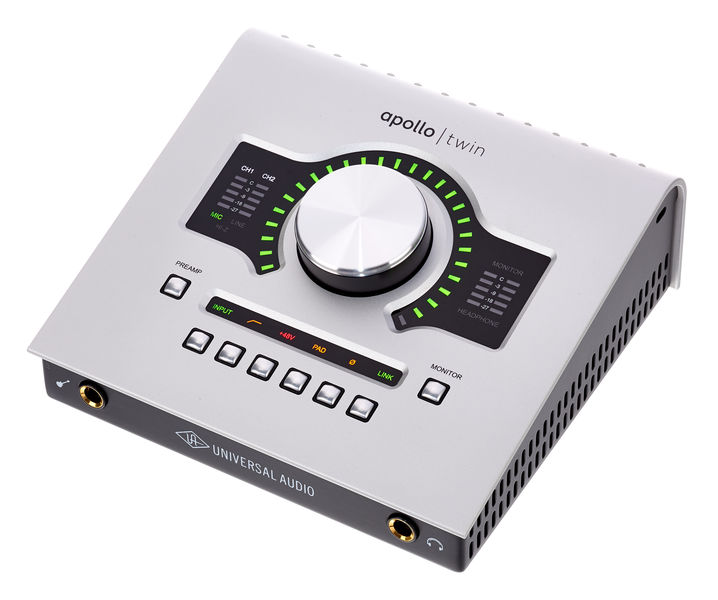
2. Universal Audio Apollo Twin X DUO
- Price: Approximately £699 – $899 USD
- Connectivity: Thunderbolt 3
- I/O: 2 Inputs (2 combo XLR/TRS), 4 Outputs
- Key Features: The Apollo Twin X represents a significant step up in professional audio interfaces. It features UA’s renowned Unison™ preamps, which allow for real-time emulation of classic analog hardware preamplifiers, offering a distinct sonic character and the ability to "re-amp" your recorded tracks with different preamp characteristics. The included Console software provides sophisticated routing, low-latency monitoring, and access to Universal Audio’s extensive library of UAD plugins, which are highly regarded for their analog authenticity. Its expandability via optical ADAT inputs allows for future growth. This interface is favored by many high-profile voiceover artists due to its premium sound quality and workflow enhancements, such as session recall capabilities.
- Audio Sample: [Link to WAV file]
- Analysis: For those prioritizing the absolute best in audio fidelity and advanced workflow features, the Apollo Twin X is a top-tier option. The ability to leverage UAD plugins in real-time is a significant advantage for achieving polished vocal sounds during tracking. However, its higher price point and reliance on Thunderbolt connectivity will be considerations for some.
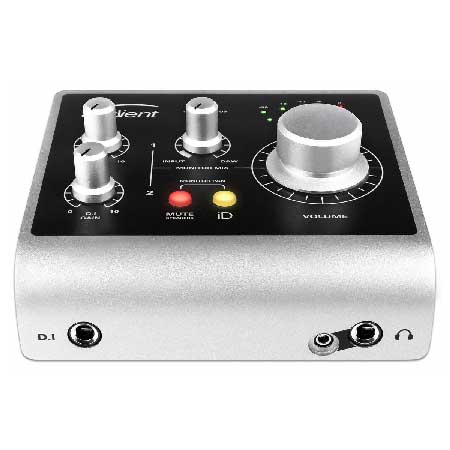
3. Audient iD4 (MkII)
- Price: Approximately £105 – $199 USD
- Connectivity: USB-C
- I/O: 2 Inputs (1 XLR, 1 DI/Instrument), 2 Outputs
- Key Features: The Audient iD4, particularly the MkII version, punches well above its weight in terms of audio quality and build. It features Audient’s class-leading console microphone preamplifiers, known for their transparency and detail. The iD4 also boasts an impressive JFET instrument input for direct guitar or bass recording, though less relevant for typical voiceover work. Its "Scroll Control" feature allows you to control DAW faders and other parameters with the unit’s large rotary encoder, enhancing workflow. While it offers a simpler I/O configuration than some, its core audio performance is exceptional for its price bracket. Higher-tier iD models offer more extensive connectivity.
- Audio Sample: [Link to WAV file]
- Analysis: The iD4 offers exceptional value, delivering professional-grade preamplification in a compact and affordable package. Its simplicity makes it ideal for voiceover artists who need a reliable and high-quality interface without unnecessary complexity.
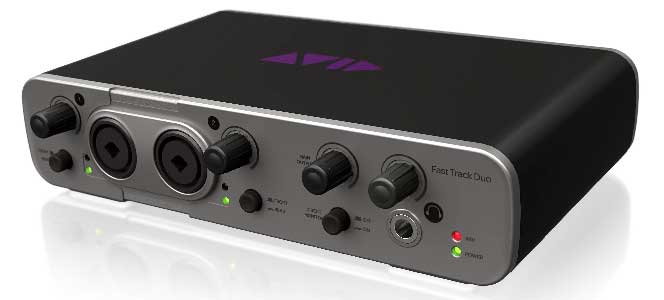
4. Avid Fast Track Duo (Discontinued)
- Price: Roughly £145 – $220 USD (when new)
- Connectivity: USB
- I/O: 2 Inputs (2 combo XLR/TRS), 2 Outputs
- Key Features: While discontinued, the Avid Fast Track Duo was a notable interface for its time, often bundled with Pro Tools Express. It provided two combi-sockets for microphone or instrument inputs and a straightforward output configuration. Although tied to the Pro Tools ecosystem, it functioned reliably with other DAWs. A common critique was the legibility of the labeling, which could be challenging for some users.
- Audio Sample: [Link to WAV file]
- Analysis: As a discontinued product, the Fast Track Duo is primarily of historical interest. However, its inclusion highlights the evolution of interface technology and the importance of considering current market offerings. While it performed well, modern interfaces offer superior connectivity, features, and often better software integration.
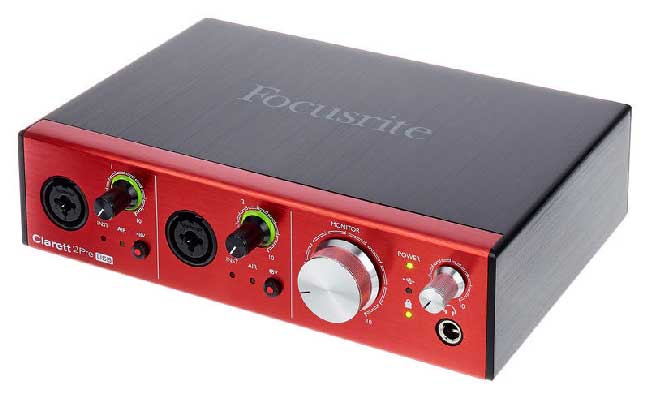
5. Focusrite Clarett 2Pre (USB)
- Price: Approximately £345 – $439 USD
- Connectivity: USB-C
- I/O: 2 Inputs (2 combo XLR/TRS), 4 Outputs
- Key Features: Positioned above the Scarlett range, the Clarett 2Pre offers enhanced audio performance with Focusrite’s "Air" transformer-emulating preamplifiers, designed to impart a subtle analog warmth and clarity. This USB version ensures broad compatibility. Like higher-end Scarlett models, it utilizes control software for routing and management. While it comes with bundled software like Ableton Live Lite, its primary advantage lies in its superior preamplifier and conversion quality compared to the Scarlett series. Expandability via optical connections is available on other Clarett models.
- Audio Sample: [Link to WAV file]
- Analysis: The Clarett 2Pre represents a solid upgrade for those seeking a noticeable improvement in sonic character over entry-level interfaces. Its "Air" feature can be particularly appealing for adding a touch of professional polish to vocals.
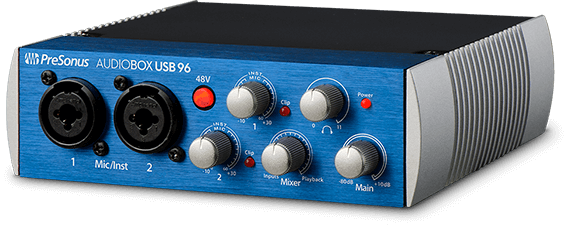
6. PreSonus AudioBox USB 96
- Price: Approximately £99 – $129 USD
- Connectivity: USB 2.0
- I/O: 2 Inputs (2 combo XLR/TRS), 2 Outputs
- Key Features: The AudioBox USB 96 is a budget-friendly option that provides essential functionality for basic recording needs. It typically comes bundled with a version of PreSonus’s Studio One DAW, offering a complete entry-level recording package. The interface is straightforward to use, making it suitable for beginners. While its preamplifiers and converters are functional, they may not offer the same level of detail and transparency as higher-priced alternatives.
- Audio Sample: [Link to WAV file]
- Analysis: For individuals on a very tight budget who need a functional audio interface to get started, the AudioBox USB 96 is a viable option. However, for serious voiceover work where audio fidelity is paramount, investing a little more in a higher-tier interface is strongly recommended.
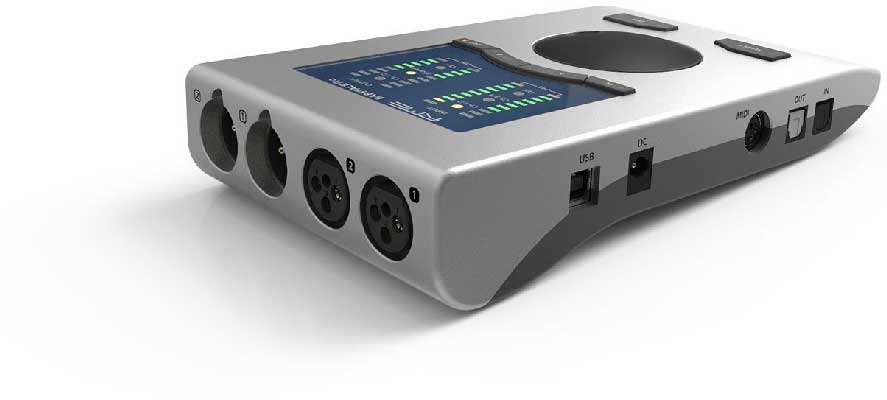
7. RME Babyface Pro FS
- Price: Approximately £649 – $759 USD
- Connectivity: USB 2.0
- I/O: 4 Inputs (2 XLR/TRS, 2 Mic/Instrument), 4 Outputs (2 TRS, 2 Headphone)
- Key Features: RME is renowned for its rock-solid drivers, exceptional stability, and transparent audio performance. The Babyface Pro FS is a compact yet incredibly powerful interface that delivers pristine audio quality. Its unique design features multi-functional buttons and a sophisticated digital mixer that, while initially complex, offers immense flexibility once mastered. The interface provides excellent headroom on its preamplifiers and features high-quality converters. Its robustness and reliability make it a favorite among professionals who demand consistent performance. The ability to save and recall settings is a significant workflow advantage.
- Audio Sample: [Link to WAV file]
- Analysis: The RME Babyface Pro FS is a premium choice for voiceover artists who prioritize uncompromising audio quality, driver stability, and long-term reliability. While the initial learning curve for its advanced features might be steeper, the investment in its performance and stability is often well worth it for professionals.
8. Steinberg UR12
- Price: Approximately £79 – $99 USD
- Connectivity: USB 2.0
- I/O: 2 Inputs (1 XLR, 1 Hi-Z/Instrument), 2 Outputs
- Key Features: The Steinberg UR12 is another entry-level option that offers good value for money. It features a D-PRE microphone preamp, known for its clean sound, and a dedicated Hi-Z input for instruments. It typically comes bundled with Cubase AI, a capable DAW. A notable feature is its ability to loopback audio from your DAW to a client remotely, which can be useful for specific remote recording scenarios.
- Audio Sample: [Link to WAV file]
- Analysis: The UR12 is a solid choice for budget-conscious beginners. Its D-PRE preamp is respectable for its price point, and the loopback feature adds a practical element. However, for more demanding voiceover applications, exploring interfaces with more advanced preamplifiers and connectivity options would be advisable.
The Crucial Differentiator: Rotary Encoders and Software Support
A recurring theme when comparing entry-level and professional-grade audio interfaces is the quality of their physical controls and the sophistication of their accompanying software.
-
Rotary Encoders: Lower-priced interfaces often feature "stepless" or un-notched rotary encoders. While functional, these can make it challenging to recall precise gain settings weeks or months later when recording pickup takes for the same project. The lack of tactile feedback means you have to rely on visual cues on your computer screen, which can be imprecise. Higher-end interfaces, particularly those like the Apollo Twin and RME Babyface Pro, utilize "notched" or detented encoders. These provide distinct physical clicks at specific increments, allowing for precise and repeatable gain adjustments, a crucial feature for maintaining consistency across long-term projects.
-
Software Support and Features: The software that accompanies an audio interface is as important as the hardware itself. Advanced interfaces often provide comprehensive control panels that allow for intricate routing of audio signals, management of headphone mixes, and control of phantom power. Features like session recall, which allows you to save and reload entire interface configurations, are invaluable for complex workflows. The Universal Audio Apollo Twin’s Console software, with its real-time UAD plugin integration, is a prime example of how software can significantly enhance the creative and technical capabilities of an interface.
Our Recommendation: Balancing Budget and Performance
While a definitive "best" audio interface for all voiceover artists is elusive, a clear trend emerges when analyzing the data and user feedback.
For beginners and those on a tighter budget: The Focusrite Scarlett 2i2 and the Audient iD4 stand out as exceptional choices. They offer a fantastic balance of sonic quality, ease of use, and affordability. The Scarlett 2i2 provides a robust all-around experience, while the iD4 offers particularly impressive preamp quality for its price.
For professionals seeking enhanced quality and workflow: The Universal Audio Apollo Twin X DUO and the RME Babyface Pro FS represent the pinnacle of current offerings for dedicated voiceover studios. The Apollo Twin’s UAD plugin integration and Unison preamps provide unparalleled sonic flexibility and professional polish. The RME Babyface Pro FS, on the other hand, excels in its rock-solid stability, transparent audio conversion, and highly precise control. These interfaces come with a higher price tag but deliver commensurate performance and features that can significantly elevate a professional voiceover workflow.
The End Client’s Perspective: It’s a pertinent question whether the subtle differences in audio quality between various high-end interfaces would be discernible to the end client, especially in contexts where audio is compressed for online streaming or broadcast. However, for the voiceover artist, the confidence and creative freedom that come with using superior equipment, coupled with the ability to achieve optimal recordings from the outset, are invaluable. Investing in a high-quality audio interface is not just about meeting client expectations; it’s about empowering your own creative process and ensuring the highest possible standard of your craft.
Ultimately, the selection of an audio interface is a personal journey. By understanding your specific needs, considering the technical specifications, and carefully evaluating the available options, you can confidently choose an interface that will serve as a reliable and sonically superior partner in your voiceover endeavors.
