

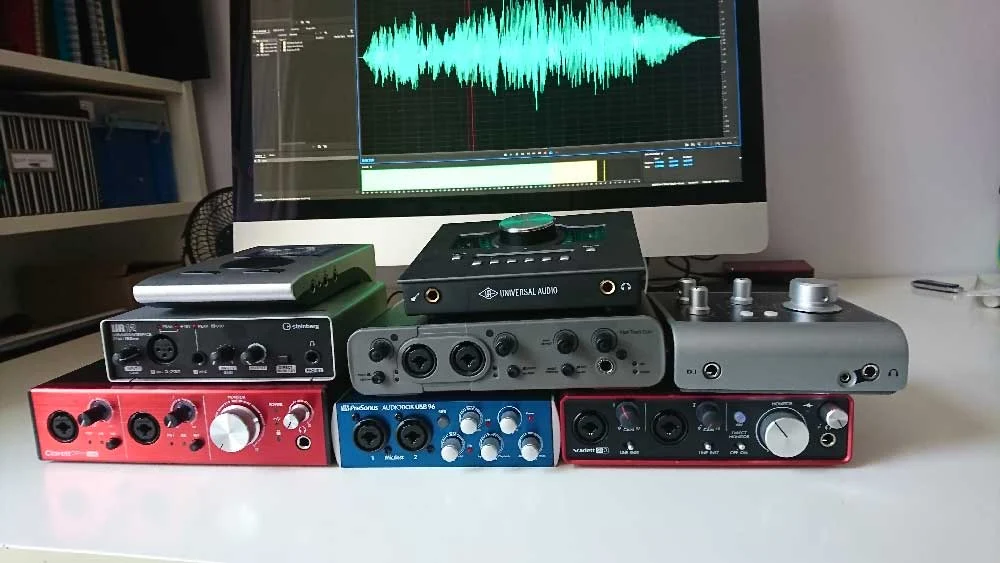
The quest for pristine audio quality in voiceover work hinges significantly on the choice of an audio interface, a crucial piece of equipment that bridges the gap between microphones and digital recording software. This comprehensive guide delves into the intricacies of selecting the right audio interface, offering insights into various popular models and the factors that influence this critical decision for voiceover artists. Understanding the technical specifications and practical applications of these devices is paramount for both aspiring and seasoned professionals aiming to elevate their production standards.
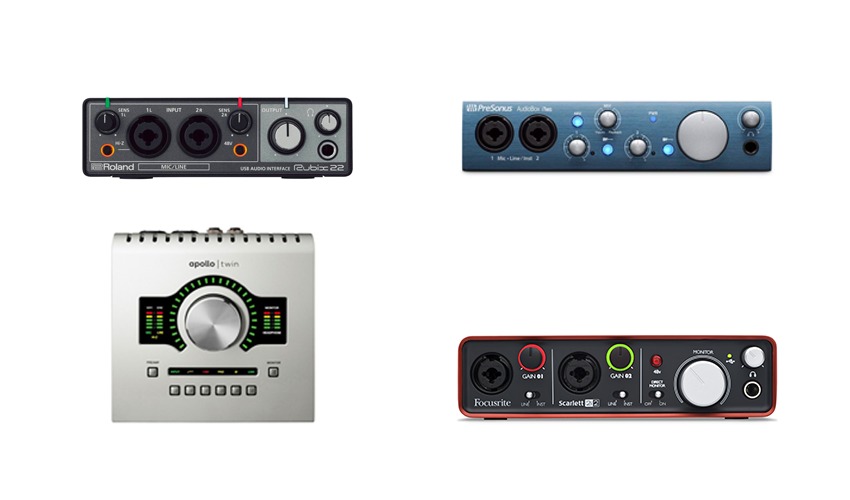
Understanding the Role of an Audio Interface
An audio interface acts as the central hub for audio capture and playback in a digital audio workstation (DAW) setup. Its primary functions include converting analog audio signals from microphones or instruments into digital data that a computer can process, and conversely, converting digital audio from the computer back into analog signals for monitoring through speakers or headphones. For voiceover artists, this means ensuring that the nuances of their vocal performance are captured with exceptional clarity and fidelity, free from unwanted noise or distortion.
The market offers a diverse range of audio interfaces, from compact, portable units designed for solo artists to larger, rack-mountable systems catering to full-fledged studios. The selection process can be daunting, especially when faced with a multitude of brands, models, and technical specifications. While seeking advice from peers is often beneficial, it’s essential to temper such recommendations with a thorough understanding of individual needs and the technical capabilities of each device. As the original article points out, the passion for a particular setup can sometimes lead to biased endorsements, underscoring the importance of objective evaluation.
Key Considerations for Voiceover Professionals
When embarking on the journey to choose an audio interface, voiceover artists should prioritize several key factors that directly impact their workflow and the quality of their output.
1. Input and Output Needs
The number of inputs and outputs required is a fundamental consideration. Most voiceover artists primarily need at least one XLR input for a microphone. However, if an artist frequently collaborates with others in the same room, or if they wish to incorporate additional sound sources like keyboards or external preamps, more inputs will be necessary. Similarly, the number of outputs dictates how many monitoring devices (speakers, headphones) can be connected simultaneously. For typical voiceover sessions, two outputs are usually sufficient for main monitor speakers and a headphone output.
2. Connectivity Type
Audio interfaces connect to computers via various protocols, each offering different bandwidths and latency characteristics. The most common types include:
- USB: The most prevalent and widely compatible option, offering a good balance of speed and affordability. USB 2.0 is adequate for basic setups, while USB 3.0 and higher provide greater bandwidth for more complex configurations and lower latency.
- Thunderbolt: Known for its exceptionally high bandwidth and low latency, Thunderbolt is ideal for demanding professional applications, allowing for the connection of multiple high-resolution audio devices and displays.
- FireWire: Once a popular choice for audio interfaces, FireWire has largely been superseded by USB and Thunderbolt due to its declining support on modern computers.
- Ethernet (AoIP – Audio over IP): Emerging as a professional standard, AoIP solutions offer robust networking capabilities, allowing for audio transmission over standard network infrastructure, though they are typically found in higher-end systems.
It is crucial to ensure that the chosen interface’s connectivity type is compatible with the computer’s available ports. For instance, purchasing a Thunderbolt interface without a Thunderbolt port on the computer would render it unusable.
3. Preamplifier Quality
The preamplifiers within an audio interface are responsible for boosting the microphone’s signal to a usable level. The quality of these preamps significantly influences the overall sound. High-quality preamps offer clean gain, minimal noise, and a pleasing sonic character that complements the microphone. For voiceover, a clear, transparent sound is generally preferred, allowing the natural tone of the voice to shine through.
4. Digital-to-Analog Converter (DAC) and Analog-to-Digital Converter (ADC) Quality
The DAC and ADC are responsible for the conversion of audio signals between analog and digital formats. The fidelity of these conversions directly impacts the audio quality. Higher-quality converters provide more accurate representation of the sound, resulting in recordings that are richer, more detailed, and less prone to artifacts. While the difference might be subtle to the untrained ear, it becomes more apparent in professional mixing and mastering environments.
5. Software and Driver Stability
Reliable drivers and intuitive control software are essential for a smooth recording experience. Drivers ensure seamless communication between the interface and the computer’s operating system and DAW. Well-designed control software allows for easy management of input/output routing, gain levels, phantom power, and other settings. Stability is paramount; a crashing interface or buggy software can disrupt workflow and lead to lost work.
6. Build Quality and Portability
For voiceover artists who travel or work in various locations, the build quality and portability of an audio interface are important. Robust construction ensures durability, while compact designs make them easy to transport.
A Comparative Look at Popular Audio Interfaces
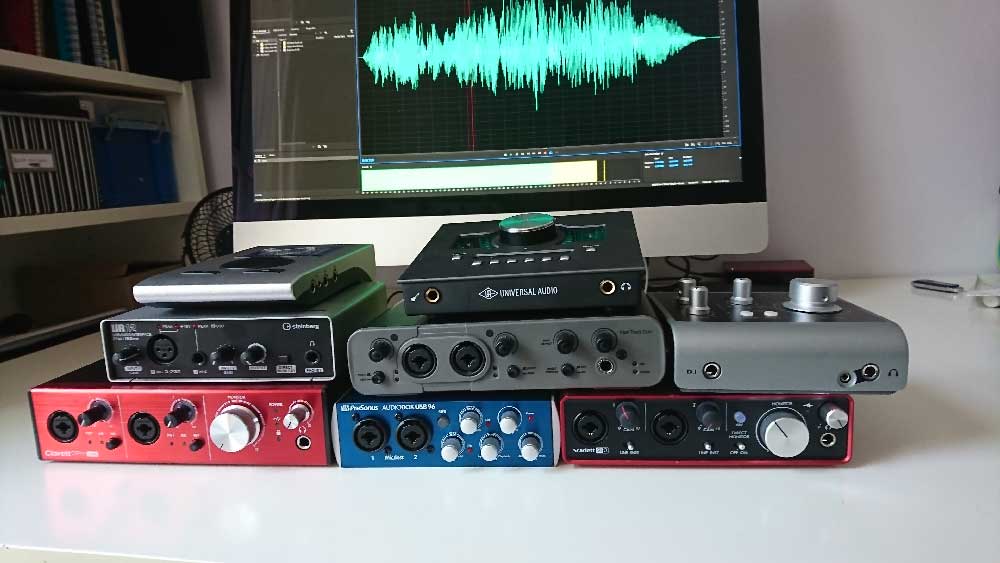
The following section examines several audio interfaces frequently considered by voiceover professionals, highlighting their features, strengths, and potential use cases. All audio samples were recorded using a Sennheiser MK4 microphone directly into the respective interfaces to provide a direct comparison of their sonic characteristics.
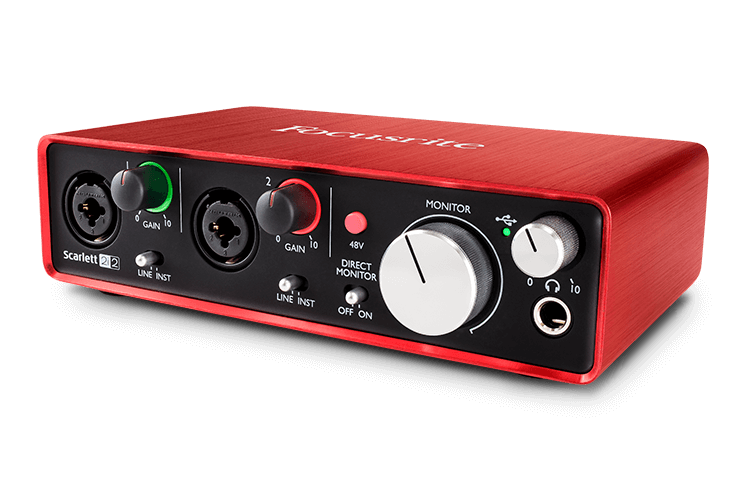
1. Focusrite Scarlett 2i2 (3rd Gen)
- Price: Approximately £115 – $146 USD
- Overview: The Focusrite Scarlett 2i2 has become a ubiquitous choice for home studio enthusiasts and voiceover artists alike. Its popularity stems from its excellent balance of affordability, performance, and ease of use. The 3rd generation model boasts improved preamps, lower latency, and a "Gain Halo" feature for quick level monitoring. It offers two combo XLR/TRS inputs, ideal for microphones and line-level instruments, and two outputs for monitor speakers. The inclusion of bundled software, such as Ableton Live Lite and Pro Tools First (though Pro Tools First is free independently), adds value for beginners. Higher-tier Scarlett models, like the 6i6 and above, introduce the MixControl software for more advanced audio routing.
- Audio Sample: (Refer to original article for audio playback)
- Analysis: The 2i2 consistently delivers a clean and present sound, making it a reliable workhorse for voiceover. Its simplicity means users can quickly set it up and begin recording without a steep learning curve. The sound profile is generally considered neutral, allowing the microphone’s characteristics to dominate.
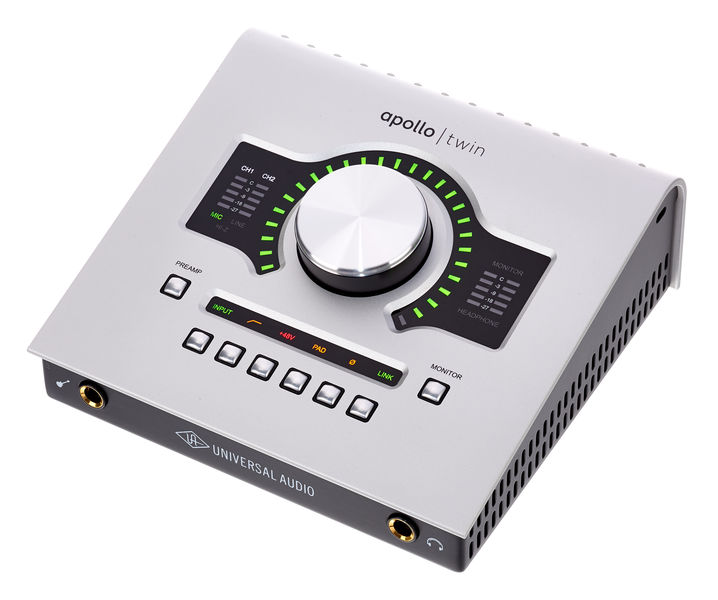
2. Universal Audio Apollo Twin X
- Price: Approximately £699 – $899 USD
- Overview: The Universal Audio Apollo Twin X is a premium interface renowned for its superior sound quality, robust build, and its integrated UAD-2 processing, which allows for near-zero latency tracking with UAD plug-ins. It features two inputs and four outputs, expandable via optical connections. The digitally controlled preamps are exceptionally transparent, and the accompanying Console software offers sophisticated routing capabilities and emulations of classic analog hardware. For Windows users, a USB version is available, though the Thunderbolt versions (like the one tested) are generally preferred for their performance. The ability to save and recall custom setups, as highlighted by Hugh Edwards, is a significant advantage for managing diverse voiceover projects. It’s a favored choice among many high-profile voiceover artists.
- Audio Sample: (Refer to original article for audio playback)
- Analysis: The Apollo Twin X delivers an audibly superior sonic character. The preamps are exceptionally clean, and the overall sound is detailed and polished. The real draw, however, is the onboard UAD processing, which enables users to apply high-quality effects like compression and EQ during tracking without introducing latency. This is invaluable for achieving a polished sound from the outset, reducing post-production time.
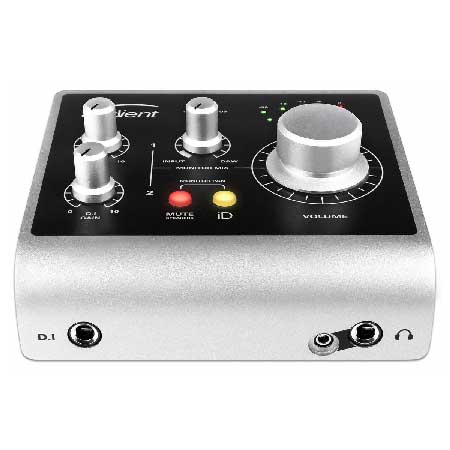
3. Audient iD4 (MkII)
- Price: Approximately £105 – $199 USD
- Overview: The Audient iD4, and its successor the iD4 MkII, is a compact and impressively featured interface for its price point. It offers one XLR input and one instrument-level jack input, along with two line outputs. While it lacks the dual combo inputs of some competitors, its core audio quality is highly regarded. The unit benefits from Audient’s reputation for producing professional-grade console technology. The iD4 MkII further enhances its appeal with improved converters and a more robust build. For those needing more inputs and outputs, Audient offers the iD14, iD22, and iD44 models, which also feature optical expansion options.
- Audio Sample: (Refer to original article for audio playback)
- Analysis: The iD4 provides a surprisingly professional sound for its modest price. The single XLR input is well-suited for a primary voiceover microphone. Its primary strength lies in its clean signal path and the effective Audient preamps. It’s an excellent option for voiceover artists who prioritize sound quality on a tighter budget and don’t require multiple simultaneous instrument inputs.
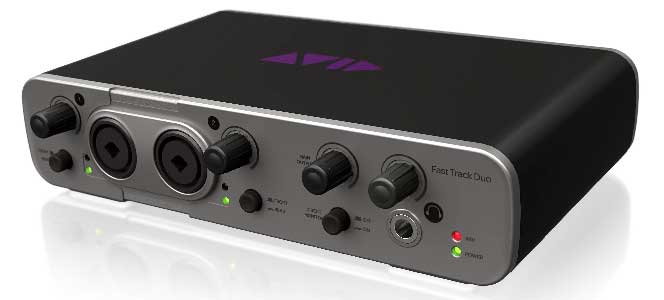
4. Avid Fast Track Duo (Discontinued)
- Price: Approximately £145 – $220 USD (Discontinued)
- Overview: The Avid Fast Track Duo was an interface bundled with Pro Tools Express, designed to offer a streamlined entry into Avid’s ecosystem. It featured two combo XLR/TRS inputs on the front and two outputs on the rear, plus a headphone socket. While it was tied to Pro Tools, it could function as a general-purpose interface with other DAWs. The primary drawback, as noted, was the legibility of its labeling, which could be an issue for users with visual impairments. Despite being discontinued, it represented a functional option for its time.
- Audio Sample: (Refer to original article for audio playback)
- Analysis: The sound quality of the Fast Track Duo was competent for its era, offering a usable signal path for voiceover. However, its discontinuation means it is no longer a viable option for new purchases, and support may be limited. Its inclusion in the original article serves as a historical reference point for interfaces that offered bundled software solutions.
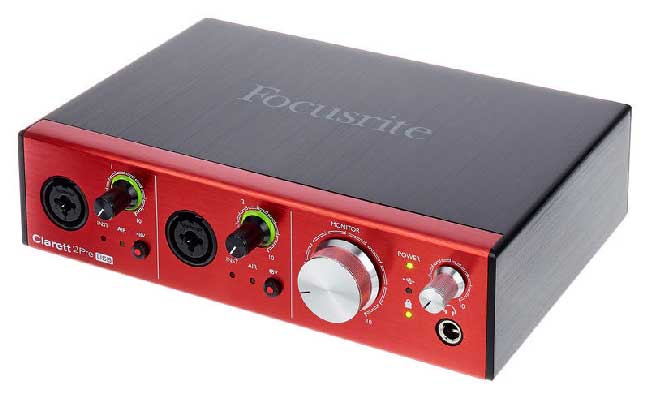
5. Focusrite Clarett 2Pre (USB)
- Price: Approximately £345 – $439 USD
- Overview: The Clarett range from Focusrite represents a step up from the Scarlett series, offering enhanced audio quality and features. The Clarett 2Pre (USB) utilizes Focusrite’s renowned "Air" transformer-emulating preamps, designed to add a touch of high-end clarity and presence to recordings. It features two combi-sockets for microphones or line-level instruments and offers expandable I/O via optical connections. The control software is more sophisticated than that of the Scarlett series, requiring some familiarity. Bundled software includes Ableton Live Lite, which may not be ideal for all voiceover editing workflows.
- Audio Sample: (Refer to original article for audio playback)
- Analysis: The Clarett 2Pre offers a noticeable improvement in clarity and detail over the Scarlett series. The "Air" feature can be beneficial for adding subtle brightness to vocals, though it should be used judiciously. Its higher price point reflects the premium components and enhanced performance, making it a strong contender for voiceover artists seeking a more refined sound.
6. PreSonus AudioBox USB 96
- Price: Approximately £99 – $129 USD
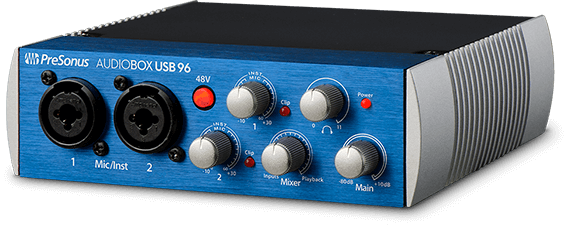
- Overview: The PreSonus AudioBox USB 96 is an entry-level interface that comes bundled with Studio One Artist, PreSonus’s capable DAW. It features two combi-sockets and offers a straightforward, user-friendly experience. While not the smallest in PreSonus’s lineup, it provides a solid foundation for home recording. The bundled Studio One Artist offers a good set of tools for voiceover editing and production.
- Audio Sample: (Refer to original article for audio playback)
- Analysis: The AudioBox USB 96 delivers a clean and functional audio signal. Its primary appeal lies in its affordability and the inclusion of Studio One Artist, which is a well-regarded DAW. For budget-conscious voiceover artists who also need a competent software solution, this interface presents a compelling package.
7. RME Babyface Pro FS
- Price: Approximately £649 – $759 USD
- Overview: The RME Babyface Pro FS is a compact yet incredibly powerful audio interface known for its exceptional build quality, transparent preamps, and robust driver stability. Despite its small form factor, it offers four inputs (two XLR and two jack) and multiple outputs, with expandability via optical connections. The interface’s all-digital nature allows for saving and recalling complex configurations. While the mixer can initially appear complex, once set up for daily voiceover needs, it becomes remarkably intuitive. RME’s reputation for rock-solid drivers and low latency is a significant advantage for professional users.
- Audio Sample: (Refer to original article for audio playback)
- Analysis: The Babyface Pro FS is a top-tier choice for professionals who demand the utmost in audio quality and reliability. Its preamps are incredibly clean and neutral, allowing for pristine vocal capture. The stability of RME’s drivers is legendary, ensuring a smooth and uninterrupted workflow, which is crucial for long recording sessions. The ability to recall settings is invaluable for maintaining consistency across different projects.
8. Steinberg UR12
- Price: Approximately £79 – $99 USD
- Overview: The Steinberg UR12 is a budget-friendly interface that offers a simple yet effective solution for voiceover recording. It features one XLR input and one jack input, suitable for a microphone and an instrument or line-level source. It comes bundled with Cubase AI and Cubase LE, Steinberg’s popular DAWs. A useful feature is its ability to loop audio playback from the DAW to a remote client, facilitating real-time feedback. The UR12 is part of a larger UR series that includes more capable models like the UR22 and UR242.
- Audio Sample: (Refer to original article for audio playback)
- Analysis: The UR12 provides a surprisingly clean audio output for its price point. The inclusion of Cubase AI offers a good starting point for those new to digital audio production. Its ability to send audio back to clients remotely is a practical feature for freelance voiceover artists. While it may not offer the sonic refinement of higher-end units, it represents excellent value for basic voiceover work.
Making the Final Recommendation
When it comes to selecting the ideal audio interface for voiceover work, a nuanced approach is required, balancing budget, technical requirements, and personal workflow preferences. As observed across the tested interfaces, most modern units offer a respectable level of audio quality. The primary distinctions often lie in the sophistication of their preamplifiers, the flexibility of their software control, and the inclusion of advanced features.
A significant differentiator, particularly between lower and higher-priced interfaces, lies in the design of their rotary encoders. Interfaces in the lower price bracket often feature "detented" or "notched" encoders. While seemingly a minor detail, these provide tactile feedback and precise step-by-step adjustments, making it easier to recall specific gain settings weeks or months later for pickup sessions. Non-detented encoders, while offering smooth, continuous adjustment, can make it challenging to replicate precise settings, impacting consistency.
Furthermore, higher-priced interfaces, such as the Universal Audio Apollo Twin X and the RME Babyface Pro FS, typically offer superior preamplifiers with lower noise floors and greater sonic accuracy. They also often come with more advanced software suites, allowing for intricate routing, sophisticated mixing, and the integration of professional-grade plug-ins. The ability to save and recall complex setups, as found in the Apollo Twin and Babyface Pro, is invaluable for professional voiceover artists who manage a diverse range of projects with specific technical requirements.
The question of whether the significant price difference translates to a noticeable improvement for the end client remains a subject of ongoing discussion within the industry. While subtle sonic nuances might be discernible to experienced ears or during critical listening sessions, the overall quality of the voiceover performance, the microphone used, and the acoustics of the recording environment often play a more dominant role in the final perception of quality by the average listener.
Ultimately, the choice of an audio interface is a personal one. For those with a modest budget, entry-level options like the Focusrite Scarlett 2i2, Audient iD4, or Steinberg UR12 provide a solid foundation for professional voiceover work. As budgets increase and technical demands grow, interfaces like the Focusrite Clarett 2Pre, PreSonus AudioBox, Universal Audio Apollo Twin X, and RME Babyface Pro FS offer progressively more refined audio quality, advanced features, and greater workflow efficiency, catering to the most discerning voiceover professionals. The key is to align the interface’s capabilities with one’s current needs and future aspirations, ensuring a reliable and high-performing tool for years to come.
