

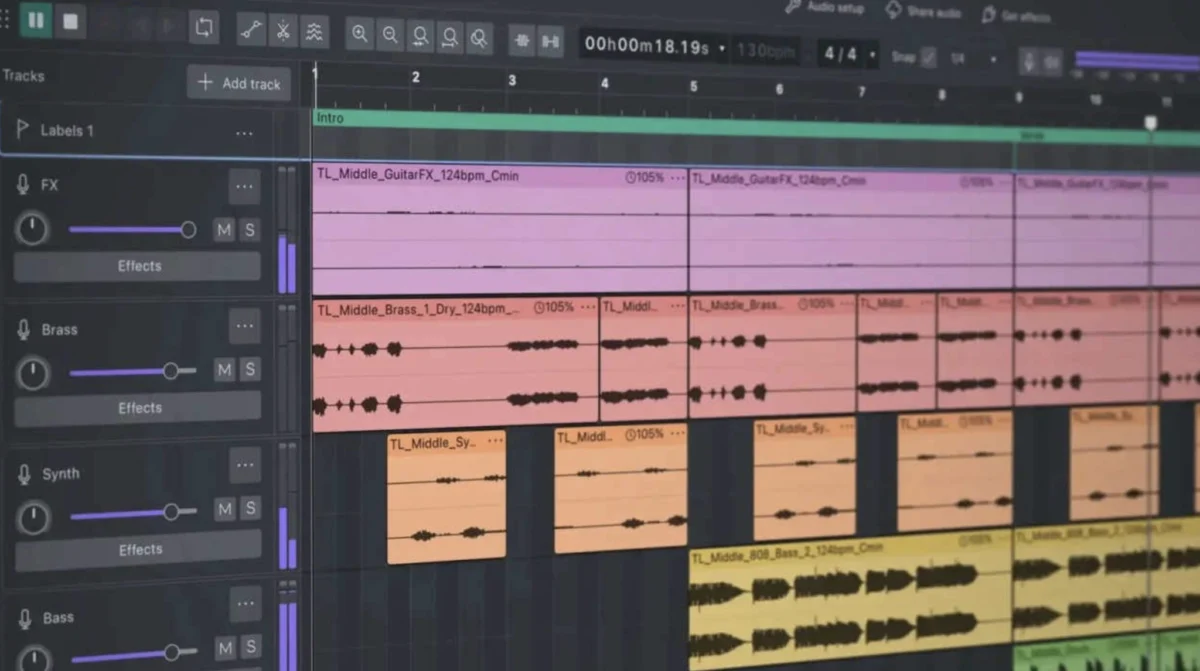
The landscape of Digital Audio Workstations (DAWs) has been significantly reshaped with the release of Audacity 4, marking a dramatic turnaround for the once-maligned open-source software. For years, Audacity, particularly versions 3 and earlier, was widely criticized within the professional audio community, especially among voice actors, for its cumbersome interface, technical limitations, and perceived instability. However, a comprehensive overhaul in Audacity 4 has transformed it into a remarkably capable and user-friendly tool, earning widespread acclaim and positioning it as the premier free DAW for voiceover artists and a serious contender in the broader audio production space.
A Dramatic Metamorphosis: From Frustration to Functionality
The history of Audacity is one of persistent development and a dedicated community, yet its user experience, particularly for demanding professional applications, lagged significantly behind its commercial counterparts. Early iterations of Audacity were characterized by a user interface that felt dated, often described as visually unappealing and difficult to navigate. This aesthetic deficit was more than just a superficial issue; it directly impacted workflow efficiency. The low-resolution and jagged representation of audio waveforms made the precise identification and correction of minor audio imperfections, such as mouth clicks, plosives, or unwanted breaths, a laborious and error-prone task. For voice actors needing to deliver pristine audio, this was a significant impediment.
Beyond the visual challenges, previous versions of Audacity suffered from notorious issues related to file management and system resource consumption. Users frequently reported instances where project files would inexplicably balloon in size, consuming vast amounts of hard drive space. This "disk space black hole" phenomenon meant that even simple recording and editing sessions could lead to significant storage issues, a particularly frustrating problem for individuals working with large audio files or on systems with limited capacity. Furthermore, the software was often plagued by unpredictable crashes, data corruption, and perplexing audio driver bugs. For novice voice actors attempting to establish a stable recording environment, these technical hurdles often led to lost work and considerable distress, effectively deterring many from adopting Audacity as a primary production tool.
The Genesis of the Overhaul: A Strategic Redesign
The developers behind Audacity appear to have recognized the critical need for a fundamental reimagining of the software. Instead of applying incremental fixes to an aging architecture, the team embarked on a complete redesign of Audacity, focusing on modernizing its core components and enhancing user experience from the ground up. This strategic shift has yielded a product that is not only functionally superior but also aesthetically pleasing and significantly more stable.
Key Advancements in Audacity 4
The transformation of Audacity is most evident in several key areas:
A Modern and Intuitive User Interface
One of the most striking improvements in Audacity 4 is its completely revamped user interface. The visual design has been modernized, offering a clean, professional look that is a stark contrast to the dated appearance of its predecessors. A standout feature is the introduction of Dark Mode, a highly anticipated addition that significantly improves usability in low-light recording environments. This feature allows users to work for extended periods without the eye strain often associated with bright interfaces, a crucial benefit for voice actors who might spend hours in vocal booths.
The clarity and detail of the audio waveforms have also been dramatically enhanced. The new rendering engine provides crisp, high-resolution waveforms that make it far easier to identify and address subtle audio imperfections. This visual precision is paramount for tasks requiring meticulous editing, such as removing mouth clicks, de-essing sibilance, or precisely trimming breaths.
Enhanced Usability and Workflow for Voice Professionals
Navigating Audacity 4 has become significantly more intuitive. While users still need to be mindful of selecting the correct viewing mode, such as Linear dB, to accurately gauge audio levels and dynamics, the process of switching between different views and managing track headers is now seamless. This improved workflow reduces the cognitive load on the user, allowing them to focus more on the creative aspects of their work rather than wrestling with the software’s interface. The ability to easily manage multiple tracks and their associated settings further streamlines the production process for complex projects.
Real-Time Dynamics Processing: A Game Changer for Compression
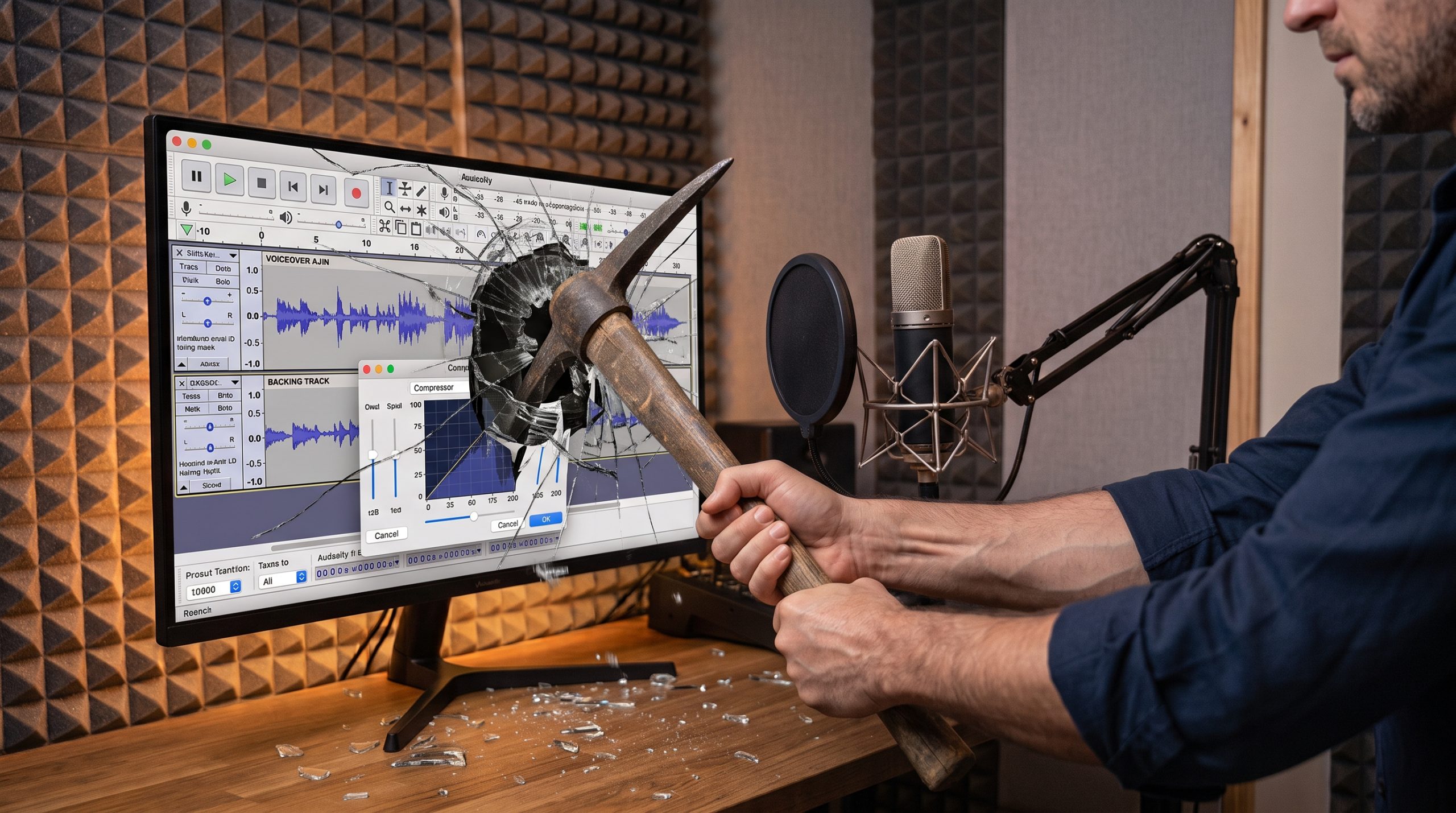
Perhaps one of the most impactful advancements is the introduction of real-time visual feedback for dynamic processing, particularly compressors. Previously, applying compression in Audacity was often a trial-and-error process. Users would manually input parameters, apply the effect, and then analyze the resulting waveform, often leading to dissatisfaction and the need for repeated adjustments.
Audacity 4 rectifies this by offering a real-time visual representation of compression curves and gain reduction as the audio plays. This allows voice actors and audio engineers to dynamically sculpt their sound, making precise adjustments to achieve the desired level of dynamic range control. The ability to see and hear the effects of compression in real-time fundamentally changes how this critical audio processing tool can be utilized, leading to more consistent and professional results.
Robust File Handling and Stability
The notorious issues with disk space consumption and file bloat that plagued older versions appear to have been largely resolved. Audacity 4 demonstrates significantly improved efficiency in managing project data and temporary files, ensuring that users can work on projects of considerable length and complexity without encountering storage limitations. This improved stability and resource management contribute to a more reliable and predictable recording and editing experience, reducing the likelihood of crashes and data loss.
Context and Implications: A Paradigm Shift for Free DAWs
The evolution of Audacity is not merely an update; it represents a significant shift in the accessibility of professional-grade audio editing tools. Historically, high-quality DAWs such as Pro Tools, Adobe Audition, or Logic Pro have come with substantial financial commitments, creating a barrier to entry for aspiring voice actors, independent content creators, and budget-conscious producers.
Audacity’s transformation addresses this gap directly. By offering a free, yet now highly competent, DAW, it democratizes access to powerful audio production capabilities. This has profound implications:
- Empowering Aspiring Voice Actors: Newcomers to the voiceover industry, who often operate on tight budgets, can now access a tool that meets professional standards without incurring significant software costs. This allows them to focus their resources on essential equipment like microphones and acoustic treatment.
- Boosting Independent Content Creation: Podcasters, audiobook narrators, and online content creators can produce higher-quality audio content, elevating the overall standard of independent media.
- Challenging Commercial Software Dominance: While Audacity may not yet rival the most advanced features of top-tier commercial DAWs, its improved functionality and free accessibility pose a credible challenge, potentially influencing pricing models and feature development in the commercial software market.
Looking Ahead: Limitations and Future Potential
While Audacity 4 represents a monumental leap forward, it is important to acknowledge its current limitations. As noted by industry observers, the software still does not feature a dedicated, destructible waveform editor window in the same vein as some specialized editors. This means that while Audacity excels as a multi-track DAW capable of handling tracking, non-destructive editing, VST plugin integration, and master rendering with remarkable ease, it may not fully satisfy users who require the granular, destructive editing capabilities found in some other applications.
However, for its intended purpose as a versatile and accessible DAW, Audacity 4 has achieved a remarkable level of functionality. Its speed, stability, modern aesthetics, and, crucially, its free availability, make it an exceptionally compelling choice. The developers have not only addressed long-standing criticisms but have also innovated in key areas, such as real-time processing, which directly benefits users engaged in critical audio tasks.
Official Statements and Community Reactions
While direct quotes from the Audacity development team regarding the specific goals of the Audacity 4 overhaul were not immediately available at the time of reporting, the visible improvements speak volumes. The overwhelming sentiment within the voiceover and audio production communities has shifted from skepticism to enthusiastic endorsement. Forums and social media channels are abuzz with praise for the new version, with many users expressing their surprise and delight at the dramatic improvement.
Hugh Edwards, a prominent voiceover coach and blogger, whose historical critiques of Audacity were well-documented, has publicly acknowledged the software’s transformation. His recent commentary, which declared Audacity 4 "actually excellent" and "hands-down the best free Digital Audio Workstation (DAW) on the market for voice artists," reflects a broader sentiment of renewed confidence in the software. This endorsement from a formerly staunch critic underscores the magnitude of the changes implemented in Audacity 4.
The Verdict: A Recommended Solution
For individuals embarking on their voiceover journey or those seeking a powerful and cost-effective audio editing solution, Audacity 4 is now the definitive recommendation. The days of viewing Audacity as a compromise necessitated by budget constraints are over. The developers have demonstrably achieved a significant feat of engineering and design, transforming a program that was once a source of frustration into a tool that is fast, stable, visually appealing, and, most importantly, free. The official endorsement from experienced professionals signals a new chapter for Audacity, one where it stands as a testament to the power of open-source development and its potential to deliver world-class software accessible to everyone.
