

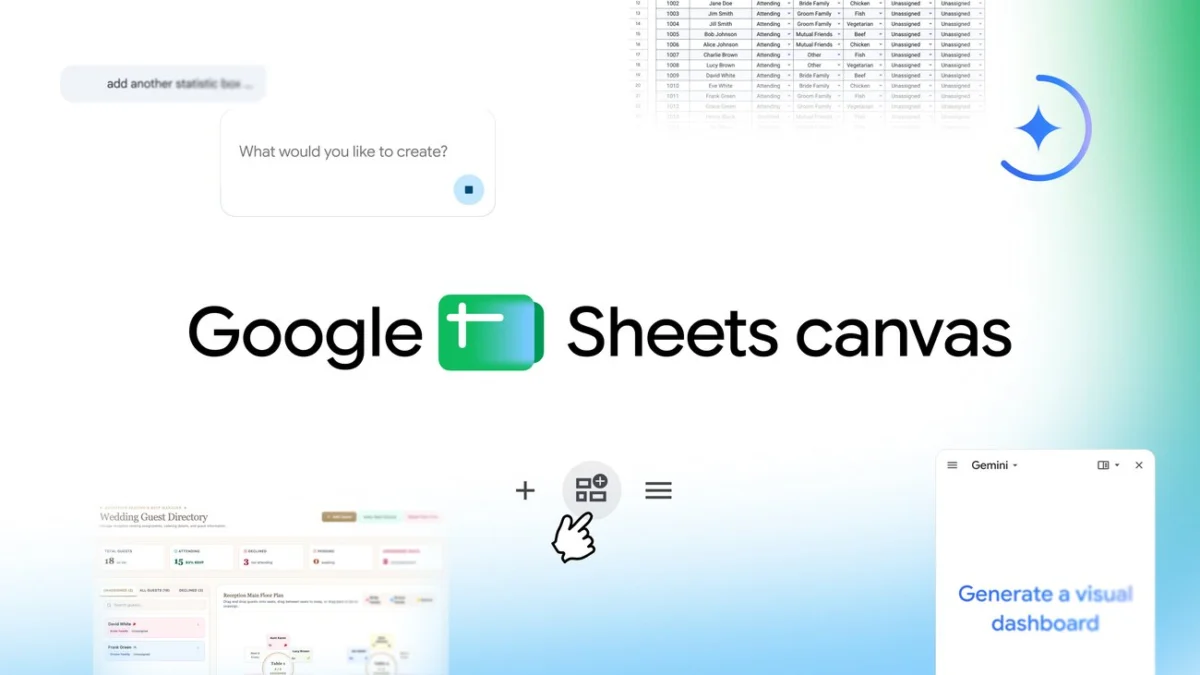
The landscape of digital productivity is undergoing a fundamental shift as Google introduces Sheets canvas, a transformative feature powered by Gemini artificial intelligence that reimagines the traditional spreadsheet. For decades, the spreadsheet has remained largely unchanged—a rigid grid of rows and columns designed for arithmetic and data storage. However, the introduction of Sheets canvas signals an evolution toward interactive, visual, and customizable "mini-apps" that allow users to interact with their data through a dynamic, read-write layer. By utilizing natural language prompts, users can now bypass complex formatting and formula-building to create dashboards, trackers, and visual organizers that were previously the domain of specialized software or professional developers.
This development comes at a time when the demand for "no-code" solutions is at an all-time high. Google’s Director of Product Management for Sheets, Eric Birnbaum, emphasizes that while spreadsheets are inherently powerful for organization, the sheer volume of data can often become overwhelming for the average user. Sheets canvas aims to bridge the gap between raw data and actionable insight, providing a visual interface that sits directly on top of existing spreadsheet data. This ensures that any modifications made within the canvas interface are reflected in the underlying data cells, maintaining a single source of truth while offering a more intuitive user experience.
The Evolution of Google Workspace and the AI Integration Timeline
The release of Sheets canvas is the latest milestone in Google’s multi-year effort to integrate generative AI across its Workspace suite. The journey began in earnest with the introduction of "Smart Chips" and "Smart Canvas" in 2021, which allowed users to pull in data from other Google apps like Docs, Drive, and Calendar directly into their workflow. In early 2023, Google introduced "Help me organize" in Sheets, an early AI feature that generated table templates based on user prompts.
The rebranding of Google’s AI efforts under the Gemini umbrella in early 2024 accelerated these developments. Sheets canvas represents a significant leap forward from static templates to a live, interactive environment. Unlike previous iterations that merely suggested structures, the canvas feature creates a functional interface. This progression reflects a broader industry trend where productivity tools are moving away from being simple repositories of information to becoming proactive assistants that help synthesize and present data.
Technical Mechanics: The Read-Write Layer and Gemini Pro
At the heart of Sheets canvas is a sophisticated integration of Gemini, Google’s most capable family of AI models. The feature operates as a "read-write layer," a technical distinction that is crucial for professional and enterprise users. In traditional data visualization tools, charts and dashboards are often "read-only," meaning changes made to the visualization do not necessarily update the source data. Sheets canvas breaks this barrier. If a user moves a guest to a different table in a canvas-generated seating chart, the corresponding data in the guest list spreadsheet is automatically updated.
The system utilizes natural language processing (NLP) to interpret user intent. When a user enters a prompt into the "Ask Gemini" side panel, the AI analyzes the existing data structure—identifying headers, data types, and relationships—and then maps that data to a visual layout. This process involves complex reasoning to determine the most effective way to display information, whether it be a timeline, a kanban board, or a spatial map.
Diverse Use Cases: From Education to Enterprise
Google has highlighted several primary use cases to demonstrate the versatility of Sheets canvas. These examples illustrate how the tool can be applied to both personal and professional scenarios, effectively replacing the need for separate, niche applications.
Academic Management and Study Trackers
For students and educators, the transition from a list of assignments to a functional study aid is now instantaneous. Instead of manually color-coding cells to track progress, a student can prompt Sheets canvas to create a "study tracker." The AI generates an interface where deadlines are visualized in a calendar or progress bar format. This allows students to set reminders and visualize their workload for the week, transforming a daunting list of tasks into a manageable schedule.
Leisure and Sports Analytics
In the realm of personal interests, fantasy football enthusiasts can leverage the tool to create a "command center" for their rosters. By feeding player statistics and performance data into a sheet, the canvas can generate a dashboard that compares player stats side-by-side. This democratization of data visualization allows hobbyists to use professional-grade analytics tools without needing a background in data science or complex Excel functions.
Event Planning and Logistical Coordination
Wedding and event planning is perhaps the most vivid example of the "read-write" capability. Planning a large-scale event involves managing guest lists, meal preferences, and seating arrangements. Sheets canvas can transform a guest list into an interactive seating chart. Planners can drag and drop guests into specific table layouts. This visual approach reduces the cognitive load of managing hundreds of variables and ensures that the central database remains accurate as changes are made in real-time.
Market Context and Competitive Landscape
The introduction of Sheets canvas is a strategic move in the ongoing "AI arms race" between Google and Microsoft. Microsoft has heavily invested in its Copilot AI for Excel, which focuses on formula generation, data analysis, and chart creation. Google’s approach with Sheets canvas appears to focus more on the "interface" and "app-like" experience, potentially positioning Sheets as a direct competitor to platforms like Notion, Airtable, and Trello.
Industry analysts suggest that this move is aimed at retaining the 3 billion users currently within the Google Workspace ecosystem by providing them with the tools to build custom workflows without leaving the Google environment. By lowering the barrier to entry for building "mini-apps," Google is effectively empowering non-technical users to solve their own productivity bottlenecks, a trend often referred to as the democratization of software development.
Implementation and Global Availability
Google has announced a tiered rollout for Sheets canvas to ensure stability and gather user feedback. As of the current release, the feature is available globally in English. The rollout strategy targets specific user segments:
- Individual Power Users: Subscribers to Google AI Pro and Ultra plans have immediate access, reflecting Google’s strategy to bundle advanced AI features with its premium storage and assistant tiers.
- Enterprise and Business Users: The feature is rolling out to Google Workspace customers on Business Standard, Business Plus, Enterprise Standard, and Enterprise Plus plans. This highlights the tool’s intended utility in professional environments where data management is critical.
- Education Sector: Google AI Pro for Education add-on subscribers will also receive the update, supporting the aforementioned use cases for students and academic staff.
Users can access the feature by opening a Google Sheet and selecting the “Create canvas” option within the "Ask Gemini" side panel. Google has also provided comprehensive documentation and support articles to assist users in crafting effective prompts.
Broader Implications and Future Outlook
The launch of Sheets canvas carries significant implications for the future of work and data literacy. By shifting the focus from "how to use a spreadsheet" to "how to describe a solution," Google is reducing the technical debt associated with data management. This change could lead to increased efficiency in the workplace, as employees spend less time on manual data entry and formatting and more time on analysis and decision-making.
Furthermore, this technology may signal the beginning of the end for static data presentation. As AI models become more adept at understanding context and user preference, we can expect Sheets canvas to evolve into an even more proactive tool. Future iterations might suggest layouts before the user even asks, or automatically highlight anomalies and trends in the data through the visual interface.
However, the transition to AI-driven data management also raises questions regarding data privacy and the accuracy of AI interpretations. Google has maintained that its generative AI features are built with privacy in mind, adhering to strict enterprise-grade security standards. Nevertheless, as users become more reliant on AI to "interpret" their data, the importance of human oversight and data integrity remains paramount.
In conclusion, Sheets canvas is more than just a new feature; it is a shift in the philosophy of data interaction. By turning rows and columns into interactive, visual experiences, Google is not only making spreadsheets more accessible but also more powerful. As this technology matures and expands to more languages and user groups, it will likely redefine the standard for productivity software in the AI era. For the millions of users who rely on Google Sheets daily, the canvas represents a new way to see, understand, and act upon the information that drives their personal and professional lives.
