

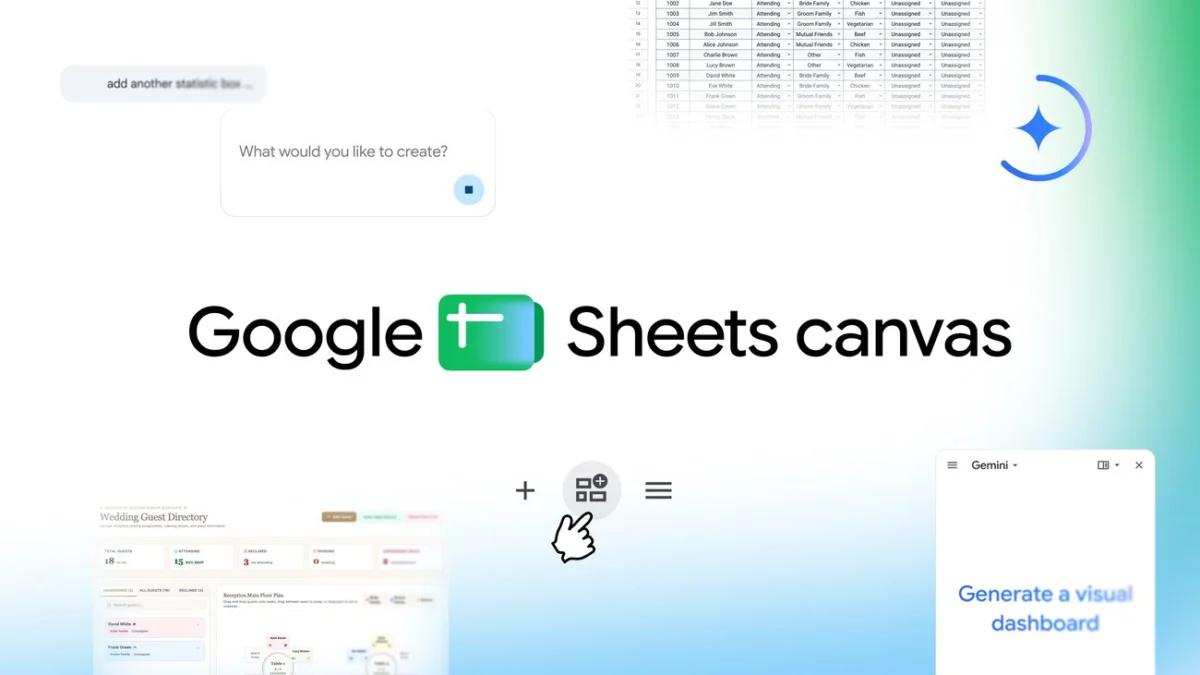
Google has officially announced the launch of Sheets canvas, a transformative feature for Google Sheets that leverages the Gemini artificial intelligence framework to convert traditional row-and-column data into interactive, visual "mini-applications." This development represents a significant shift in the evolution of spreadsheet software, moving beyond the static grid format that has defined the medium for over four decades. By utilizing natural language processing, Sheets canvas allows users to generate custom dashboards, trackers, and visual organizers through simple text prompts, effectively democratizing data visualization for non-technical users.
The introduction of Sheets canvas is positioned as a solution to the "data fatigue" often associated with managing complex datasets. Whether for professional project management or personal organization, the tool provides a dynamic, read-write layer that sits atop existing spreadsheet data. This ensures that any modifications made within the visual canvas are reflected in the underlying source data in real-time, maintaining a single source of truth while offering a more intuitive user interface.
The Evolution of the Spreadsheet: From VisiCalc to AI-Driven Canvases
To understand the impact of Sheets canvas, one must look at the trajectory of spreadsheet technology. Since the debut of VisiCalc in 1979, followed by the dominance of Lotus 1-2-3 and Microsoft Excel, the fundamental interface of the spreadsheet—the cell-based grid—has remained largely unchanged. While functionality has expanded to include complex scripting, pivot tables, and cloud collaboration, the visual presentation of data has often required third-party tools or advanced knowledge of charting and "VLOOKUP" functions.
Google Sheets, launched in 2006, revolutionized the industry by introducing real-time collaboration. However, the challenge of interpreting vast amounts of raw data remained. In recent years, the rise of "no-code" platforms like Airtable and Notion has signaled a shift in user preference toward more flexible, visually oriented data management. Google’s response, via Sheets canvas, integrates the power of generative AI to bridge the gap between a traditional database and a bespoke application interface.
Technical Framework and Gemini Integration
At the heart of Sheets canvas is Gemini, Google’s most capable family of AI models. The integration allows the software to interpret the context of a user’s data. When a user provides a prompt—such as "create a seating chart for my wedding guest list" or "build a dashboard for my sales targets"—Gemini analyzes the headers and values within the spreadsheet to determine the most logical visual structure.
The "read-write layer" mentioned by Google’s product team is a critical technical distinction. Unlike traditional "Publish to Web" features or static charts, Sheets canvas is interactive. Users can drag and drop elements, update statuses, and edit text within the canvas interface. These actions trigger back-end updates to the spreadsheet cells. This bidirectional synchronization ensures that the power of the spreadsheet’s computational engine remains intact while the user interacts with a more "human-friendly" front end.
Detailed Use Cases and Practical Applications
Google has highlighted several primary use cases that demonstrate the versatility of the new feature across academic, personal, and professional domains.
1. Academic Management and Study Trackers
For students and educators, the transition from a list of assignments to a visual study aid is a significant productivity gain. Sheets canvas can ingest a syllabus or a list of deadlines and generate an interactive timeline. Users can track their progress through visual completion bars and set reminders. This application addresses a common pain point in education: the difficulty of visualizing workload across multiple subjects over a semester.
2. Specialized Data Dashboards: Fantasy Football and Sports Analytics
The "command center" concept is particularly applicable to sports enthusiasts. By pulling player statistics and performance metrics into a Sheets canvas, users can create side-by-side comparison tools. This move targets the millions of users who utilize spreadsheets for fantasy sports, providing them with a professional-grade analytical tool that was previously only available through specialized (and often paid) software.
3. Event Planning and Logistical Coordination
The logistical nightmare of wedding planning serves as a prime example of the tool’s utility. Sheets canvas can transform a guest list containing meal preferences and RSVP statuses into a digital seating chart. The ability to drag and drop guests to specific tables, with the spreadsheet automatically updating the "Table Number" column, reduces the margin for error and simplifies complex coordination tasks.
Rollout Timeline and Subscription Requirements
The deployment of Sheets canvas follows Google’s broader strategy of integrating AI features into its Workspace ecosystem. The feature is being rolled out in phases:
- Global Availability: Sheets canvas is currently available globally, but exclusively in English at this initial stage.
- Individual Subscribers: Access is granted to users with Google AI Pro and Ultra subscriptions.
- Enterprise and Business Users: The rollout began recently for Google Workspace customers on Business Standard, Business Plus, Enterprise Standard, and Enterprise Plus plans.
- Education Sector: Subscribers to the Google AI Pro for Education add-on will also receive access as part of the initial wave.
To access the feature, eligible users can open any Google Sheets file and locate the "Create canvas" option within the "Ask Gemini" side panel. This side-panel integration suggests that Google intends for AI to be a constant assistant rather than a separate, siloed tool.
Market Context and Competitive Landscape
The launch of Sheets canvas comes at a time of intense competition in the productivity software market. Microsoft has been aggressively integrating its "Copilot" AI into Excel, focusing on formula generation and automated insights. Meanwhile, platforms like Notion have gained significant market share by offering "databases" that look like boards, galleries, and calendars.
Industry analysts suggest that Sheets canvas is a strategic move to prevent "user churn" toward these newer, more visual platforms. By offering "mini-app" functionality within the familiar environment of Sheets, Google is leveraging its massive user base—which surpassed 3 billion Workspace users as of recent reports—to redefine what a spreadsheet can be.
"Spreadsheets are no longer just for accountants; they are the backbone of modern organization for everyone from students to CEOs," says Eric Birnbaum, Director of Product Management for Google Sheets. "Sheets canvas is designed to make that data work for the user, rather than making the user work for the data."
Security, Privacy, and Data Integrity
As with all AI-driven tools, the introduction of Sheets canvas raises questions regarding data privacy. Google has emphasized that for Workspace customers, data processed by Gemini remains within the organization’s boundaries and is not used to train global AI models without explicit consent. The "read-write" nature of the canvas also includes safeguards to ensure that AI-generated changes do not inadvertently corrupt complex formulas or historical data.
The system is built to honor existing sharing permissions. If a user creates a canvas on a shared sheet, the visibility and editing rights of that canvas are governed by the same protocols as the underlying spreadsheet. This ensures that the collaborative spirit of Google Sheets is maintained in this new visual format.
Broader Implications for the Future of Work
The long-term implications of Sheets canvas suggest a shift toward "modular productivity." As AI becomes more adept at translating structured data into visual interfaces, the need for specialized software for every niche task (such as a specific app for wedding planning or a specific app for task tracking) may diminish.
Furthermore, this technology points toward a future where "natural language" becomes the primary coding language. By allowing users to build interactive tools via prompts, Google is effectively providing a no-code development environment. This empowers individuals who lack programming skills to build custom tools tailored to their specific workflows, potentially leading to a surge in personal and small-business efficiency.
In conclusion, Sheets canvas is more than just a visual update; it is a fundamental reimagining of the spreadsheet. By combining the computational power of Google Sheets with the generative capabilities of Gemini, Google is providing a glimpse into a future where data is not just something to be stored and calculated, but something to be experienced and interacted with in a highly personalized way. As the rollout continues and language support expands, the impact on global productivity and data management is expected to be substantial.
