

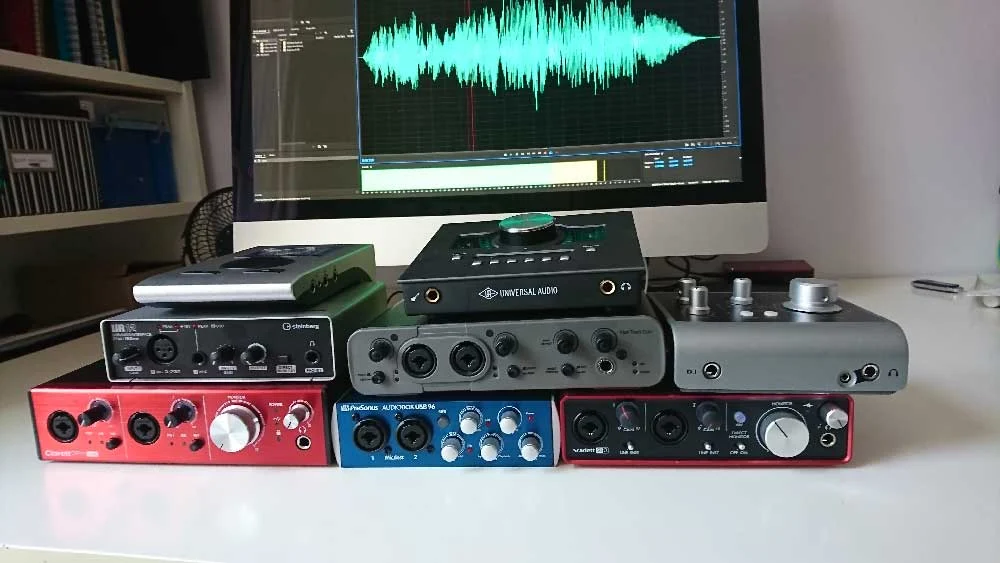
The pursuit of pristine audio quality is paramount for voiceover artists, and at the heart of any professional home studio lies the audio interface. This crucial piece of hardware acts as the bridge between your microphone and your computer, converting analog audio signals into digital data for recording and playback. However, navigating the diverse landscape of audio interfaces can be a daunting task, especially for those new to the technical intricacies of audio production. This guide aims to demystify the selection process, offering a detailed overview of what to consider, and highlighting several popular models currently available on the market.
Understanding the Core Functionality of an Audio Interface
Before delving into specific recommendations, it’s essential to grasp what an audio interface fundamentally does. Its primary role is to digitize analog sound. When you speak into a microphone, the sound waves are converted into an electrical signal. The audio interface takes this analog signal, typically through its preamplifiers, and converts it into a digital format that your Digital Audio Workstation (DAW) software can understand and manipulate. Conversely, it also handles the digital-to-analog conversion for playback, allowing you to monitor your recordings with clarity.
The quality of the preamplifiers within an interface significantly impacts the clarity and detail of your recorded audio. Better preamps offer lower noise floors and more headroom, meaning they can handle louder signals without distortion, crucial for capturing nuanced vocal performances. Furthermore, the Analog-to-Digital (ADC) and Digital-to-Analog (DAC) converters are responsible for the fidelity of the conversion process. High-quality converters ensure that the digital representation of your audio is as faithful as possible to the original analog signal.
Key Considerations When Selecting an Audio Interface
The decision-making process for choosing an audio interface should be driven by your specific needs and intended use. Several factors warrant careful consideration:
-
Number of Inputs and Outputs: The most basic requirement is determining how many microphones or instruments you anticipate connecting simultaneously. For a solo voiceover artist, one or two microphone inputs are typically sufficient. However, if you plan to record multiple voice actors at once, or incorporate other instruments, you’ll need an interface with more inputs. Similarly, the number of outputs determines how many pairs of monitors or headphones you can connect.
-
Connectivity Type: Audio interfaces connect to your computer via various protocols, each with its own advantages and potential limitations.
- USB: This is the most common and widely supported connection type, found on virtually all modern computers. USB interfaces offer a good balance of speed and accessibility. USB 2.0 is adequate for many basic setups, while USB 3.0 and above provide higher bandwidth for more complex multi-track recording.
- Thunderbolt: Offering significantly higher bandwidth than USB, Thunderbolt is ideal for professional studios requiring very low latency and the ability to chain multiple high-performance devices. It is primarily found on Apple Mac computers and some higher-end Windows PCs.
- FireWire: Once a popular choice for audio interfaces, FireWire has largely been superseded by USB and Thunderbolt due to its declining prevalence in newer computer models.
- Ethernet (Networked Audio): Interfaces utilizing Ethernet, often through protocols like Dante, are designed for larger, more complex networked audio systems, typically found in broadcast and live sound environments. For most home voiceover studios, this is an overkill.
-
Preamplifier Quality and Features: As mentioned, preamps are critical. Look for interfaces with clean, low-noise preamps that provide sufficient gain for your microphone. Some interfaces offer switchable phantom power (+48V) to power condenser microphones, which are often favored for voiceover work due to their sensitivity and detail.
-
Direct Monitoring: This feature allows you to hear your microphone input directly through the interface with minimal or no latency. This is invaluable for preventing performance distractions caused by audio delay.
-
Bundled Software and Plugins: Many audio interfaces come bundled with entry-level DAWs (like Ableton Live Lite, Cubase LE, or Pro Tools First) and a selection of virtual instruments or effects plugins. While these are often not as feature-rich as their professional counterparts, they can provide a cost-effective starting point for aspiring producers.
-
Build Quality and Portability: If you anticipate moving your interface frequently for remote recording sessions or performances, a robust and compact design is beneficial.
-
Budget: Audio interfaces range widely in price, from under $100 to several thousand dollars. Establishing a realistic budget upfront will help narrow down your options.
A Closer Look at Popular Audio Interface Models
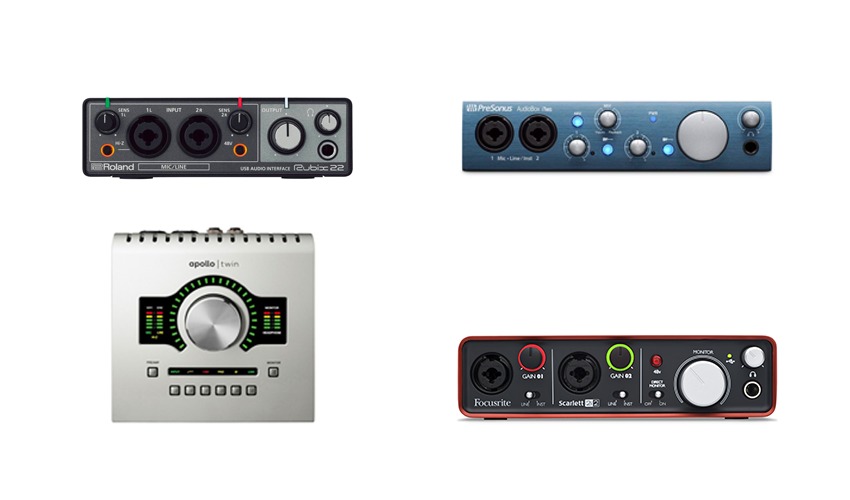
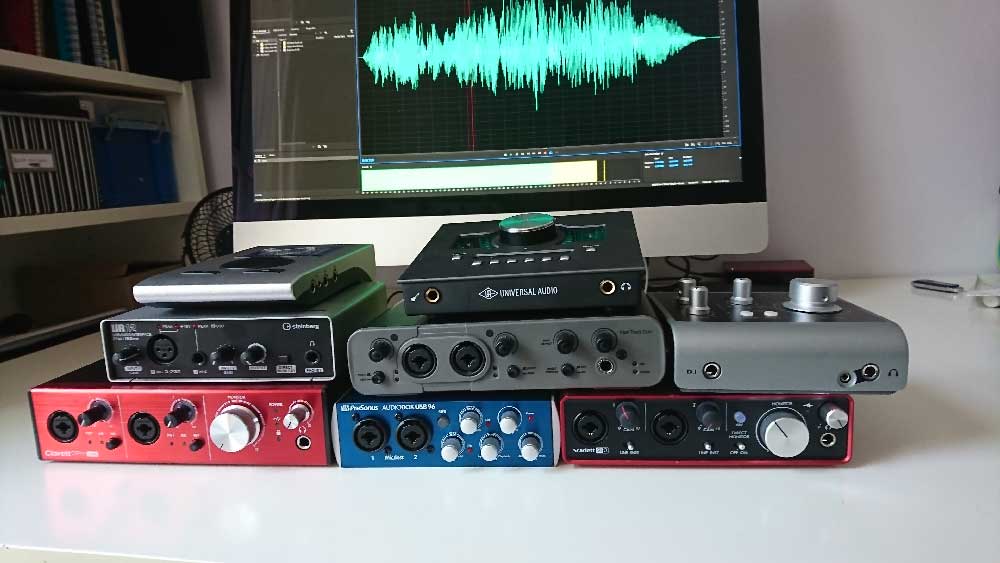
To illustrate the diverse offerings in the market, we examine several popular audio interfaces, considering their features, pricing, and suitability for voiceover work. The audio samples provided in the original article were recorded using a Sennheiser MK4 microphone directly into each interface, allowing for a direct comparison of their sonic characteristics.
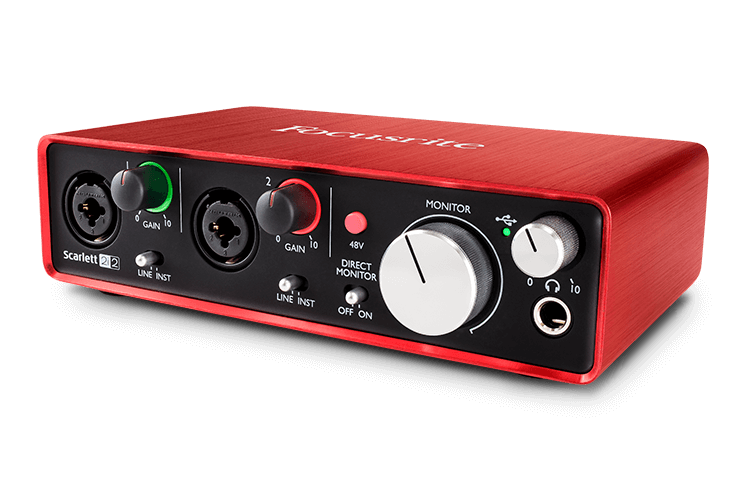
1. Focusrite Scarlett 2i2
Price: Approximately £115 – $146 USD
The Focusrite Scarlett 2i2 has become a ubiquitous presence in home studios, lauded for its user-friendliness and solid performance. It offers two combi-sockets (XLR/Jack) for microphone and line-level inputs, and two line-level outputs. Its compact and durable design makes it a popular choice for beginners and mobile setups. The interface comes bundled with free plugins and Pro Tools First, providing a decent starting package. For those needing more inputs, Focusrite offers a range of Scarlett models with varying configurations. The included software, while basic, is generally intuitive.
(Audio sample for Focusrite Scarlett 2i2 would be placed here, demonstrating its sound quality.)
2. Universal Audio Apollo Twin
Price: Approximately £699 – $899 USD
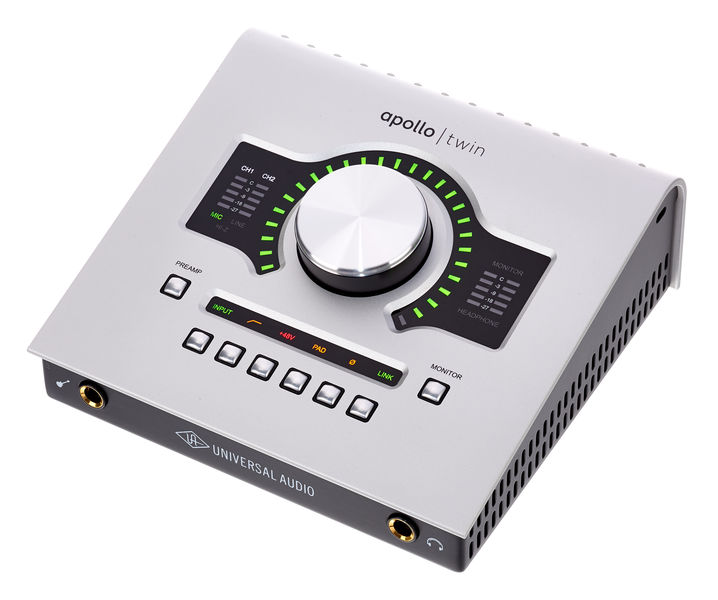
The Universal Audio Apollo Twin represents a significant step up in professional audio quality and feature set. This interface, available in both Thunderbolt and USB versions, boasts exceptional preamplifiers and high-fidelity converters. Its standout feature is the integrated Console software, which not only provides comprehensive routing capabilities but also hosts Universal Audio’s acclaimed UAD plug-ins, emulating classic analog hardware. The Apollo Twin is particularly favored by professional voiceover artists like Joe Cipriano and Peter Dickson, not only for its pristine sound but also for its ability to save and recall project-specific settings, streamlining workflow. Its expandability via optical cables also allows for future growth of your studio setup.
(Audio sample for UA Apollo Twin would be placed here, showcasing its superior clarity and detail.)
3. Audient iD4
Price: Approximately £105 – $199 USD
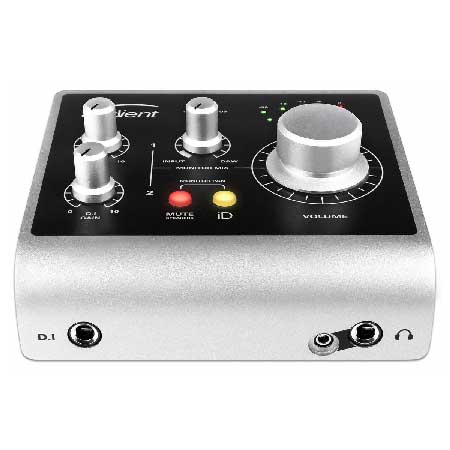
The Audient iD4 is a compact and elegantly designed interface that punches above its weight in terms of audio quality. It features one XLR microphone input and one line-level jack input, with two line-level outputs. While it lacks the dual combi-sockets of some competitors, its focus is on delivering clean and transparent sound reproduction. The iD4’s larger siblings, the iD14, iD22, and iD44, offer expanded connectivity and advanced routing options. Bundled software, including Cubase LE, adds to its value proposition for aspiring producers.
(Audio sample for Audient iD4 would be placed here, highlighting its clean sonic signature.)
4. Avid Fast Track Duo (Discontinued)
Price: Approximately £145 – $220 USD (now discontinued)
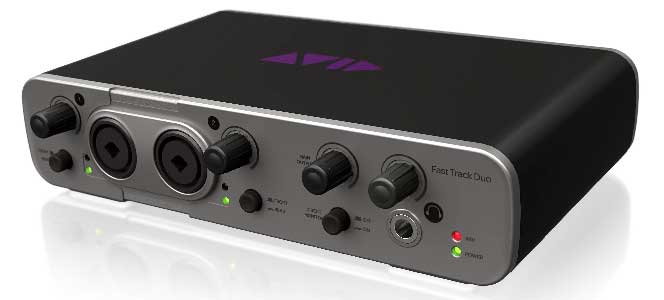
While no longer in production, the Avid Fast Track Duo was a popular entry-level interface that came bundled with Pro Tools Express. It offered two combi-sockets for inputs and basic output options. Although tied to the Avid ecosystem, it performed competently as a general-purpose interface with other DAWs. Its discontinuation means it’s now only available on the used market, and potential buyers should be aware of limited future software support. The legibility of its labeling was also noted as a minor drawback for some users.
(Audio sample for Avid Fast Track Duo would be placed here, reflecting its historical relevance.)
5. Focusrite Clarett 2Pre
Price: Approximately £345 – $439 USD
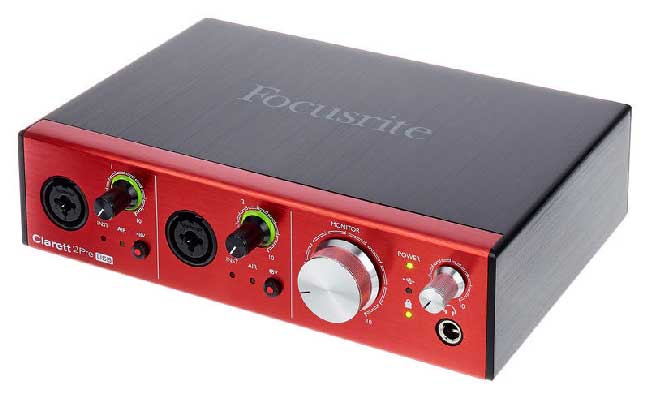
Positioned above the Scarlett series, the Focusrite Clarett 2Pre represents an upgrade in preamplifier and converter technology. Initially designed for Thunderbolt and FireWire, newer USB 3.0 versions leverage increased data transfer speeds. The 2Pre offers two combi-sockets for inputs and two line-level outputs. While sharing a similar layout to the Scarlett, the Clarett features more sophisticated control software. Like its predecessors, it is expandable via optical connections for more extensive setups. Bundled with Ableton Live Lite and other plugins, it provides a robust platform for music production, though the included DAW may not be ideal for all voiceover editing tasks.
(Audio sample for Focusrite Clarett 2Pre would be placed here, showcasing its enhanced audio fidelity.)
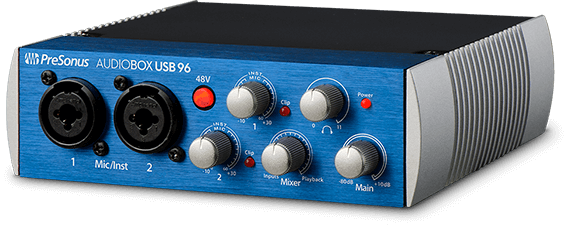
6. PreSonus AudioBox USB
Price: Approximately £99 – $129 USD
The PreSonus AudioBox USB is a straightforward and affordable interface that comes bundled with a version of PreSonus’s Studio One DAW. It features two combi-sockets for inputs and two line-level outputs. While not the smallest interface, it offers a solid performance for its price point. PreSonus offers various bundles with different software inclusions, allowing for some customization based on user needs.
(Audio sample for Presonus Audiobox USB would be placed here, demonstrating its value proposition.)
7. RME Babyface Pro
Price: Approximately £649 – $759 USD
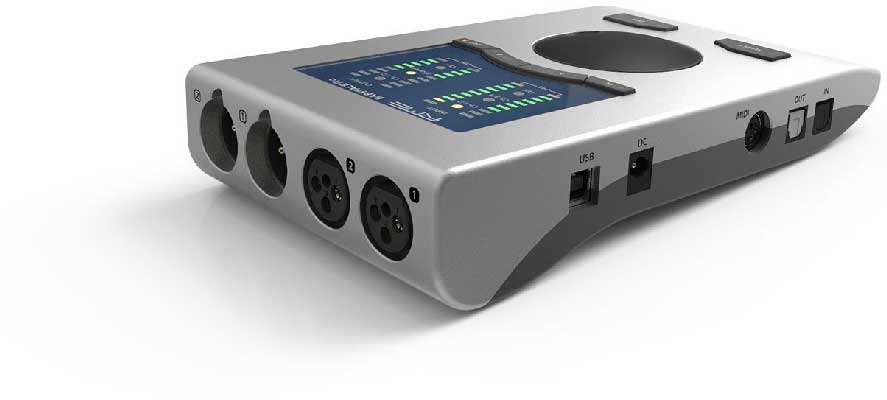
The RME Babyface Pro, despite its compact and minimalist design, is a powerhouse of an audio interface. It features four inputs (two XLR and two jack) and a sophisticated digital mixer accessible through its software. While the initial setup of the mixer might require some learning, once configured, it allows for versatile routing and efficient operation for daily voiceover tasks. The unit’s all-digital nature enables the saving and reloading of various configurations, a significant advantage for professionals working on diverse projects. Its expandability via optical leads further enhances its professional capabilities.
(Audio sample for RME Babyface Pro would be placed here, highlighting its professional-grade audio.)
8. Steinberg UR12
Price: Approximately £79 – $99 USD
The Steinberg UR12 is a budget-friendly interface that offers a simple yet effective solution for basic recording needs. It features one XLR microphone input and one jack input, with stereo line outputs. Bundled with Cubase AI and LE, it provides a starting point for digital audio production. A useful feature is its ability to loop back audio from a DAW or editor to a remote client, facilitating real-time collaboration. It is the entry-level model in Steinberg’s UR series, with the UR22 and UR242 offering enhanced capabilities.
(Audio sample for Steinberg UR12 would be placed here, demonstrating its accessible performance.)
Analysis of the Market Landscape and Recommendations
The audio interface market is characterized by a wide spectrum of quality and price points. While most modern interfaces offer acceptable audio quality for general purposes, there are discernible differences that impact professional workflows.
Budget-Friendly Interfaces (e.g., Focusrite Scarlett 2i2, Audient iD4, Presonus AudioBox USB, Steinberg UR12): These interfaces provide excellent value for money and are ideal for individuals just starting their voiceover journey or those with limited budgets. Their primary drawback often lies in the rotary encoders, which are typically "un-notched." This means that when you adjust a setting, there are no tactile clicks to indicate specific values. Consequently, precisely matching previous settings for pickup sessions can be challenging. Furthermore, their software support and included plugins may be less comprehensive than higher-end models.
Mid-to-High-End Interfaces (e.g., Universal Audio Apollo Twin, RME Babyface Pro, Focusrite Clarett 2Pre): These interfaces command a higher price but deliver significant advantages.
- Notched Encoders: The inclusion of notched encoders provides precise, tactile control over settings, making it far easier to recall specific adjustments for continuity in recording sessions.
- Superior Preamplifiers and Converters: Higher-priced units generally feature more advanced preamplifiers with lower noise floors and greater headroom, leading to cleaner and more detailed recordings. Their converters also offer superior accuracy in the digital conversion process.
- Advanced Software and Features: Interfaces like the Universal Audio Apollo Twin offer sophisticated control software with extensive routing options and powerful plug-in suites that emulate professional studio hardware. Features like session saving and recall become invaluable for time-sensitive professional workflows. The RME Babyface Pro, while seemingly simple, offers deep digital control and expandability.
The Crucial Question: Do Clients Notice the Difference?
For many commercial voiceover projects, the discerning ear of the end client may not always detect the subtle nuances between a good budget interface and a top-tier professional unit, especially when the audio is compressed for broadcast or streaming. However, for high-end narration, audiobook production, or any application where pristine audio fidelity is paramount, the investment in a superior interface can indeed translate into a noticeable difference in the final product and a more professional client experience.
Ultimately, the "best" audio interface is subjective and depends on individual requirements, budget, and technical comfort level. It is recommended to research specific models, read reviews, and if possible, listen to audio samples from each unit to make an informed decision that will serve your voiceover career effectively for years to come.
This article was updated in January 2026 by Hugh Edwards.
