

The quest for pristine audio quality is paramount for any professional voiceover artist. At the heart of a high-fidelity recording setup lies the audio interface, a crucial piece of hardware that bridges the gap between your microphone and your digital audio workstation (DAW). Choosing the right audio interface can be a complex decision, often clouded by brand loyalty and technical jargon. This comprehensive guide aims to demystify the process, providing voiceover professionals with the knowledge to select an interface that not only meets their current needs but also future-proofs their recording capabilities. We will explore key considerations, delve into popular models, and offer an analytical perspective on what truly matters for a voiceover artist’s sonic success.
Understanding the Role of an Audio Interface
An audio interface is, in essence, the gateway for sound into your computer and out to your speakers or headphones. Its primary functions include:
- Analog-to-Digital Conversion (ADC): When you speak into a microphone, your voice produces an analog electrical signal. The audio interface’s ADC converts this analog signal into a digital format that your computer can process and record. The quality of this conversion directly impacts the clarity and detail of your recordings.
- Digital-to-Analog Conversion (DAC): Conversely, when you listen back to your recordings or play music through your studio monitors or headphones, the digital audio signal from your computer needs to be converted back into an analog signal. The DAC within the audio interface handles this conversion, and its quality affects the accuracy of your playback monitoring.
- Preamplification: Microphones, especially dynamic microphones, often require a significant boost in signal strength to reach optimal recording levels. The preamplifiers (preamps) within an audio interface provide this gain. High-quality preamps are crucial for capturing a clean, noise-free signal without introducing unwanted coloration or distortion.
- Connectivity: Audio interfaces provide the physical connections for microphones (typically via XLR inputs), instruments (via ¼-inch jack inputs), and outputs for studio monitors and headphones.
The Evolution of Audio Interfaces and Their Impact on Voiceover
The landscape of audio interfaces has dramatically evolved over the past few decades. Early interfaces were often bulky, expensive, and limited in their functionality. The advent of USB, FireWire, and later Thunderbolt technology has democratized access to professional-grade recording equipment. For voiceover artists, this evolution means more powerful, portable, and affordable solutions are available than ever before. The ability to connect directly to a laptop has also facilitated the rise of home studios and remote voiceover work, a trend that has accelerated in recent years.
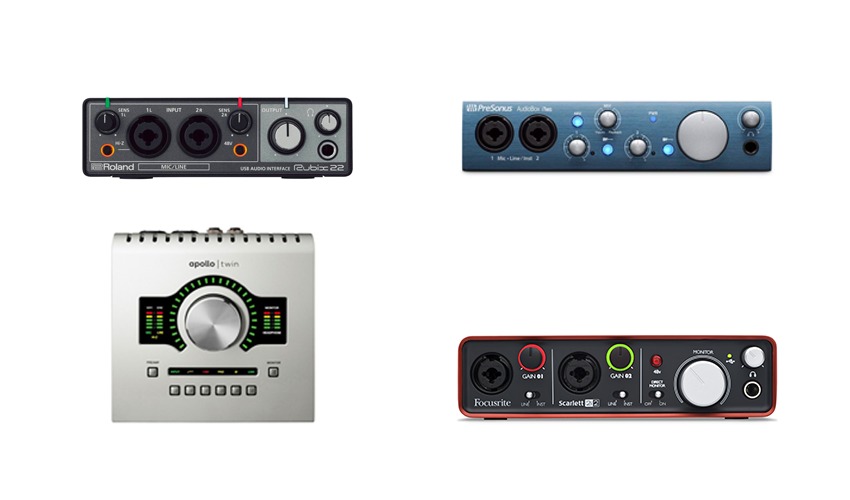
The challenge for many voiceover professionals, particularly those new to the field or looking to upgrade, is navigating the vast array of options. While seeking advice from peers is valuable, it’s essential to approach such recommendations with a critical eye. As one industry insider aptly put it, "Some people are so passionate about their studio that they convince themselves that the equipment they have bought is the right equipment, and anyone who has bought different from them is just plain wrong." This enthusiasm, while well-intentioned, can sometimes lead individuals to purchase gear that isn’t the optimal fit for their specific needs. Understanding the core requirements of voiceover recording is the first step to making an informed decision.
Key Factors in Selecting a Voiceover Audio Interface
When evaluating audio interfaces for voiceover work, several critical factors come into play. These are not merely technical specifications but practical considerations that directly influence your workflow and the quality of your output.
Input and Output Requirements
The number of inputs and outputs (I/O) you need is a fundamental starting point. For most solo voiceover artists, two microphone inputs are sufficient. This allows for recording a primary vocal track and potentially a backup or a different microphone setup. Two line outputs are necessary for connecting your studio monitors, and a headphone output is essential for monitoring your recording without latency.
- Consider Future Needs: While a 2-in/2-out interface might suffice today, consider if your workflow might expand in the future. Do you anticipate needing to record multiple voice actors simultaneously? Do you plan to incorporate additional instruments or sound sources? Opting for an interface with more I/O than you currently need can prevent costly upgrades down the line.
Connectivity Type
Audio interfaces connect to your computer via various protocols, each with its own characteristics:
- USB: The most common and widely compatible connection type. USB 2.0 offers sufficient bandwidth for many voiceover applications, while USB 3.0 and above provide faster data transfer rates, which can be beneficial for higher sample rates and more complex setups.
- Thunderbolt: Offers significantly higher bandwidth than USB, allowing for lower latency and the ability to chain multiple devices. This is often found on higher-end interfaces and is particularly useful for demanding professional workflows. However, it requires a Thunderbolt port on your computer, which is primarily found on Mac computers and some higher-end PCs.
- FireWire: Once a popular choice for professional audio, FireWire has largely been superseded by Thunderbolt and USB 3.0. While still functional, it’s becoming less common on newer computers.
- Ethernet (AoIP): Audio over IP solutions are becoming more prevalent, offering robust networking capabilities for larger studios but are generally overkill for the typical solo voiceover artist.
Preamplifier Quality
The preamplifiers are the "ears" of your interface, responsible for capturing the subtle nuances of your voice. High-quality preamps offer:
- Low Noise Floor: This means they introduce minimal self-noise, ensuring your recordings are clean and free from hiss.
- Sufficient Gain: Adequate gain is needed to properly drive various microphones to optimal recording levels without clipping or distortion.
- Transparency or Character: Some preamps are designed to be as transparent as possible, accurately reproducing the microphone’s sound. Others impart a subtle "character" or coloration that can be desirable for certain vocal styles. For voiceover, transparency is often preferred to maintain the natural tone of the voice.
Digital Converters (ADC/DAC)
The quality of the analog-to-digital (ADC) and digital-to-analog (DAC) converters directly impacts the fidelity of your recordings and playback. Higher bit depths (e.g., 24-bit) and sample rates (e.g., 44.1kHz, 48kHz, 96kHz) allow for greater dynamic range and detail. While most modern interfaces offer excellent conversion quality, subtle differences can become apparent in critical listening environments.
Ease of Use and Software Integration
A complex interface with a steep learning curve can be a significant impediment to productivity. For voiceover artists, an intuitive user interface and straightforward software control panel are highly beneficial. Features like software-based routing, built-in effects (though often bypassed for direct recording), and session recall can streamline your workflow.
- Technophobia Factor: Be honest about your comfort level with technology. If you prefer a plug-and-play experience, opt for a simpler interface. If you’re comfortable diving into advanced routing and settings, a more feature-rich unit might be suitable.
Budget and Value
Audio interfaces span a wide price range, from under $100 to well over $1,000. While it’s tempting to go for the most expensive option, it’s crucial to find the best value for your specific needs. Often, mid-range interfaces offer a sweet spot of quality and features for voiceover professionals.
Bundled Software
Many audio interfaces come bundled with entry-level versions of Digital Audio Workstations (DAWs) like Ableton Live Lite, Cubase LE, or Pro Tools First. These can be a great starting point for beginners, but professional voiceover artists often prefer more robust DAWs like Adobe Audition, Reaper, or Logic Pro X. Additionally, some interfaces include virtual instruments and effects plugins.
A Comparative Look at Popular Voiceover Audio Interfaces
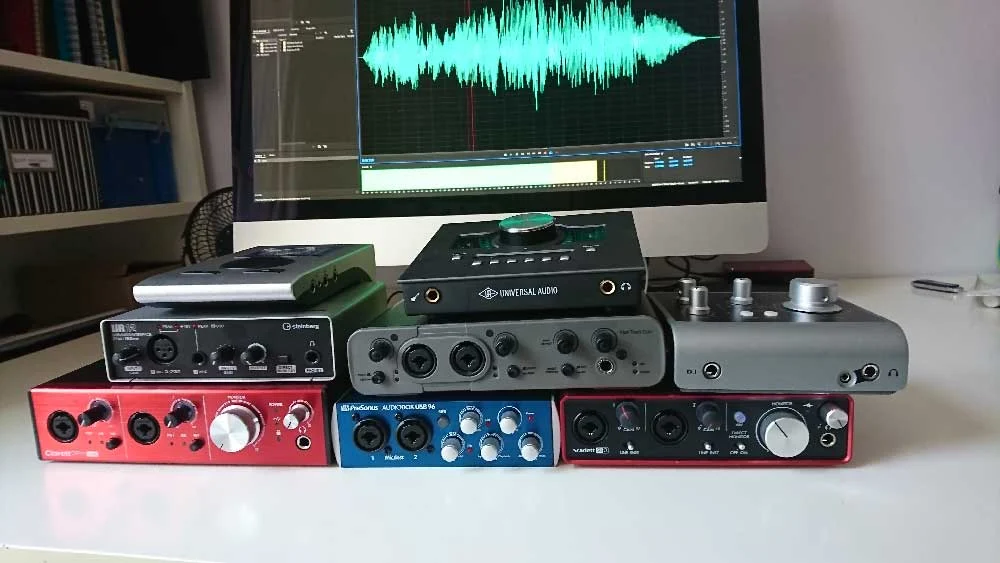
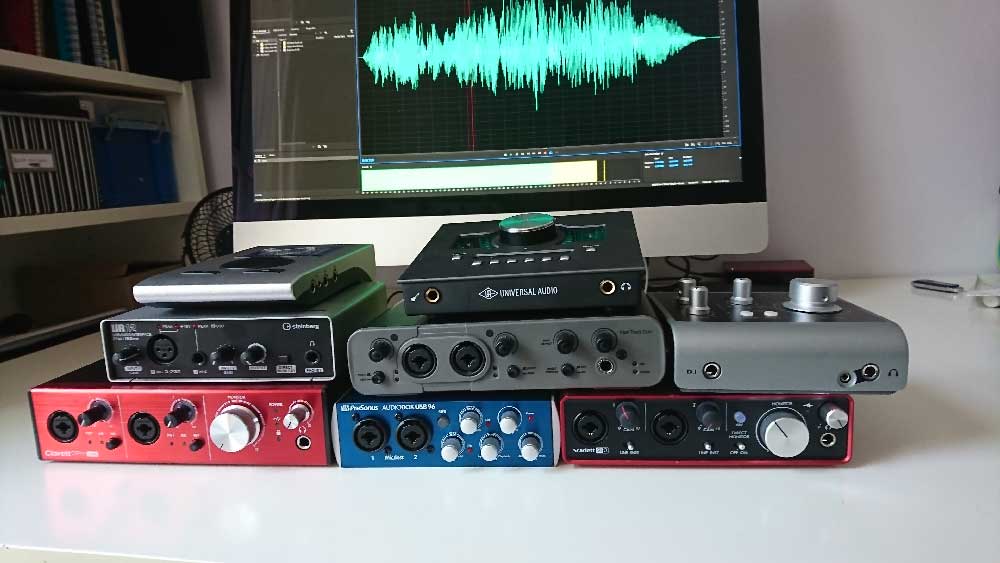
To illustrate the practical application of these considerations, let’s examine some currently popular audio interfaces, noting their strengths and potential suitability for voiceover work. For the purpose of this analysis, audio samples were recorded using a Sennheiser MK4 microphone, connected directly to the interface.
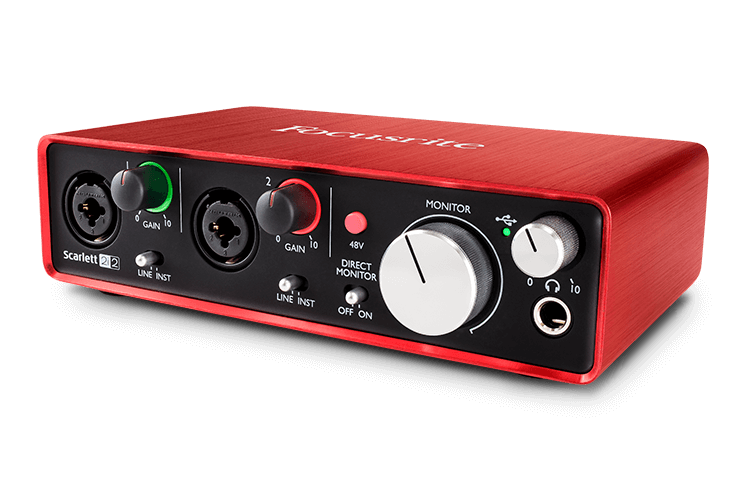
1. Focusrite Scarlett 2i2 (3rd Gen)
Price: Approximately £115 – $146 USD
Connectivity: USB
I/O: 2 Inputs, 2 Outputs
The Focusrite Scarlett series has become a ubiquitous presence in home studios worldwide, and the 2i2 is a prime example of its popularity. Renowned for its affordability, reliability, and user-friendliness, the 2i2 is a solid choice for entry-level to intermediate voiceover artists. Its two combi-sockets (XLR/TRS) provide flexibility for microphone and line-level sources. The third generation boasts improved preamps and converters, offering a cleaner signal path. The inclusion of Pro Tools First (though often bundled with other DAWs) and free plugins adds value. For those needing more inputs, Focusrite offers a range of Scarlett models (e.g., 4i4, 8i6) with expanded I/O and more advanced routing capabilities via their MixControl software.
Audio Sample (Focusrite Scarlett 2i2): (Refer to original article for audio link)
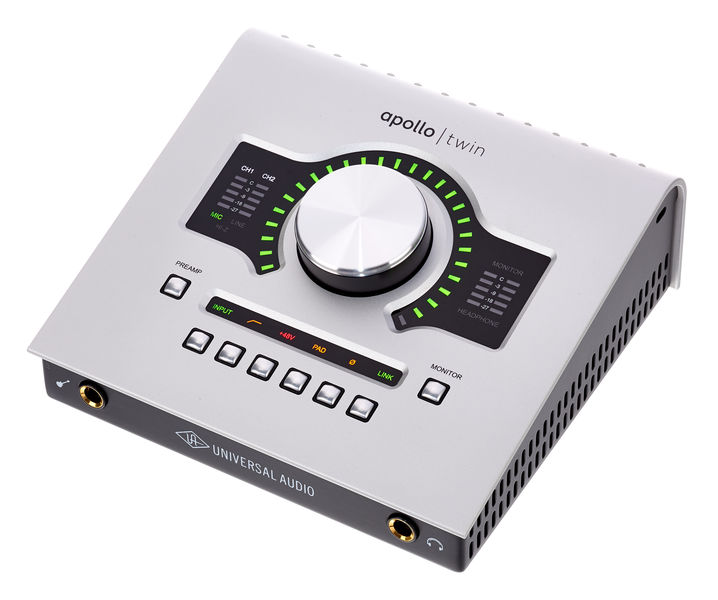
2. Universal Audio Apollo Twin X
Price: Approximately £699 – $899 USD
Connectivity: Thunderbolt (USB version available for Windows)
I/O: 2 Inputs, 4 Outputs (expandable via optical)
The Universal Audio Apollo Twin X represents a significant step up in price and performance, targeting the professional market. Its key advantage lies in its Unison™ preamps, which allow for near-perfect emulation of classic analog hardware preamps and guitar amps. This, combined with UAD-2 DUO or QUAD processing, enables near-zero latency tracking with high-quality UAD plug-ins (like Neve, API, and SSL emulations). The "Console" software provides a comprehensive routing matrix and allows for saving and recalling custom sessions, a feature invaluable for managing multiple voiceover projects with specific settings. While its price point is higher, the Apollo Twin X offers exceptional sound quality, advanced features, and a professional workflow favored by many established voiceover artists, including industry veterans like Joe Cipriano. Its expandability via optical cables ensures future-proofing.
Audio Sample (UA Apollo Twin X): (Refer to original article for audio link)
3. Audient iD4 (MkII)
Price: Approximately £105 – $199 USD
Connectivity: USB
I/O: 2 Inputs, 2 Outputs
The Audient iD4 is a compact and elegantly designed interface that punches well above its weight in terms of audio quality. It features Audient’s renowned Class A console preamplifiers, which are known for their transparency and low noise. The iD4 offers a unique combination of an XLR microphone input and a JFET instrument input, along with a dedicated speaker output and a high-quality headphone amplifier. Its "Scroll Control" feature allows users to control various DAW and plugin parameters with the interface’s main encoder, enhancing workflow. While it has fewer inputs than some competitors, its robust build quality and exceptional preamps make it a strong contender for budget-conscious voiceover artists seeking professional sound. The iD series (iD14, iD22, iD44) offers increasing I/O and expandability.
Audio Sample (Audient iD4): (Refer to original article for audio link)
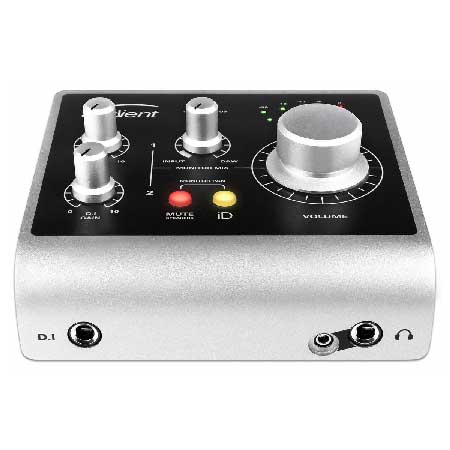
4. Avid Fast Track Duo (Discontinued)
Price: Approximately £145 – $220 USD (When available)
Connectivity: USB
I/O: 2 Inputs, 2 Outputs
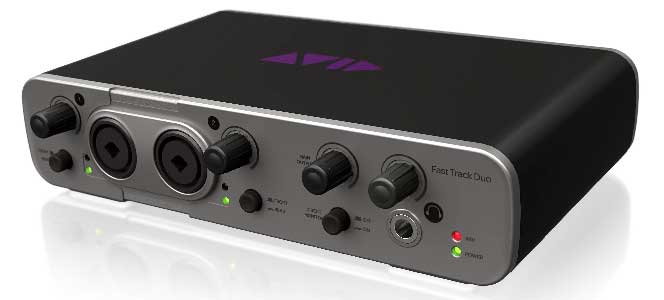
While the Avid Fast Track Duo is now a discontinued product, it’s worth mentioning as it was a popular option bundled with Pro Tools Express. It featured two combi-sockets for microphones or line-level instruments. Its primary drawback, as noted by users, was the legibility of its labeling, which could be challenging for those with visual impairments. Despite being tied to the Pro Tools ecosystem, it functioned effectively as a general-purpose interface with other DAWs. The discontinuation highlights the rapid pace of technological advancement in this sector, where newer models often supersede older ones.
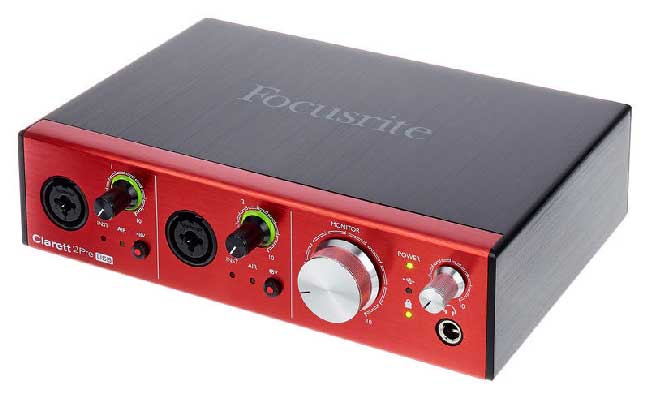
5. Focusrite Clarett 2Pre (USB)
Price: Approximately £345 – $439 USD
Connectivity: USB 3.0
I/O: 2 Inputs, 4 Outputs (expandable via optical)
Positioned above the Scarlett range, the Focusrite Clarett series offers higher-quality preamps and enhanced features. The Clarett 2Pre (USB version) provides two combi-sockets with Focusrite’s "Air" mode, which emulates the sound of their ISA transformer-based preamps, adding a subtle brightness and clarity. It boasts improved converter technology and lower latency compared to the Scarlett series. The inclusion of Ableton Live Lite is standard, though its utility for voiceover editing might be limited. The Clarett 2Pre, like its Scarlett counterparts, benefits from expandability via optical connections, making it a scalable solution for growing studios.
Audio Sample (Focusrite Clarett 2Pre): (Refer to original article for audio link)
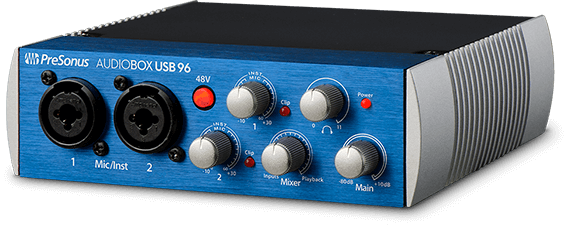
6. PreSonus AudioBox USB 96
Price: Approximately £99 – $129 USD
Connectivity: USB
I/O: 2 Inputs, 2 Outputs
The PreSonus AudioBox USB 96 is a straightforward and affordable interface that comes bundled with Studio One Artist, a capable DAW with a good selection of included plugins. It offers two combi-sockets and a headphone output. While not the smallest in its class, its simplicity and the value proposition of the bundled software make it an attractive option for beginners. PreSonus offers various AudioBox models and bundles, allowing for some customization based on software preferences.
Audio Sample (PreSonus AudioBox): (Refer to original article for audio link)
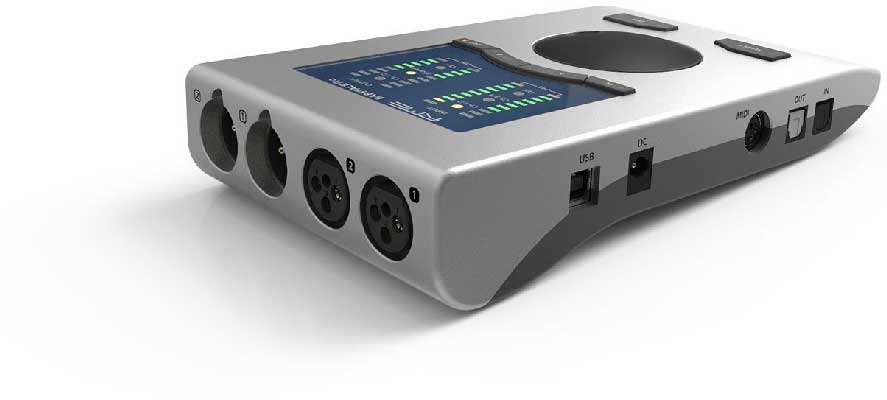
7. RME Babyface Pro FS
Price: Approximately £649 – $759 USD
Connectivity: USB
I/O: 4 Inputs, 4 Outputs (expandable via optical)
The RME Babyface Pro FS is a compact yet incredibly powerful and versatile audio interface. RME is known for its exceptional driver stability, high-quality converters, and transparent preamps. The Babyface Pro FS features a unique and intuitive control scheme where each button can perform multiple functions, managed through RME’s TotalMix FX software. While the software mixer can appear complex initially, once configured, it allows for sophisticated routing and monitoring. Its robust build quality, digital control, and expandability via optical interfaces make it a top-tier choice for demanding professionals who prioritize sonic integrity and reliability. The four inputs (two XLR, two TRS) offer greater flexibility for multi-source recording.
Audio Sample (RME Babyface Pro FS): (Refer to original article for audio link)
8. Steinberg UR12
Price: Approximately £79 – $99 USD
Connectivity: USB
I/O: 2 Inputs, 2 Outputs
The Steinberg UR12 is an entry-level interface that offers excellent value for its price. It features a single XLR input with a D-PRE preamp and a ¼-inch instrument input. A notable feature is its ability to loopback audio from a DAW to a client remotely, facilitating real-time feedback during remote sessions. It comes bundled with Cubase AI and Cubase LE, providing a solid foundation for music production and audio editing. While it has fewer inputs than some competitors, its reliability and the useful loopback feature make it a practical choice for basic voiceover setups. The UR series includes higher-end models like the UR22 and UR242 for expanded capabilities.
Audio Sample (Steinberg UR12): (Refer to original article for audio link)
Analysis of Audio Samples and Performance
Listening to the provided audio samples reveals subtle but discernible differences in the character and quality of the recordings. While all tested interfaces produce professional-sounding results, some stand out for their clarity, detail, and low noise floor.
- Low-Cost Interfaces (Scarlett 2i2, iD4, AudioBox, UR12): These interfaces generally offer clean and usable audio. The iD4, in particular, often receives praise for its surprisingly transparent preamps at its price point. The Scarlett 2i2 is a reliable workhorse, providing a good balance of performance and affordability. The UR12’s loopback feature is a significant advantage for remote collaboration.
- Mid-to-High Range Interfaces (Clarett 2Pre, Babyface Pro FS): The Clarett 2Pre offers an audible step up in preamp quality and overall sonic polish compared to the Scarlett series. The RME Babyface Pro FS, as expected from a premium brand, demonstrates exceptional clarity, a virtually non-existent noise floor, and precise conversion. Its robust build and driver stability are significant advantages for professional use.
- Premium Interface (Apollo Twin X): The Apollo Twin X’s ability to emulate analog hardware through its Unison preamps and UAD processing is its defining characteristic. While the direct recording without plug-ins is already excellent, the potential to add character and polish with high-quality emulations offers a distinct advantage for those seeking a specific sonic signature. The session recall feature is also a major workflow enhancement for voiceover artists managing diverse projects.
The "Rotary Encoder" Consideration: A Deeper Dive
A crucial distinction often overlooked by beginners is the difference between "notched" and "un-notched" rotary encoders.
- Un-Notched Encoders: These are common on lower-cost interfaces. When you adjust a setting, the encoder turns freely. This means that if you unplug the interface or a software glitch occurs, you lose your precise setting. To re-establish the exact same level or parameter, you have to manually turn the encoder until it reaches the desired value, which can be tedious and error-prone, especially when trying to match levels for pick-up sessions weeks or months later.
- Notched Encoders: Found on higher-end interfaces, these encoders have distinct "clicks" or detents. Each click represents a specific increment. This allows for precise recall of settings. When you unplug and replug the interface, or if you need to match a previously set level, you can feel and hear the encoder click back to the exact same position, ensuring consistency across recordings.
This seemingly minor detail can have a significant impact on workflow efficiency and the ability to maintain sonic consistency over time, a critical factor in professional voiceover work.
Broader Implications for the Voiceover Industry
The accessibility and quality of audio interfaces have directly contributed to the booming freelance voiceover industry. The ability for individuals to set up professional-quality home studios means that the barrier to entry for aspiring voice actors has been significantly lowered. This has led to increased competition but also to a greater diversity of voices and services available to clients.
Furthermore, the advanced features found in many modern interfaces, such as low-latency monitoring, remote client playback, and session recall, facilitate seamless remote collaboration and efficient project management. This is particularly relevant in an era where remote recording and distributed production teams are becoming the norm.
The continuous innovation in audio interface technology, driven by companies like Focusrite, Universal Audio, Audient, RME, and Steinberg, ensures that voiceover artists can consistently achieve higher levels of audio fidelity. As technology advances, we can expect to see even more compact, powerful, and intuitive interfaces emerge, further empowering creators to produce professional-grade content from their home studios.
Conclusion and Recommendation
Choosing the right audio interface for your voiceover career is a strategic decision that balances budget, functionality, and sonic quality. While many interfaces on the market today offer commendable audio performance, the key differentiators for professional voiceover work lie in the quality of the preamplifiers, the precision of the digital converters, the reliability of the drivers, and the user-friendliness of the control software.
For those on a tighter budget, the Audient iD4 and Focusrite Scarlett 2i2 offer excellent starting points, providing clean audio capture and reliable performance. The Steinberg UR12 is also a strong contender for its affordability and practical loopback feature.
As your career progresses and your demands increase, investing in a higher-tier interface becomes a wise consideration. The Universal Audio Apollo Twin X stands out for its unparalleled sonic emulation capabilities and advanced workflow features, making it a favorite among seasoned professionals. The RME Babyface Pro FS is a benchmark for pristine audio quality, driver stability, and robust build, ideal for those who prioritize uncompromised sonic integrity. The Focusrite Clarett 2Pre offers a solid upgrade path from the Scarlett series, providing enhanced preamp performance and features.
Ultimately, the "best" audio interface is subjective and depends on your individual needs, workflow, and budget. By understanding the core functionalities, considering the critical factors outlined in this guide, and listening critically to the audio samples, you can make an informed decision that will serve as the bedrock of your professional voiceover sound for years to come. Remember, while the technology is important, it’s your voice and your performance that will truly captivate your audience. The right audio interface simply ensures that your talent is heard in its purest, most compelling form.
