

For aspiring and established voiceover artists alike, the quest for pristine audio quality is paramount. Central to achieving this goal is the selection of an appropriate audio interface, a critical piece of hardware that bridges the gap between a microphone’s analog signal and a digital recording environment. This comprehensive guide delves into the nuances of choosing the right audio interface, moving beyond subjective recommendations to provide a fact-based analysis of features, functionalities, and their direct impact on professional voiceover work. While the landscape of audio technology can appear daunting, understanding the core principles and key differentiators will empower voiceover artists to make an informed decision that enhances their craft and their business.
The process of selecting new studio equipment, whether for initial setup, upgrades, or replacements, often involves seeking advice from peers and industry professionals. However, this collaborative approach carries an inherent risk. Passion for one’s chosen setup can sometimes lead to an overly biased perspective, where personal preferences are presented as objective truths. For voiceover artists venturing into the world of audio interfaces, this can be particularly challenging. Many recognize the necessity of these devices but may lack a deep understanding of their internal workings and the subtle variations that can significantly affect audio capture. This article aims to demystify audio interfaces, exploring popular models and their suitability for the demanding requirements of voiceover production.
Understanding the Core Functionality of an Audio Interface
At its most fundamental level, an audio interface acts as a digital-to-analog and analog-to-digital converter. It takes the analog signal generated by your microphone, amplifies it through its preamplifiers, and then converts it into a digital format that your computer can process and record. Conversely, it converts digital audio signals from your computer back into analog signals for playback through studio monitors or headphones. The quality of these conversion processes, the characteristics of the preamplifiers, and the range of connectivity options are key factors that differentiate various models and influence their suitability for professional voiceover work.
Key Considerations for Voiceover Artists
When embarking on the journey to select an audio interface, several critical factors warrant careful consideration:
Input and Output Needs
The number of inputs and outputs required is directly tied to your current and projected recording setup. For most solo voiceover artists, a single microphone input is sufficient. However, if you anticipate recording multiple voice actors simultaneously, or if you plan to incorporate external hardware like synthesizers or drum machines into your workflow, you will need an interface with multiple line-level inputs. Similarly, the number of outputs determines how many pairs of speakers or auxiliary outputs you can manage, essential for monitoring and headphone mixes.
Connectivity Type
Audio interfaces connect to computers via various protocols, each with its own characteristics:
- USB (Universal Serial Bus): The most common and widely supported connection type, offering a balance of speed and affordability. USB 2.0 is adequate for many basic setups, while USB 3.0 and higher offer increased bandwidth for more demanding applications.
- Thunderbolt: A high-bandwidth, low-latency connection developed by Intel and Apple. Thunderbolt offers superior performance for professional audio applications, particularly when dealing with multiple audio streams or high sample rates. It is primarily found on macOS devices, although some Windows PCs also feature Thunderbolt ports.
- FireWire: An older standard that was once popular for audio interfaces, offering good performance. However, it has largely been superseded by Thunderbolt and newer USB standards.
- Ethernet (Audio over IP): While less common for standalone interfaces, Ethernet connectivity is found in larger networked audio systems, allowing for flexible routing and long-distance signal transmission.
For voiceover work, the primary concern with connectivity is ensuring it aligns with your computer’s available ports and that the chosen interface offers sufficient bandwidth for your recording needs.
Preamplifier Quality
The microphone preamplifier (preamp) is arguably the most crucial component within an audio interface for voiceover artists. It amplifies the weak signal from the microphone to a usable level. The quality of the preamp directly impacts the clarity, warmth, and noise floor of your recording. High-quality preamps offer clean gain with minimal added noise or coloration, allowing your microphone’s true character to shine through.
Digital-to-Analog Converters (DACs) and Analog-to-Digital Converters (ADCs)
These converters are responsible for transforming analog audio signals into digital data for recording and digital data back into analog for playback. The quality of the DACs and ADCs affects the overall fidelity and accuracy of your audio. Superior converters offer greater bit depth and sample rate capabilities, resulting in more detailed and nuanced sound reproduction.
Latency
Latency refers to the delay between when a sound is produced and when it is heard. In audio recording, low latency is crucial for a natural and responsive recording experience, especially when monitoring through the interface. Interfaces with high-quality drivers and efficient processing capabilities generally offer lower latency.
Software and Driver Support
The accompanying software and drivers for an audio interface play a significant role in its usability. Robust drivers ensure stable performance and compatibility with your operating system and Digital Audio Workstation (DAW). Many interfaces also come bundled with control panel software that allows for advanced routing, effects processing, and settings management.
Build Quality and Portability
For voiceover artists who may travel or work in different locations, the build quality and portability of an interface are important considerations. A rugged construction ensures durability, while a compact form factor makes it easy to transport.
A Comparative Analysis of Popular Audio Interfaces
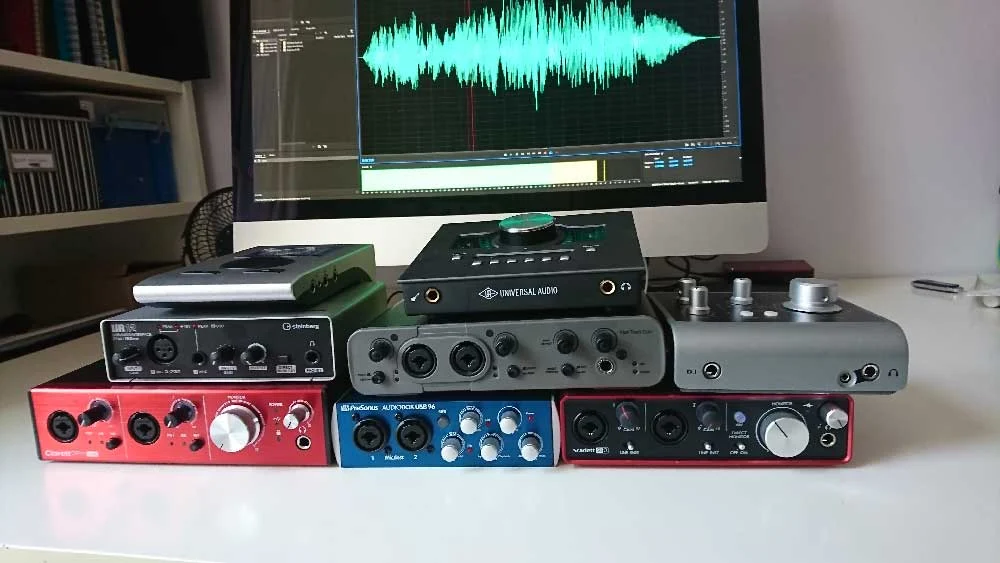
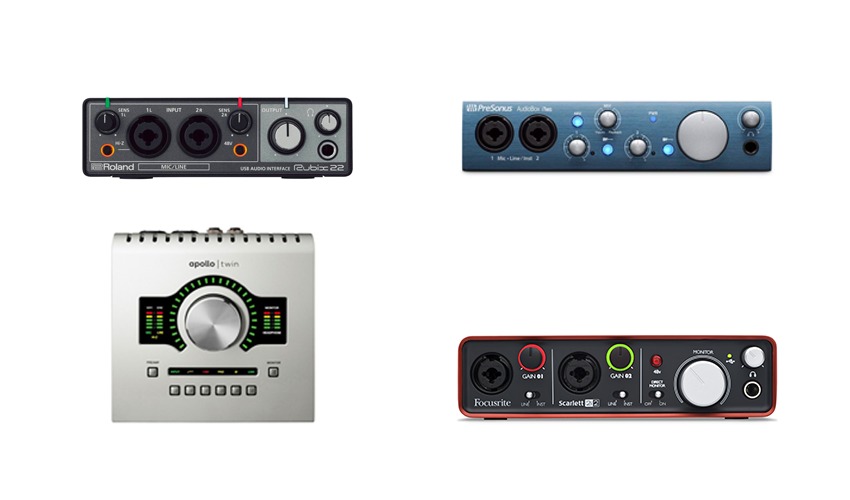
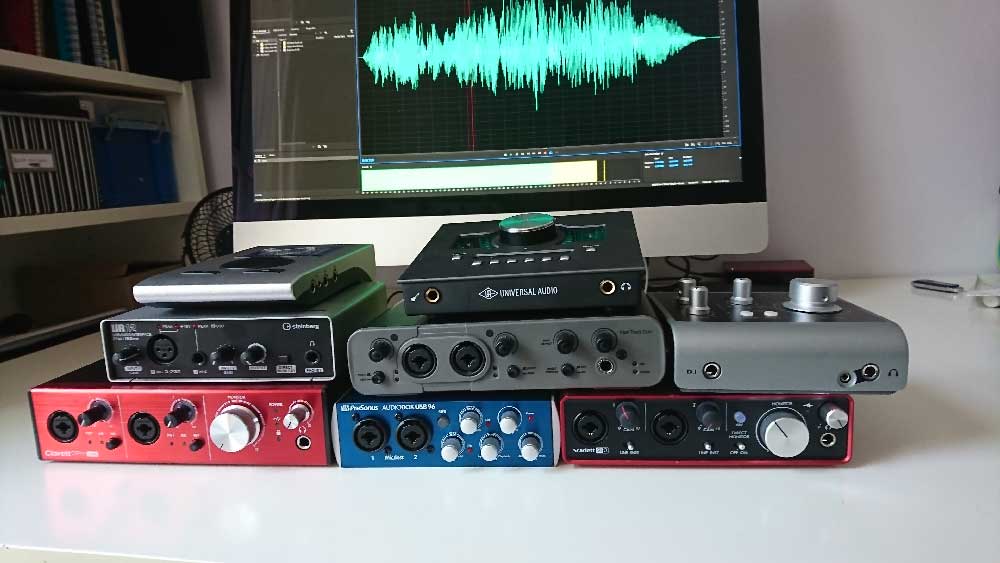
To illustrate these concepts, let’s examine several audio interfaces that are frequently considered by voiceover professionals. The audio samples provided in the original context were recorded using a Sennheiser MK4 microphone directly into the interface, offering a direct comparison of their sonic characteristics.
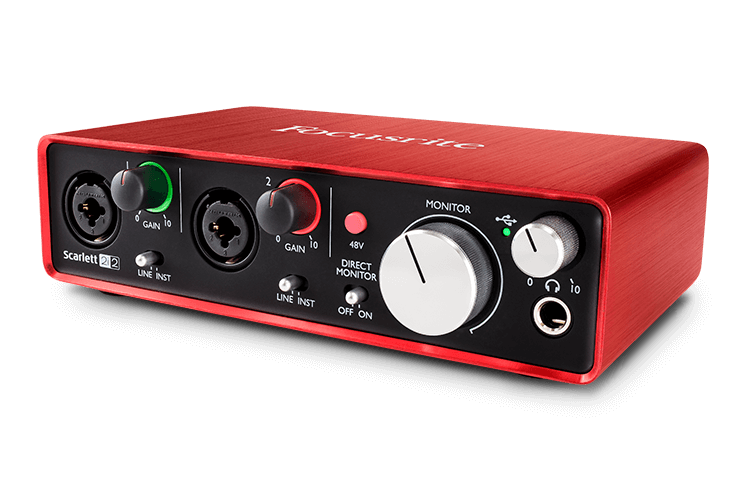
1. Focusrite Scarlett 2i2
Price Range: Approximately £115 – $146 USD
The Focusrite Scarlett 2i2 has established itself as a popular entry-level to mid-range option for many home studio enthusiasts, including voiceover artists. Its reputation for reliability, ease of use, and decent audio quality makes it an attractive choice for those starting out or seeking a straightforward solution.
- Key Features: 2 inputs, 2 outputs, USB connectivity. It often comes bundled with free software, including Pro Tools First.
- Analysis for Voiceover: The 2i2 provides clean preamplification for a single microphone, suitable for most voiceover applications. Its simplicity means users can quickly get up and running without extensive technical knowledge. The inclusion of Pro Tools First, while a stripped-down version, offers a pathway into professional recording software. For users requiring more advanced routing or additional inputs, Focusrite offers a range of Scarlett models (e.g., 6i6 and above) that incorporate more sophisticated software control.
- Considerations: While capable, the preamps and converters are not considered "high-end" compared to more premium offerings. The rotary encoders are typically "un-notched," which can make precise recall of settings challenging for future overdubs.
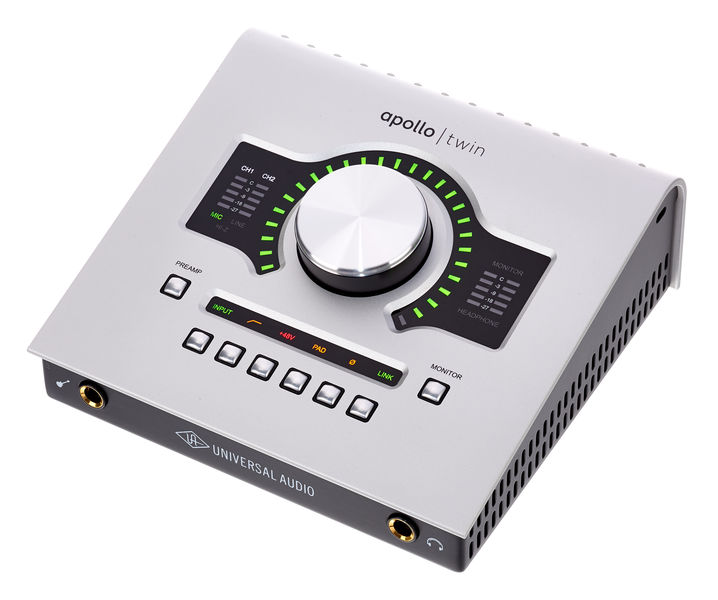
2. Universal Audio Apollo Twin
Price Range: Approximately £699 – $899 USD
The Universal Audio Apollo Twin is a professional-grade audio interface that has become a benchmark for quality and features in the industry. It is favored by many seasoned voiceover artists due to its exceptional sound quality, robust feature set, and powerful plugin ecosystem.
- Key Features: 2 inputs, 4 outputs, Thunderbolt connectivity (USB versions also available for Windows). Features digitally controlled preamps, advanced routing via its "Console" software, and real-time UAD plugin processing.
- Analysis for Voiceover: The Apollo Twin’s primary advantage lies in its UAD plugins, which offer incredibly accurate emulations of classic analog hardware. This allows voiceover artists to apply high-quality processing (e.g., compression, EQ, reverb) in real-time with near-zero latency, directly within the interface’s software. This is invaluable for monitoring and for laying down tracks with professional polish. The ability to save and recall complex routing setups is another significant benefit for managing various project requirements. Its premium preamps and converters contribute to a superior audio capture.
- Considerations: The higher price point places it in a different category than entry-level interfaces. While the Console software is powerful, it can have a learning curve.
3. Audient iD4
Price Range: Approximately £105 – $199 USD
The Audient iD4 is a compact and elegantly designed interface that punches above its weight in terms of audio quality, particularly for its price point. It’s a strong contender for voiceover artists seeking excellent preamps and a simple, robust interface.
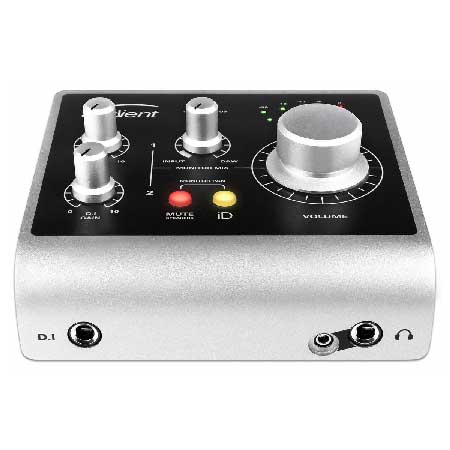
- Key Features: 2 inputs (one XLR, one 1/4" jack), 2 outputs, USB connectivity. It often comes bundled with software like Cubase LE. Higher-tier iD models offer more inputs and expandability.
- Analysis for Voiceover: The iD4’s preamplifiers are highly regarded for their clarity and low noise. The "Scroll Control" feature, which allows the user to control DAW parameters with the iD4’s main encoder, can be a convenient workflow enhancement. While it has only one XLR input, this is sufficient for most solo voiceover recordings. The iD series offers a clear upgrade path for those needing more I/O or advanced routing.
- Considerations: The iD4’s input configuration might be less flexible than interfaces with dual combi-sockets for artists who frequently use different types of signal sources for their second input.
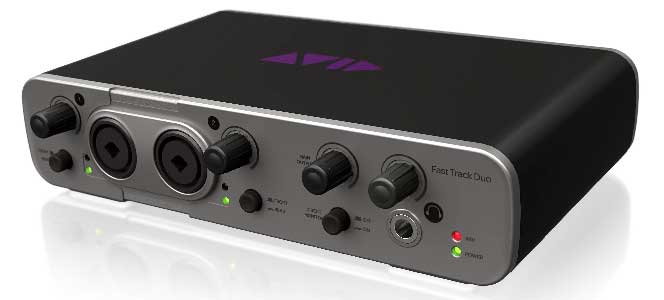
4. Avid Fast Track Duo (Discontinued)
Price Range: Historically around £145 – $220 USD
While now discontinued, the Avid Fast Track Duo was a notable interface that offered a bundled solution with Pro Tools Express. Its inclusion in this discussion highlights the evolution of audio interfaces and the impact of software integration.
- Key Features: 2 combi-sockets (XLR/jack), 2 outputs, USB connectivity. Bundled with Pro Tools Express.
- Analysis for Voiceover: This interface provided a straightforward path into Pro Tools recording. For users who exclusively worked within the Avid ecosystem, it offered a functional solution. However, its discontinued status means it’s no longer a viable option for new purchases and support may be limited.
- Considerations: The limited software support and the fact that it is no longer manufactured are significant drawbacks for current buyers.
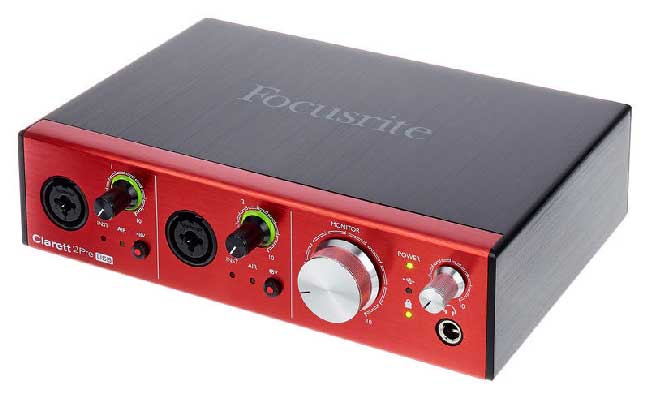
5. Focusrite Clarett 2Pre
Price Range: Approximately £345 – $439 USD
The Focusrite Clarett series represents a step up from the Scarlett line, offering improved specifications and features aimed at more demanding professional applications.
- Key Features: 2 inputs, 2 outputs, USB connectivity (earlier models were Thunderbolt/Firewire). Features upgraded preamplifiers and converters. Requires control software for routing.
- Analysis for Voiceover: The Clarett 2Pre offers enhanced audio performance over the Scarlett series, with cleaner preamps and more accurate conversion. It’s a solid choice for voiceover artists seeking a noticeable improvement in sound quality without venturing into the highest price brackets. The expandable nature via optical leads offers future-proofing for more complex studio setups.
- Considerations: Like the higher-end Scarletts, the control software is necessary for routing, adding a layer of complexity. The bundled Ableton Live Lite is generally not optimized for voiceover editing.
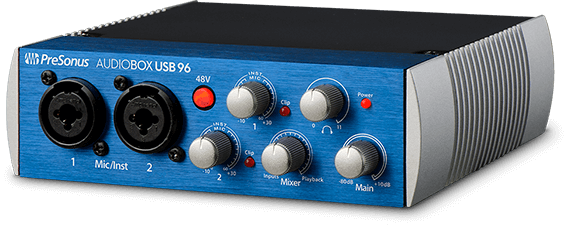
6. PreSonus AudioBox
Price Range: Approximately £99 – $129 USD
PreSonus is known for its comprehensive software integration, and the AudioBox is no exception, often bundled with a version of their Studio One DAW.
- Key Features: 2 inputs (combi-sockets), 2 outputs, USB connectivity. Bundled with Studio One Artist software.
- Analysis for Voiceover: The AudioBox offers a cost-effective entry point into recording, especially for users who appreciate the bundled Studio One software. The preamps are generally considered adequate for voiceover work, and the overall package provides a functional recording solution.
- Considerations: While a capable entry-level option, its audio specifications and feature set are more basic compared to higher-tier interfaces.
7. RME Babyface Pro
Price Range: Approximately £649 – $759 USD
The RME Babyface Pro is a highly respected portable audio interface known for its exceptional build quality, pristine sound, and advanced digital routing capabilities.
- Key Features: 4 inputs (2 XLR, 2 jack), 4 outputs, USB connectivity. Features a highly efficient digital mixer and robust driver architecture.
- Analysis for Voiceover: Despite its compact size, the Babyface Pro is a powerhouse. Its transparent preamps and converters deliver outstanding audio fidelity, making it an excellent choice for critical listening and precise vocal capture. The sophisticated digital mixer, while potentially complex initially, allows for highly customized routing once mastered. Its portability and robust build make it ideal for mobile recording setups.
- Considerations: The price point positions it as a professional investment. The advanced features may be overkill for users with very simple recording needs.
8. Steinberg UR12
Price Range: Approximately £79 – $99 USD
The Steinberg UR12 is a budget-friendly option that offers essential functionality for basic recording needs.
- Key Features: 1 XLR input, 1 jack input, 2 outputs, USB connectivity. Bundled with Cubase AI and Cubase LE. Features a useful "Loopback" function for streaming.
- Analysis for Voiceover: The UR12 is a straightforward interface for those on a tight budget. The inclusion of Cubase AI and LE provides a starting point for DAW users. The loopback feature is particularly beneficial for voiceover artists who also engage in live streaming or podcasting, allowing for easy routing of computer audio to streaming software.
- Considerations: The audio quality of the preamps and converters is basic, and the interface lacks the advanced features found in higher-end models.
Recommendation and Conclusion
The choice of an audio interface ultimately hinges on a balance of budget, technical requirements, and desired audio fidelity. As a general observation, most modern audio interfaces, even in the lower price brackets, are capable of producing good-sounding audio. The primary differentiators lie in the quality of the preamplifiers, converters, driver stability, and the sophistication of the accompanying software.
Lower-priced interfaces often share a common drawback: their rotary encoders are typically "un-notched." This means that when you adjust a setting, there is no physical or visual indicator of the exact position. This can make it challenging to precisely match settings for subsequent recording sessions, particularly when re-recording pickups for existing projects. Furthermore, they may offer less advanced software support and fewer connectivity options.
Higher-priced interfaces, such as the Universal Audio Apollo Twin and the RME Babyface Pro, tend to offer superior preamps, more accurate converters, and often feature "notched" encoders for precise setting recall. Crucially, they provide robust software support, including sophisticated control panels and plugin integration that can significantly enhance workflow and audio quality. These higher-tier units often represent a sound investment for professionals who demand the utmost in audio performance and workflow efficiency.
While the discerning ear of a professional client might detect subtle differences in audio quality between interfaces, for the majority of voiceover applications, the quality of the microphone, the recording environment, and the skill of the voiceover artist themselves play a more significant role in the final product. However, investing in a quality audio interface provides a solid foundation, ensuring that your microphone’s potential is fully realized and that your recordings are captured with clarity and fidelity. For those serious about their voiceover career, a well-chosen audio interface is not merely a piece of equipment; it is an essential tool that empowers artistic expression and professional delivery.
[Updated January 2026, by Hugh Edwards]
